Have a look at this thread:
2 Likes
Is there a way to make the exported kmz file from the new mission hub to work with dji pilot 2 app? When I open any exported kmz, it’s blank on pilot 2 and dji flight hub2
A DJI KMZ file is comprised of two components:
- template.kml
- waylines.wpml
DJI Fly drones have KMZ files with a skeleton template.kml file. All of the waypoint data is found in the waylines.wpml component.
Through working with a number of owners of DJI enterprise drones, I have found that it is necessary to populate the template.kml component with WPML data for the file to work with Flight Hub 2 and Pilot 2.
My “Litchi to DJI” conversion utility does create a working KMZ file for enterprise drones by populating the template.kml component. While I do not own a DJI enterprise drone, have examined the KMZ output from the new Litchi Mission Hub when the drone type is set to an enterprise drone. The KMZ file looks like one written for a DJI consumer drone.
In my experience, a KMZ file written for a consumer drone will not work when imported to an enterprise drone. The Litchi developers will need to provide guidance about this.
We don’t support KMZ export for DJI Pilot at this time. Is there any reason why you do not fly with Litchi Pilot?
Our main priority with KMZ export is to be able to support drones that cannot be flown with any of our apps.
The litchi app has max cruise speed of 33.3mph. The matrice 4t can fly at a max speed of 46.7 mph in waypoint mode using the pilot 2 app.
Check your other posting which explains why.
1 Like
I created a flight mission on the Mission Hub (via Area). 217 waypoints are created (more than the 200 allowed by the DJI Fly app). How can I separate them?
I can’t manually select and delete waypoints from missions created “via Area” on the hub.
if using the KMZ conversion to fly in DJI app it will accept more then the 200 waypoints. The max 200 waypoints is when creating plans in the DJI APP which will stop at 200. If you’re using the Litchi app then it shouldn’t matter so no need to delete any.
1 Like
Hello,
I ask again because it’s seems thet no one is able to give me an answer so far: in Litchi Hub, left panel, there is a “3D Reconstruction” button:
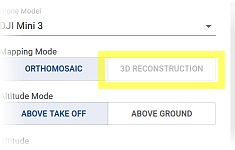
What about? When will it be available?
Thank you.
Hello Litchi Team,
I would like to report a very important functionality that seems to be missing in the new version of Litchi Hub.
In the old Litchi Hub, it was possible to import KML files as map overlays (background layers). This feature worked perfectly and was extremely useful for mission planning. It allowed us to prepare flight missions much faster and more precisely, especially when working with predefined boundaries, fields, or reference layers.
Unfortunately, in the new Litchi Hub, this KML overlay import functionality no longer works / is no longer available.
For many professional users, this is a critical feature, and its absence significantly slows down the mission preparation process. Being able to use KML files as background layers is essential for efficient and accurate planning.
I would kindly ask you to urgently consider restoring or re-implementing the KML overlay import feature in the new Litchi Hub.
Thank you for your work on the platform and for considering this request.
This functionality would greatly improve usability and workflow efficiency.
Best regards,
1 Like
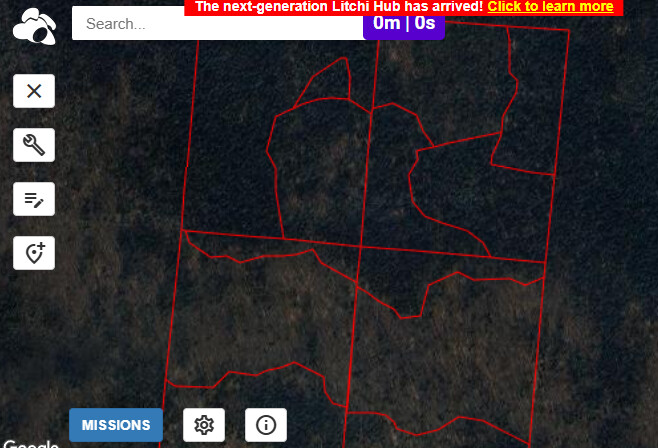
Yes, exactly - it works in older version….
Have you tried the “Import Mapping Area” feature in the Area Mapping flight’s advanced settings?
Does this not meet your needs?

Thank you for your response.
No, unfortunately this does not meet my needs.
The “Import Mapping Area” feature is designed to import a specific flight/mapping area, whereas my use case is different.
I do not want to import a single mission or mapping polygon.
What I need is the ability to import a KML file as a background/overlay layer, exactly as it worked in the old Litchi Hub.
The KML files I use contain thousands of different polygons (e.g. fields, parcels, boundaries), and they are meant to serve only as a reference layer during mission planning — not as an active flight area.
In the old Litchi Hub, the KML overlay import allowed this to work perfectly and greatly improved planning efficiency.
The current “Import Mapping Area” option does not replace this functionality.
We’ve made the following changes to the Hub:
- you can now import KML polygons to help flight planning
- DJI Fly KMZ export: flights are now always exported with curves for improved support
- added a new Mini 4 Pro drone model that can be used for DJI Fly KMZ export
2 Likes
Great - now it is working perfectly !
I created this topic, “Area Mapping with Phantom 3 Professional”, in the regular forum and another user couldn’t get it to work either. After creating an area mapping mission on the next-generation Litchi Hub and setting the photo interval to 3 seconds, when I load the mission into the Litchi for DJI Drones app, it is stripping the photo intervals and basically is leaving the way points and flight paths between each way point and is not taking pictures. I’ve tried playing with settings and searching the forum and internet and can’t find anything that helps. Thought I’d check to see if anyone has any insight. Thank you!
Hello!
New to the Litchi apps and impressed with what I’m finding. I was able to import a polygon from Google Earth to define my boundaries and then create a new area flight that looks to be exactly what I want in terms of coverage, shooting rate, etc.
What I can’t figure out is whether there is a way to break up the mission into pieces so I can span it across three batteries. The flight time as designed is longer than any one battery in my Mavic 3.
Is there a simple means to do this? I thought I’d export to CSV and break it up, but that option is not there yet. I could possibly do it with the KML file, but wanted to ask if I’m missing an easier way before I tackle that (and what the gotchas might be if I do that).
I have used WayPointMap some and it has a split feature on export that can be based around projected battery time. I’m looking for something to achieve the same.
I did find that I could load my exported overall mission into WayPointMap, then use its split feature to re-export into three missions… but I worry that WayPointMap might be altering or otherwise imposing its own behaviors on the re-exported files and I’d rather know I’m getting precisely what I see defined in Litchi, but across multiple missions.
IF there is a way to resume the mission manually while flying it and I can use a single mission, I’d be happy to do it… but this has over 800 waypoints in it and I’d rather not find out 30 minutes into the process that I can’t easily resume from a given point.
Thanks!
At this time it’s not (yet) possible.
Place your vote here:
Restart from waypoint after last completed to allow mission battery changes
1 Like
Thanks for the quick response.
I examined the waypoints that I imported to WayPointMap from Litchi and re-exported into 25 minute missions. They appear to be, best I can tell, unmodified in the ways that matter (if at all)… so I think I can use that workaround until it’s an option in Litchi itself. Will give that a whirl.
I’ll also give the resumption option a try as a test, but I agree that it’s going to be tricky with 800+ waypoints seemingly making the UI on my RC Pro a bit sluggish as well. Just seems dicey vs. running multiple missions that I know can fit within my flight time.
Thanks!