After creating an area mapping mission on the next-generation Litchi Hub and setting the photo interval to 3 seconds, when I load the mission into the Litchi for DJI Drones app, it is stripping the photo intervals and basically is leaving the way points and flight paths between each way point and is not taking pictures. I’ve tried playing with settings and searching the forum and internet and can’t find anything that helps. Thought I’d check to see if anyone has any insight. Thank you!
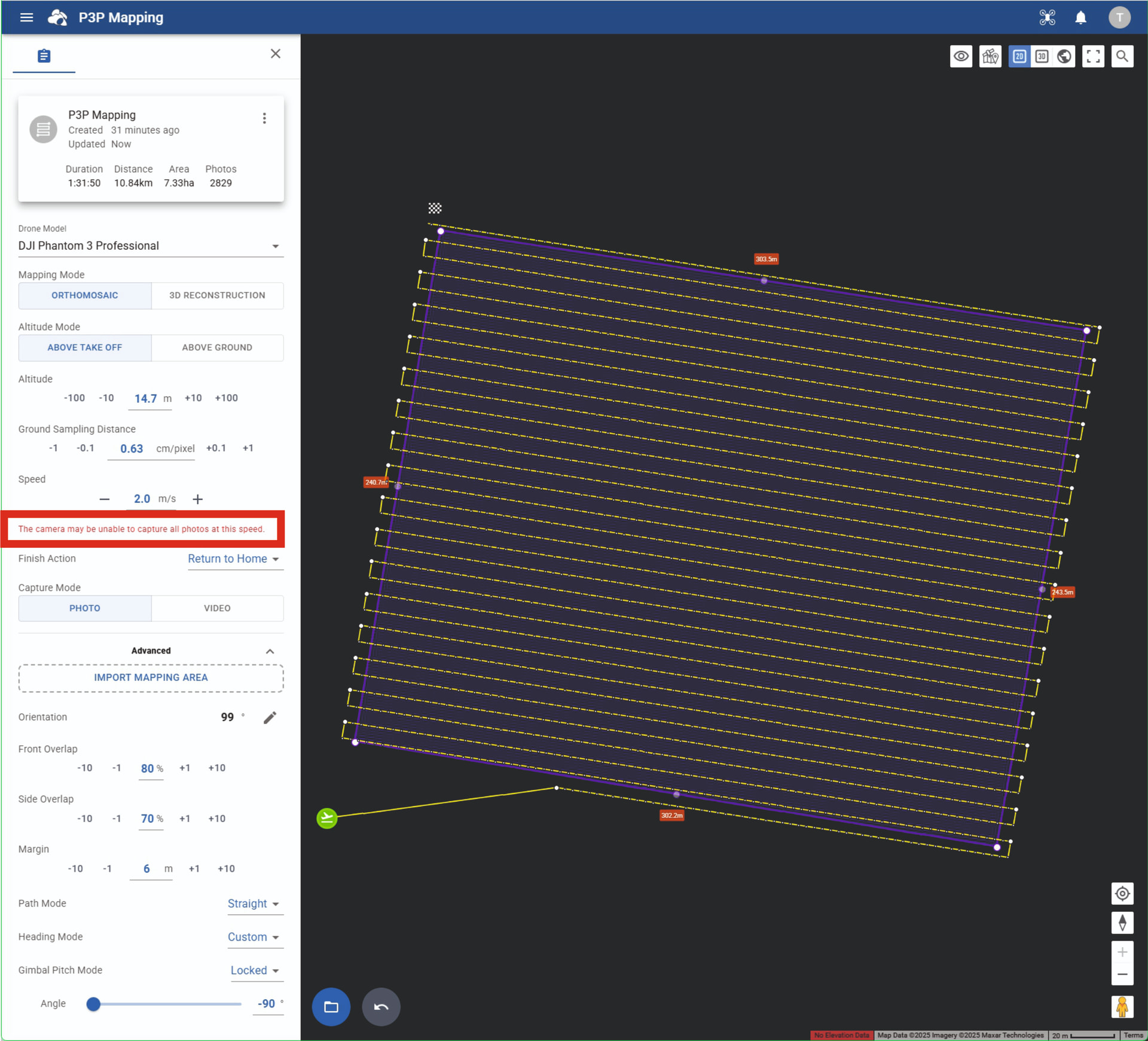
You can NOT set the Photo Capture Interval in a Mapping Mission in the new Beta Hub, it is calculated automatically depending on other settings:
-Altitude and/or Ground Sampling Distance
-Speed
-Front Overlap
You will get a warning when the calculated Interval gets too high (a lower number).
The Camera Settings in the Litchi App should be set to:
-Single Shot
-JPG only
If you still want to shoot at a 3 seconds interval by using the Camera Settings in the Litchi app, which may be over the limit of the P3P’s capabilities, make sure you:
-Use a verry high speed SD card
-Set capture mode to JPG Only
-Open the Mission in the “old” Hub and disable ALL interval settings in ALL waypoints.
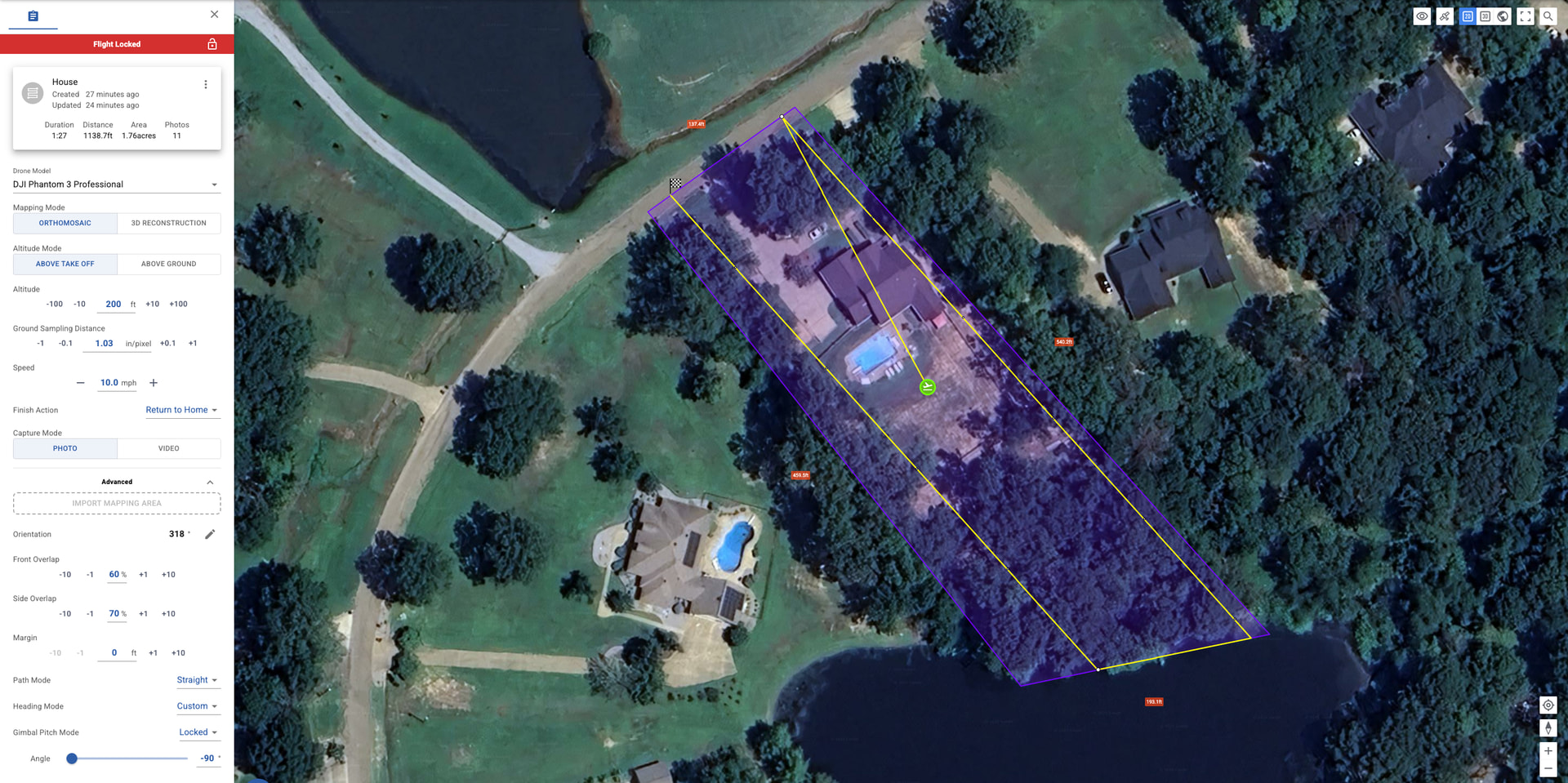
Thank you for the reply! See how in your screen shot it shows the little white circles along the flight path indicating where pictures will be taken, when I load that in the “old” hub, those disappear and when I load the mapping in the Litchi App to the drone, it will fly the route, but won’t take any pictures. Below is what I see when I create the area mapping in the “new” hub.
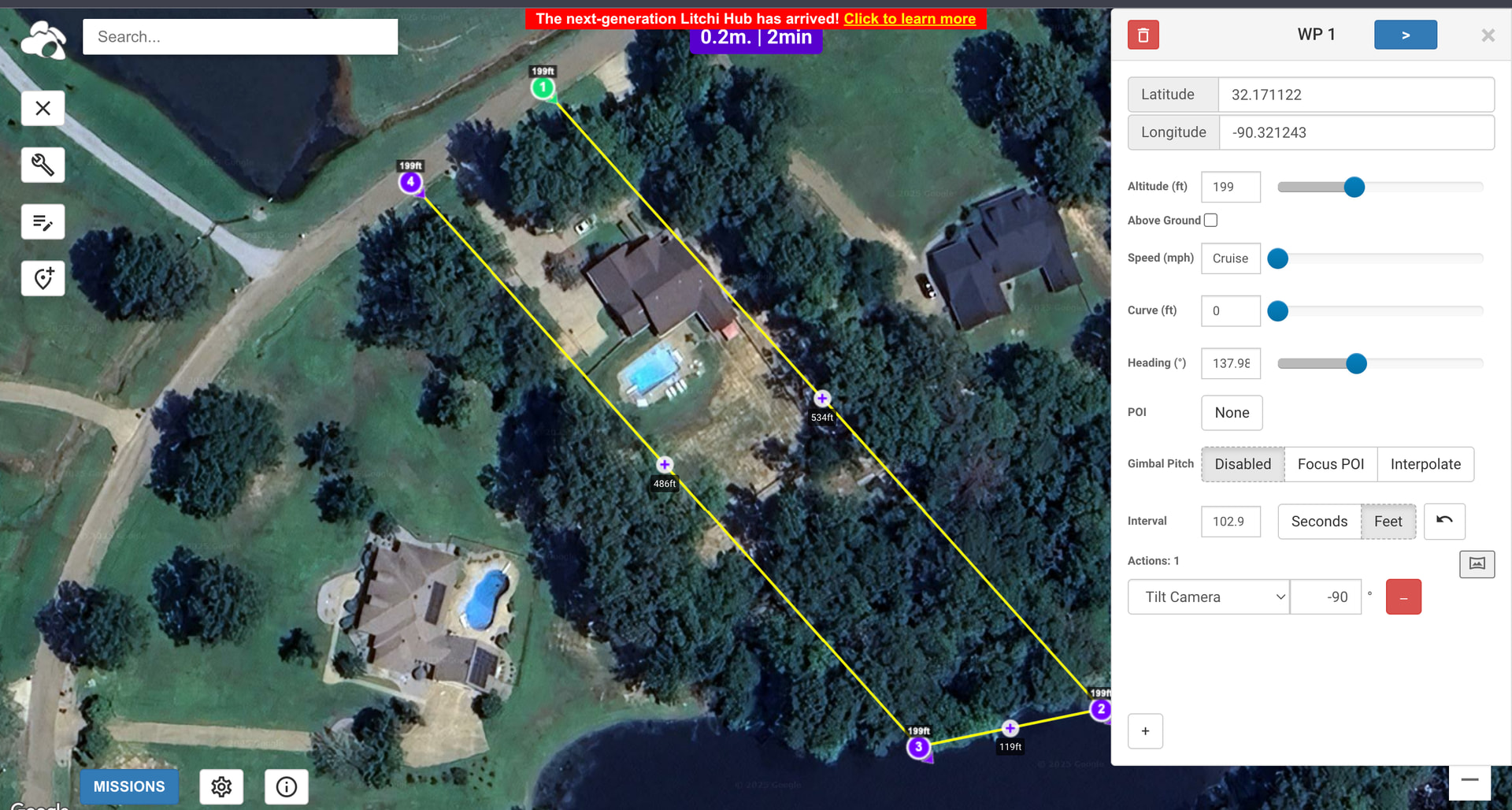
And this is what I get when I load it in the “old” hub.
And still not taking any pictures.
That’s normal and doesn’t change anything in the mission.
Also notice that the calculated interval is 102.9 feet.
At a speed of 10 mph (14.67 feet ps), this results in an interval of 7 seconds and should be no problem.
Before you start the mission:
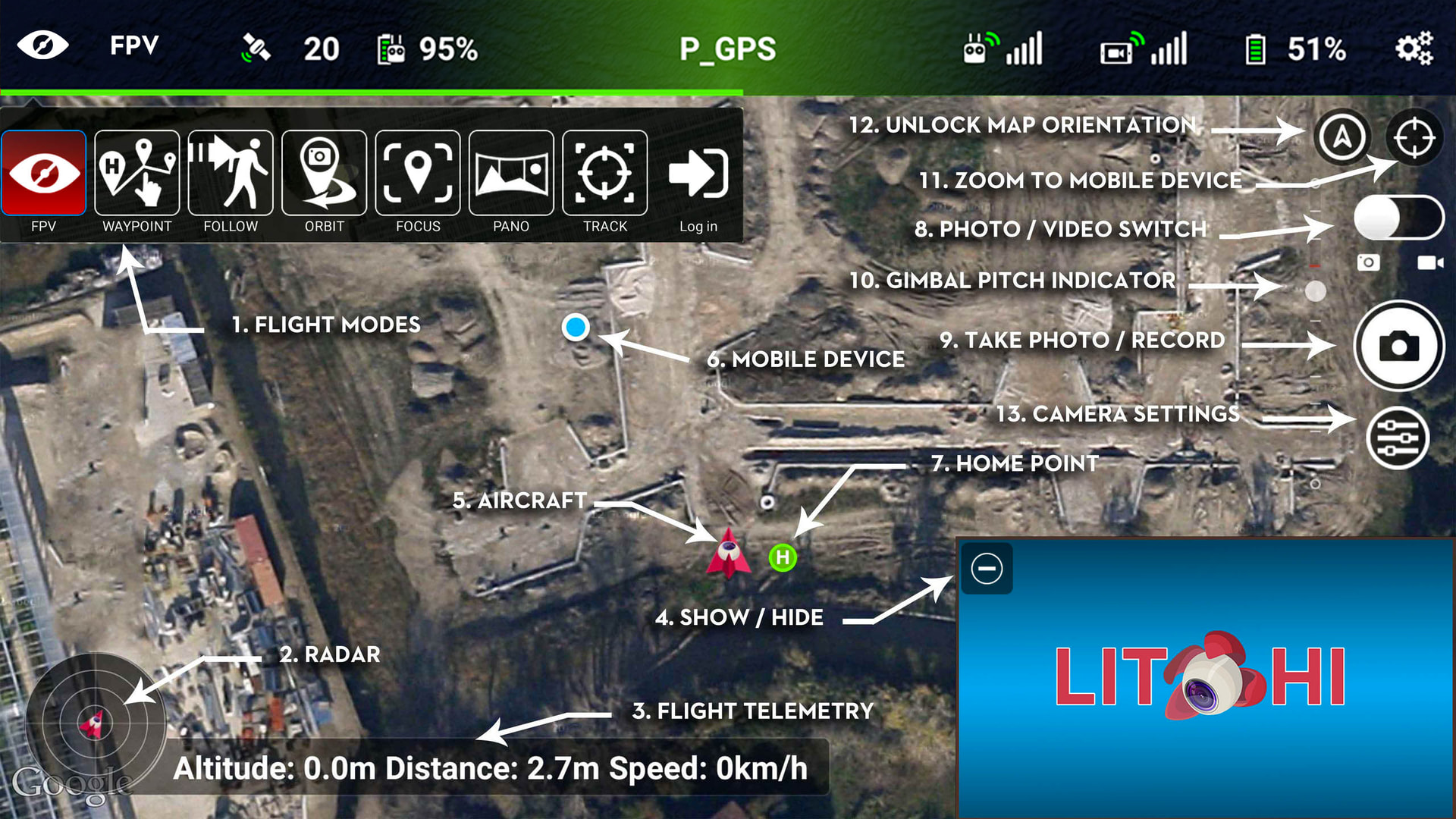
-Set the PHOTO/VIDEO SWITCH (8) to PHOTO
-Set the CAMERA SETTINGS (13) to the settings mentioned in my first reply.
-Turn OFF “Auto Record” in Litchi’s Main Settings->Camera Settings
I have tried everything with no luck. I even deleted the Litchi app and reinstalled it. What I’ve noticed, when I create the area mapping in the “new” hub, it says it will take 11 photos. When I open it in the “old” hub then go back and look at the mission in the “new” hub, it shows zero (0) photos to be taken.
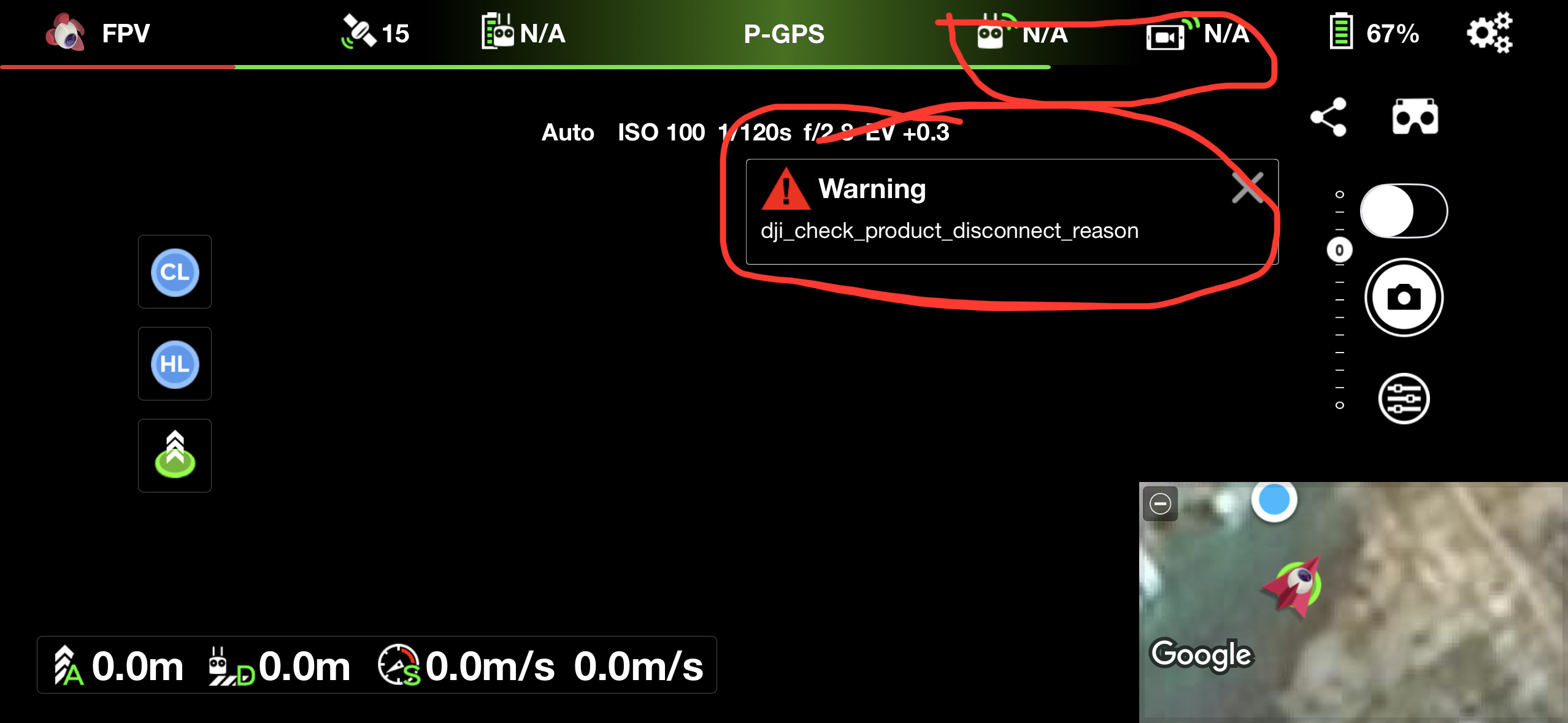
One other thing I have noticed, the app is not showing my remote signal strength nor my video signal strength. I also am getting a “dji_check_product_disconnect_reason” warning. Not sure if this has anything to do with the mission not working or not. I really appreciate the help!
When a mapping mission is created in the new Hub, it is saved as a mapping mission. Meaning that it can be re-opened and edited as a mapping mission where the mapping boundaries can be modified and the Hub will re-calculate the mapping path and number of photos required.
When a mapping mission is opened (and saved) in the old Hub, it is converted to a regular waypoint mission. It can no longer be opened in the new Hub and modified as a mapping mission. It would no longer show the number of photos taken despite the fact that the photo distance intervals would still exist in the mission. If you had not saved the mapping mission in the old Hub, the mission would still be treated as a mapping mission in the new hub.
1 Like
I can’t figure out what is going on. I tried creating a mission on an iPad and MacBook through the web browser and on my phone through the Litchi App. No matter what I do or how I do it, the mission works flawlessly EXCEPT that it won’t tell the drone/camera to take a picture. I can manually take pictures through the Litchi App, but not through a mission. It don’t make no sense, but I’ve tried everything that was suggested here plus some with no luck. 
The last time I tried capturing interval photos with my Phantom 3 Standard, it did not work. I didn’t do any troubleshooting at the time. I’ll try to do some testing this week using Litchi.
I sure do appreciate it! I’m starting to lean towards a compatibility problem between the P3P and Litchi, but I know just enough to be dangerous and it could be something simple I’m missing.
I have done some testing with distance and time intervals in a waypoint missoin. I cannot get my Phantom 3 Standard to capture either distance or timed interval photos configured in a waypoint mission. It does not matter if I pre-select video or photo capture mode. It does not capture photos.
The same mission executed with a Mavic 2 Zoom does successfully capture timed interval photos.
This is something that I have not done with my P3S before so I cannot say if it ever worked with that drone. It is possible that it is a bug that has worked its way into the Litchi code that only affects the older drones.
I sure do appreciate your effort in this! I submitted a request through Litchi Support to look into this further. I will update when I hear back from them.
DJI added support for photo intervals in flight controller firmware version 3.2.10.0
Check that you’re on the latest DJI firmware but it’s possible that older models such as phantom 3 never received this update though.
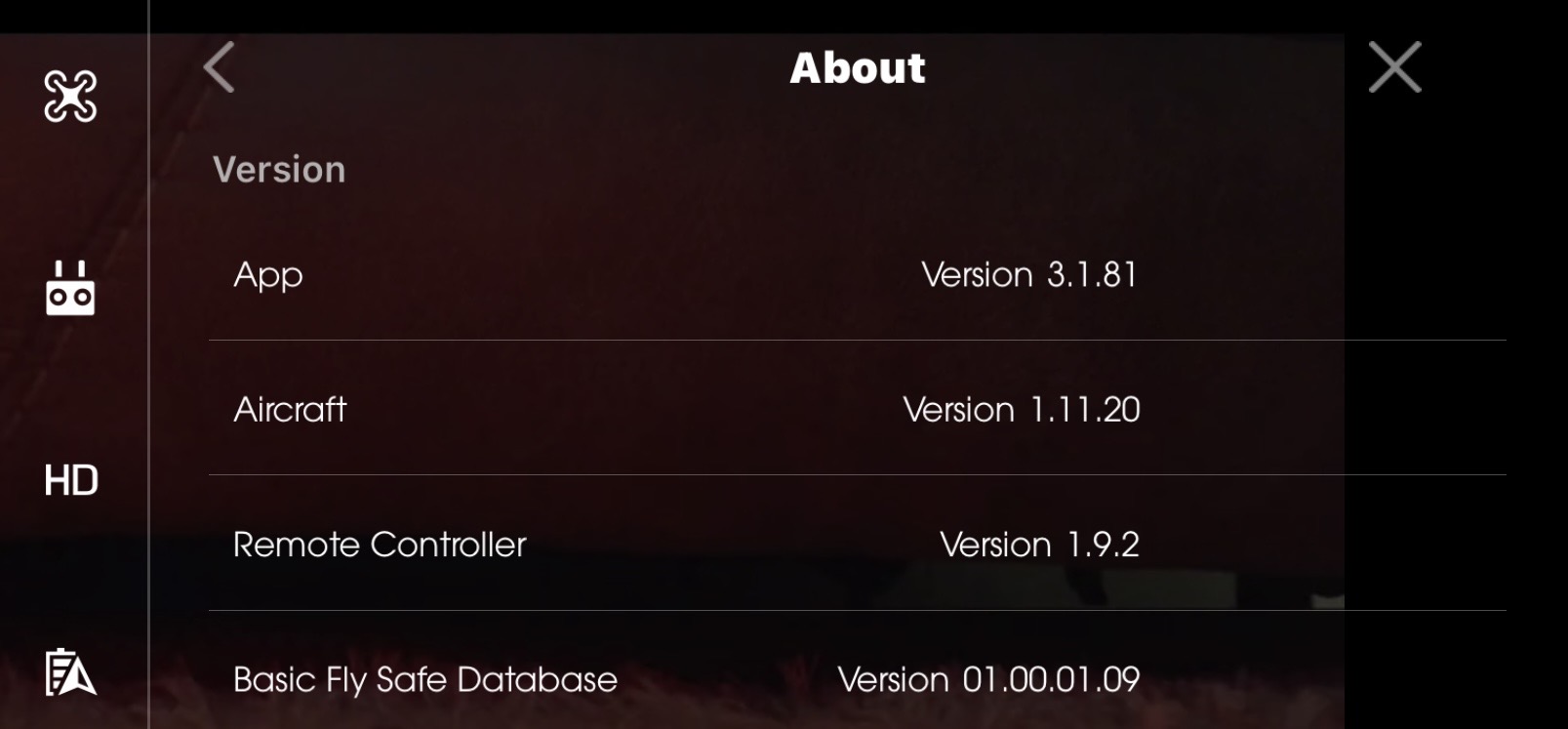
Appreciate it. Best I can tell from searching, I have all the latest firmware versions for the DJI GO app, the P3P & GL300B controller. Is there anything else I might be missing? ¯\_(ツ)_/¯. Thank you!!

The fix is released and live now.
For Phantom 3 and Inspire 1 series, Area mapping will now generate waypoints with Take Photo action for each required photo. This is because these drone models don’t support automated capture interval.
For any flight that was created prior to that Hub update, changing the altitude up/down will trigger a recomputation of the flight with the additional waypoints.
That is great! Thank you!!!