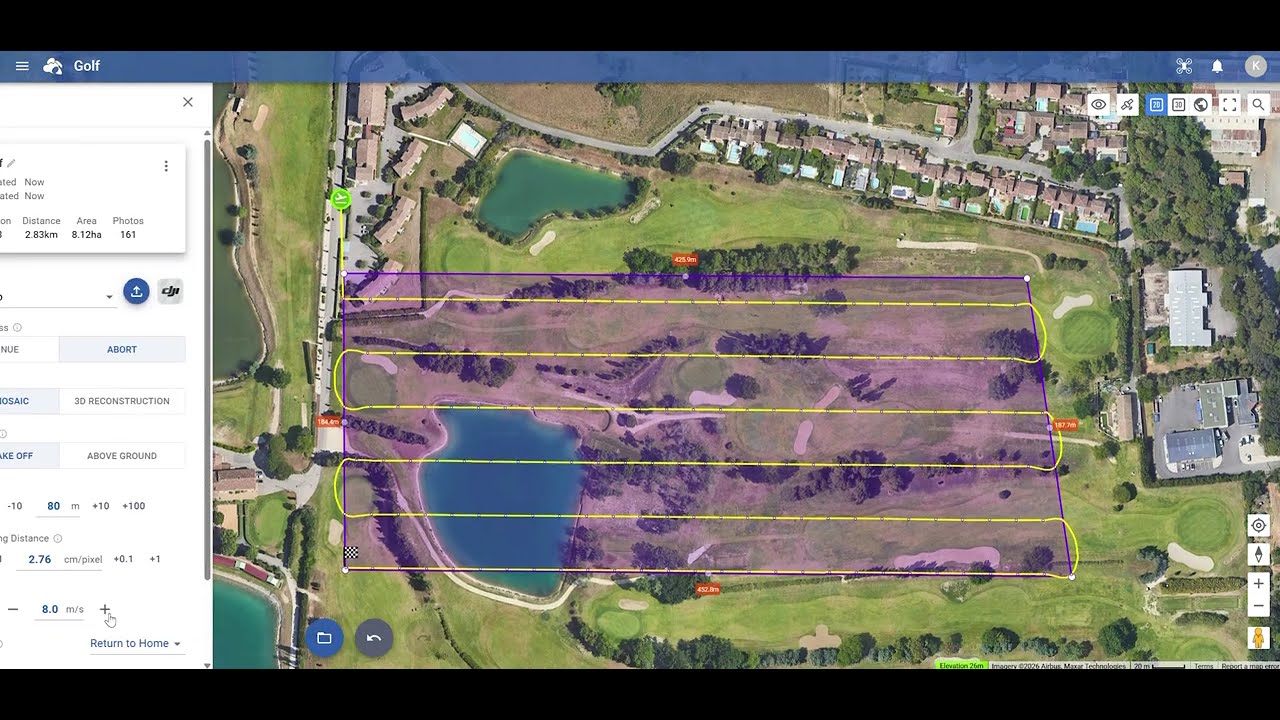
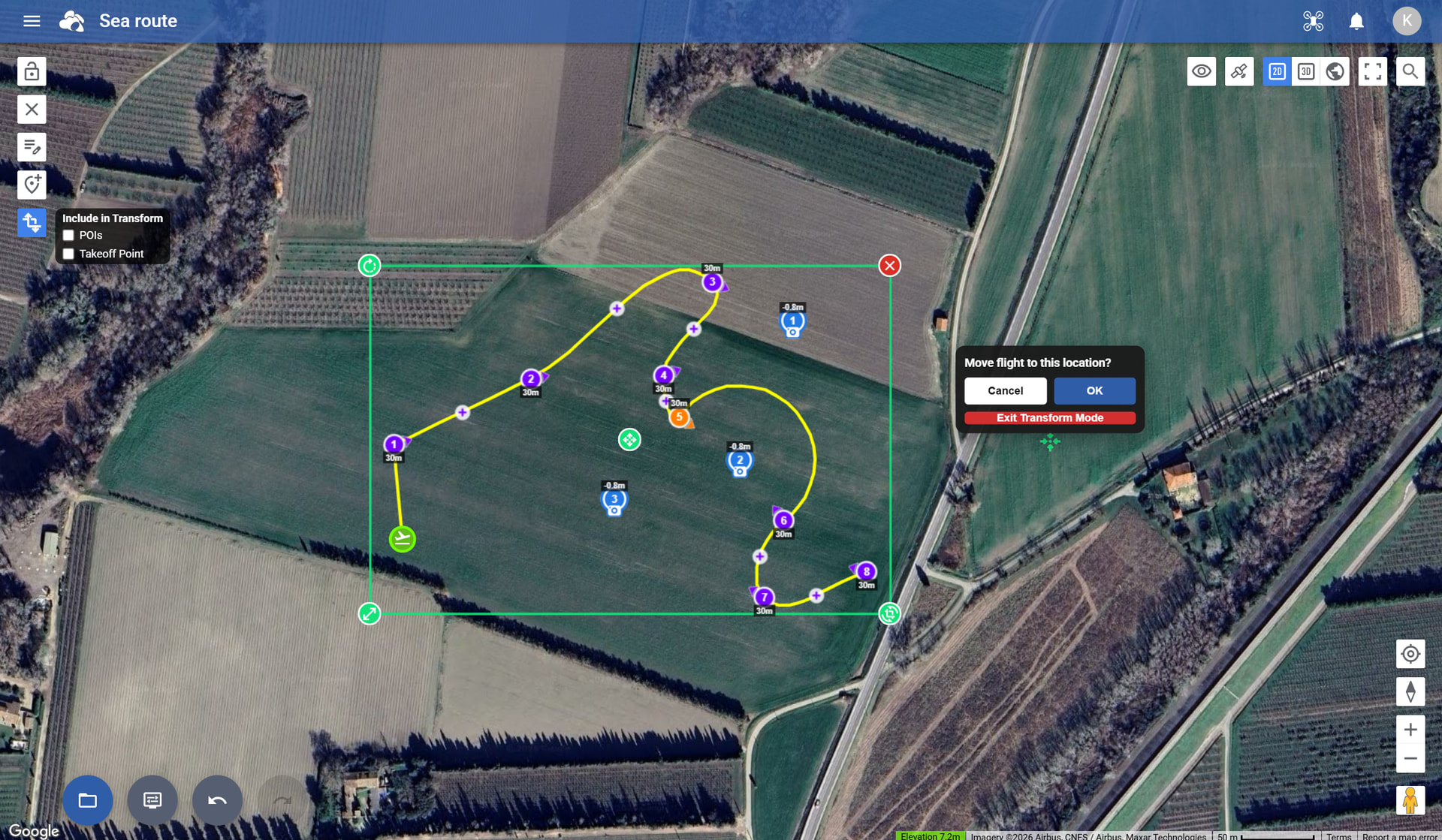
Suggestion: Perhaps a user-adjustable tolerance on the ‘Above Ground’ elevation option?
Height corrections seem to occur every 1 to 1.5 m. of elevation change along the route. For the ‘DJI Fly’ options this can easily put the waypoint count over 150 for a simple 16 min, 100m altitude, area mission over terrain with a 30m elevation change. If the correction was at 2.5 m change then this might be < 150 waypoints.
Also, the waypoints don’t seem to be visible in the editor when in DJI Fly mode. Therefore can’t assess whether the 150 count is exceeded until the file is exported.
Hi Andrew. Regarding your question about waypoints not visible. I just tried selecting several different drones and all the waypoints are visible. Litchi Pilot, DJI Fly and Litchi for DJI Drones all show the waypoints regardless of which drone I select when using Firefox browser. Maybe send a screenshot of the issue. Also are you using a browser or the mobile app ? This may help to understand your issue.
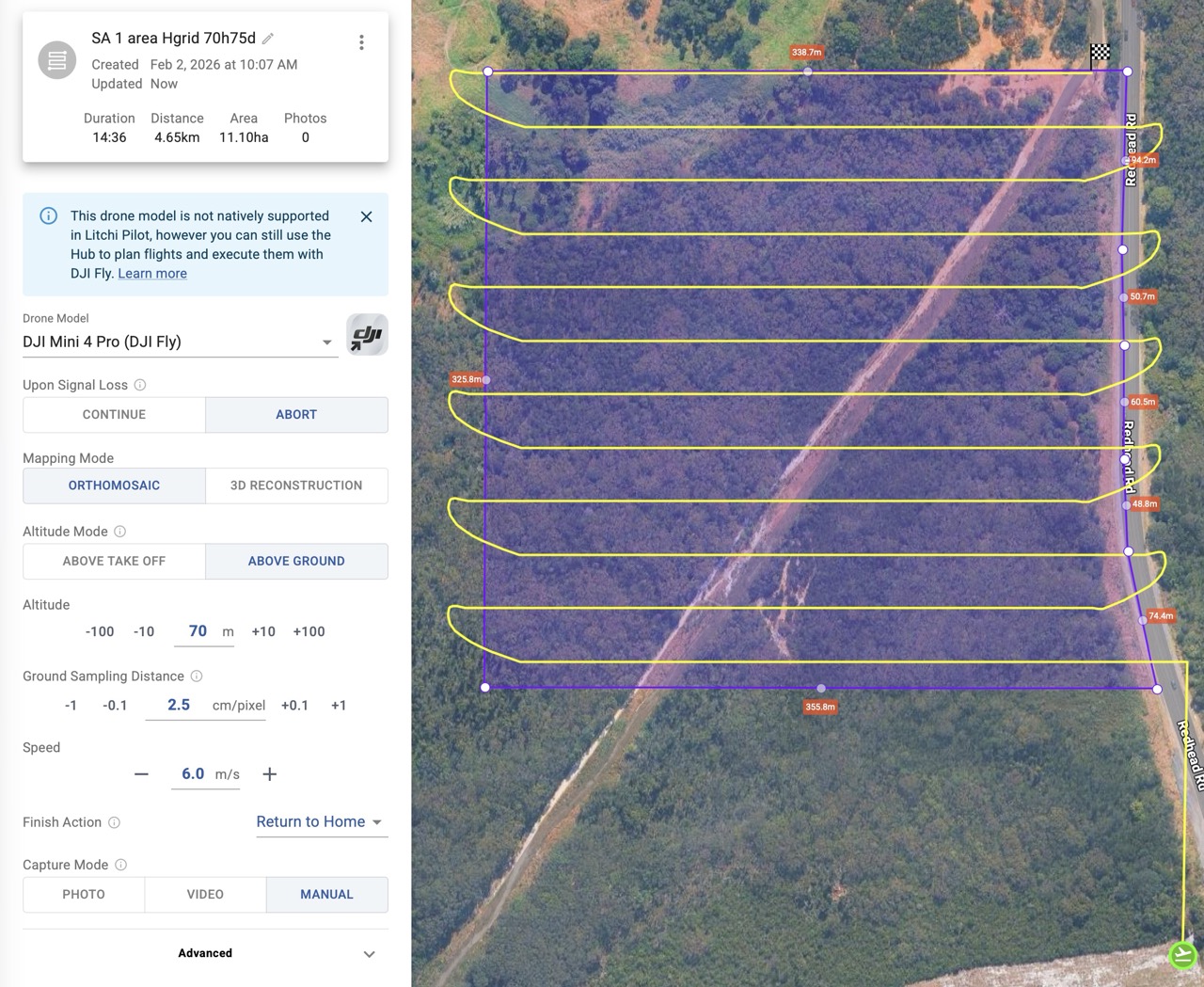
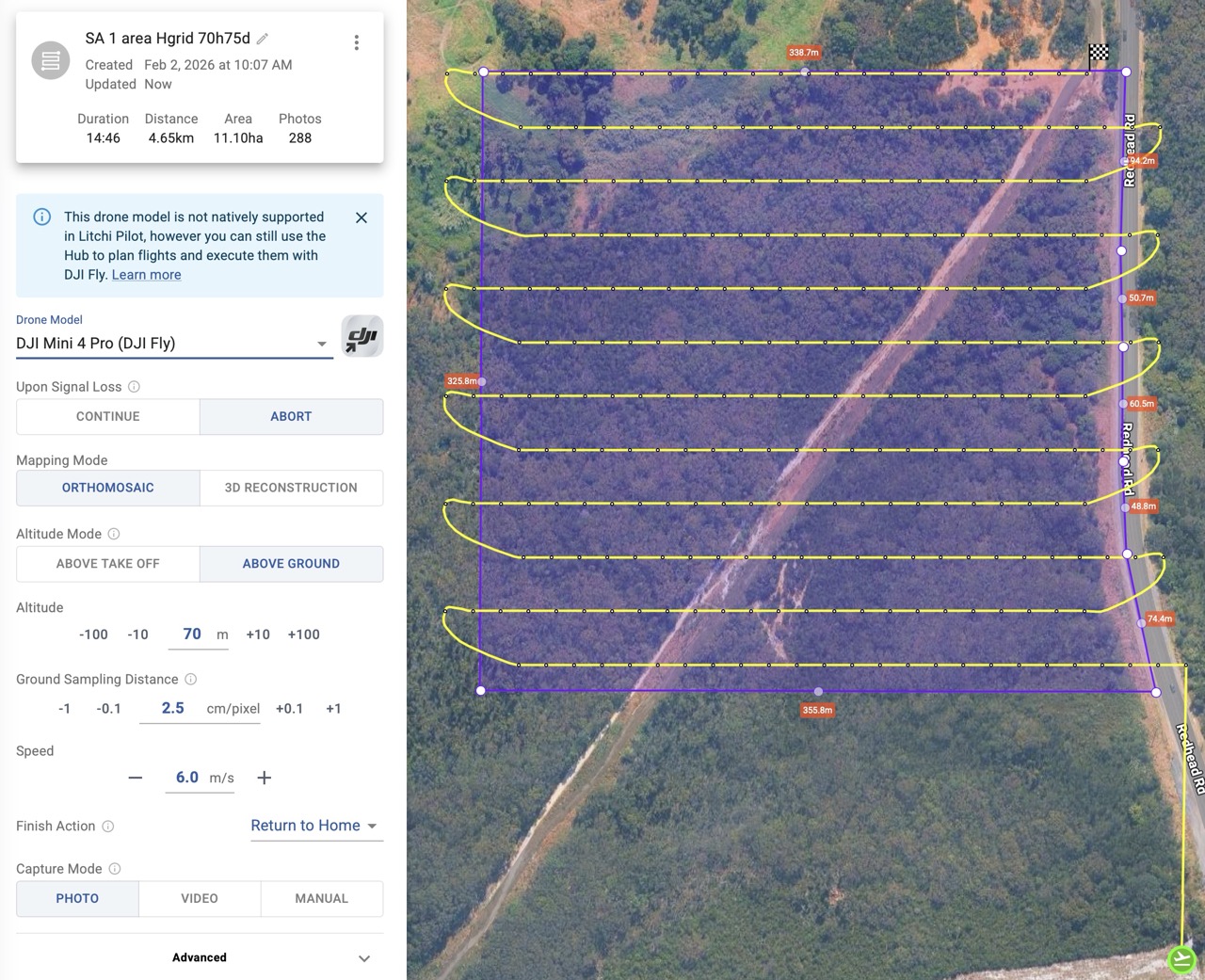
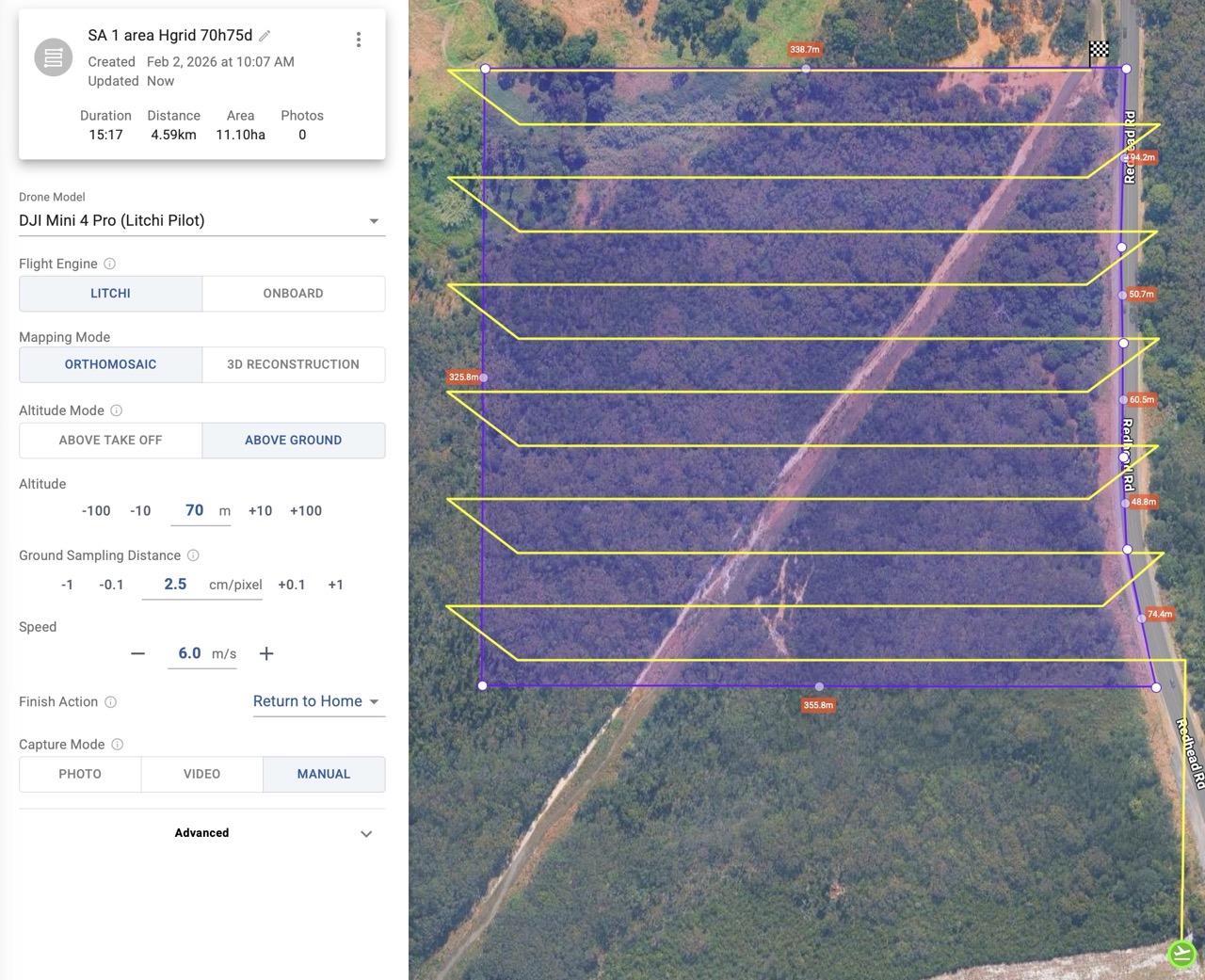
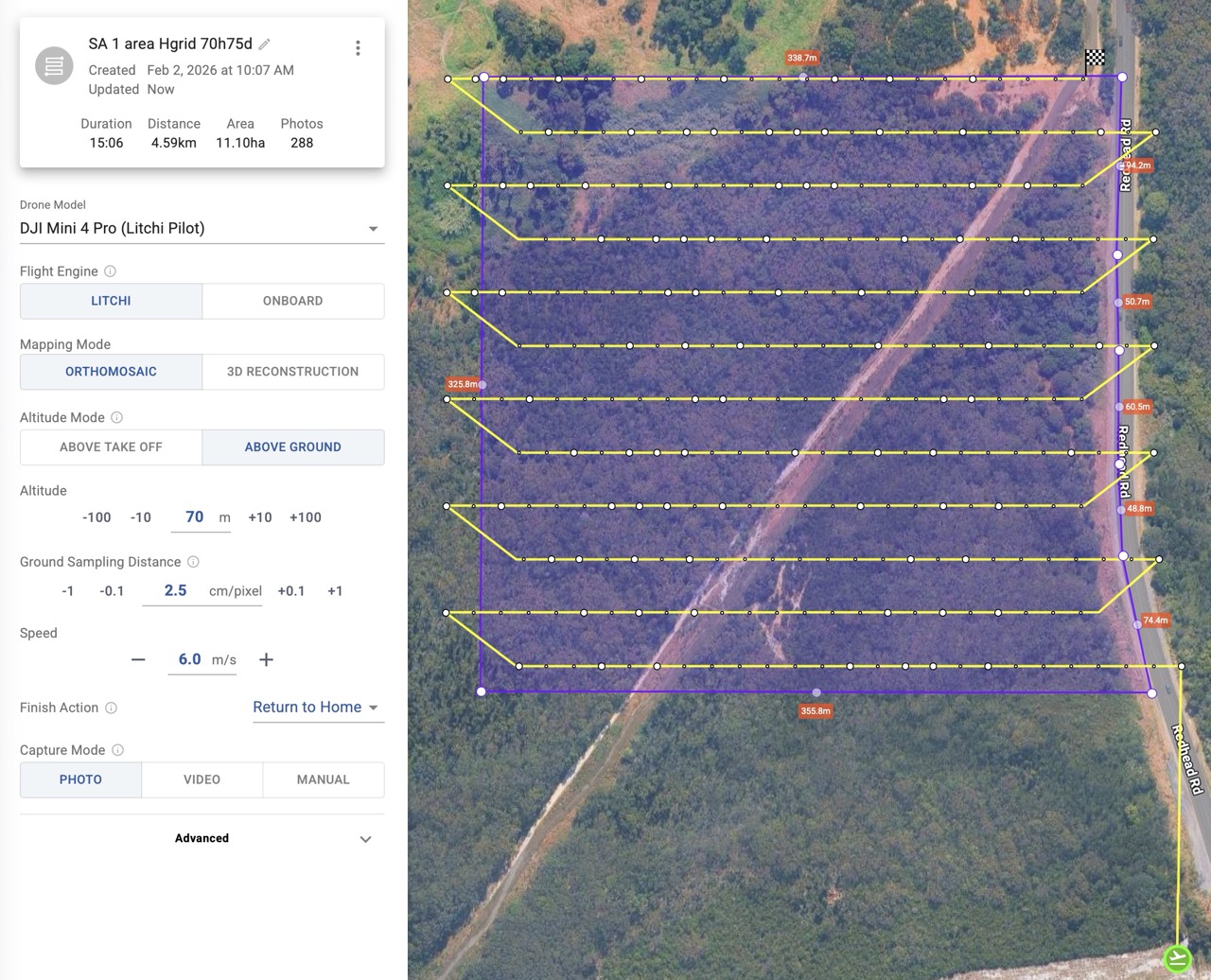
Here are 4 screen shots with various combos of DJI Mini Pro 4 (my drone) in Litchi Pilot/DJI Fly and Photo/Manual modes.
I can only fly in DJI Fly as I have an RC 2 controller.
The Litchi Pilot / Photo mode shows what I thought were the waypoints along with the photo locations. I now think these are only the height correction points, i.e not all the waypoints.
This is in Safari on a Mac M4 Pro Tahoe. Same behaviour in an Arc browser (Chrome based I believe).
[edit] Just noticed that all waypoints are visible in Photo Capture Mode → interval. I think they should be visible regardless of mode
Hover your mouse over the total flight ‘Distance’ to see how many waypoints are required.
With DJI Fly drones, if you want to significantly reduce the number of waypoints, you can set the ‘Capture Mode’ to ‘Photo’ and the advanced setting ‘Photo Capture Mode’ to ‘Interval’. Then you need to start the Interval manually when you start the flight. When the ‘Photo Capture Mode’ is set to ‘Auto/Waypoint Action’, there will be as many waypoints as photos that need to be taken, regardless of the elevation changes.
PS: you don’t really want to see all waypoints, it will negatively affect performance of the map/Hub.
When you said waypoints I always understand it’s a path component, not a map. I’ve have used several Mapping apps over the years and none of them have waypoints along the path. They are not needed because it runs each leg capturing photos either by time or distance.
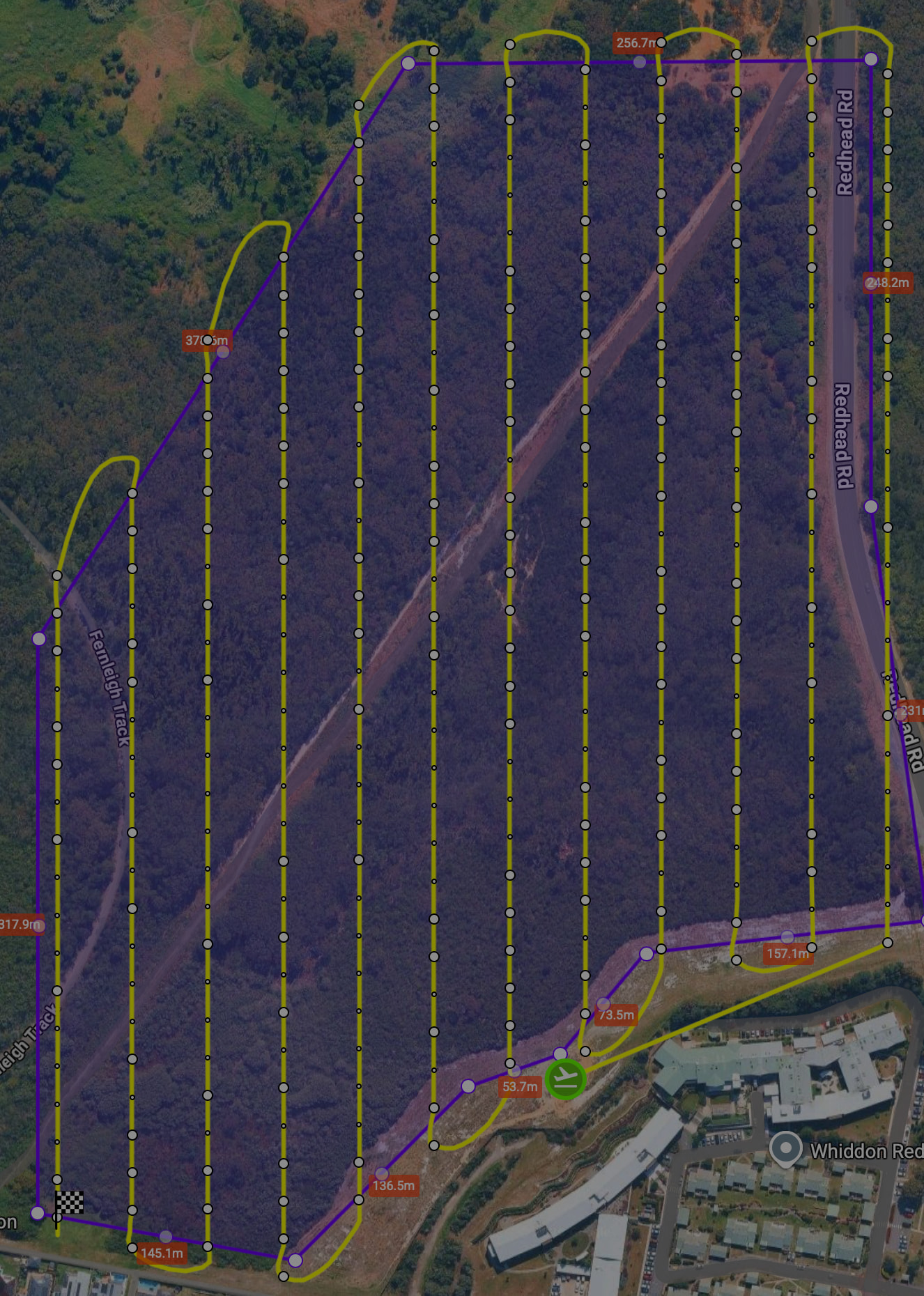
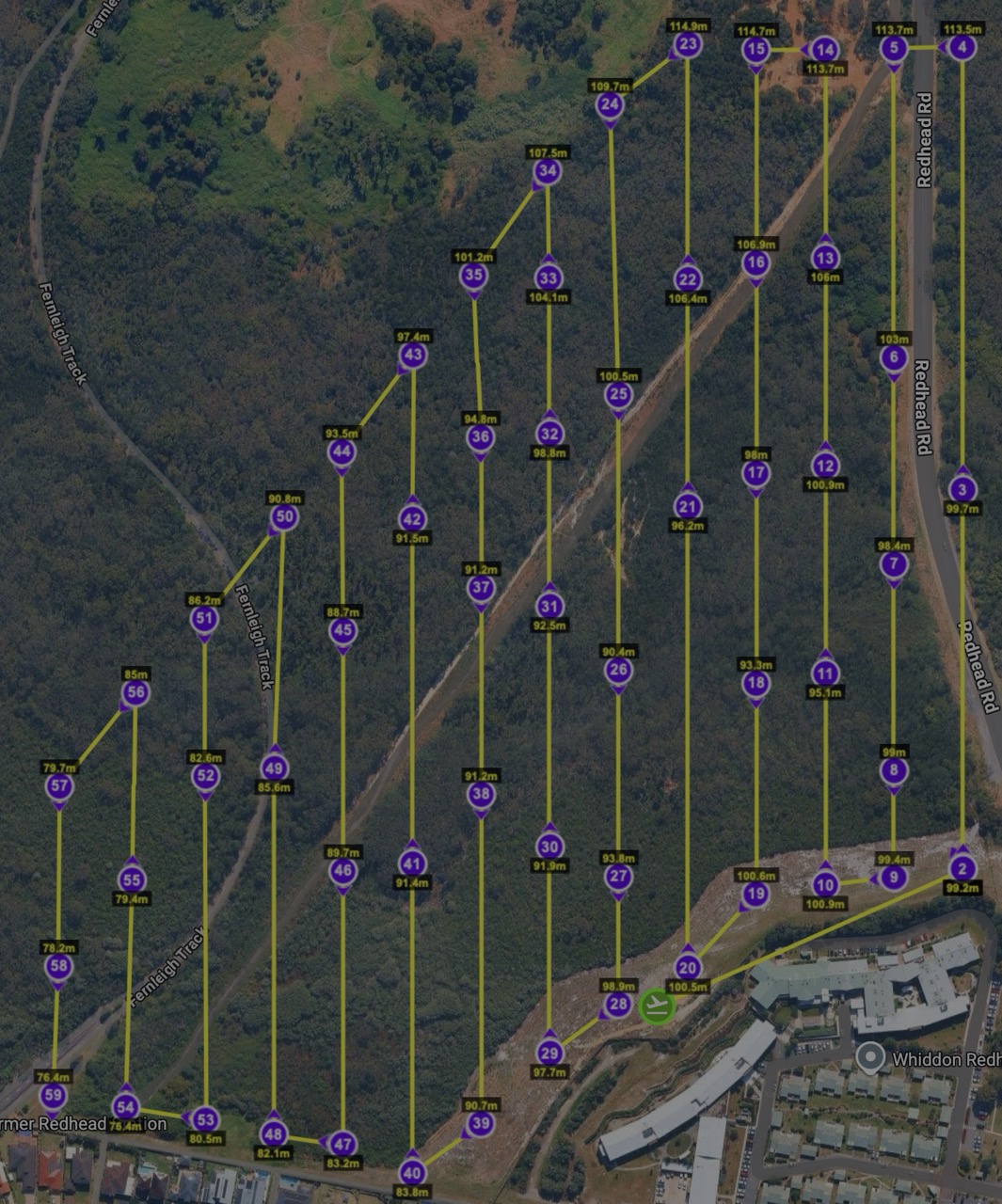
I understand. The need is related to the original post. I’d like to do an ‘Above Ground’ mission but this creates a lot of additional waypoints that then trigger the ‘split the mission’ warning. Waypoint visibility is so I can see how many points are course direction vs course elevation. Example below has 201 waypoints (the larger dots) and the ground does not vary that steeply to warrant it (I think, but still learning). My suggestion was to have a user-selectable tolerance for how frequently to correct elevation.
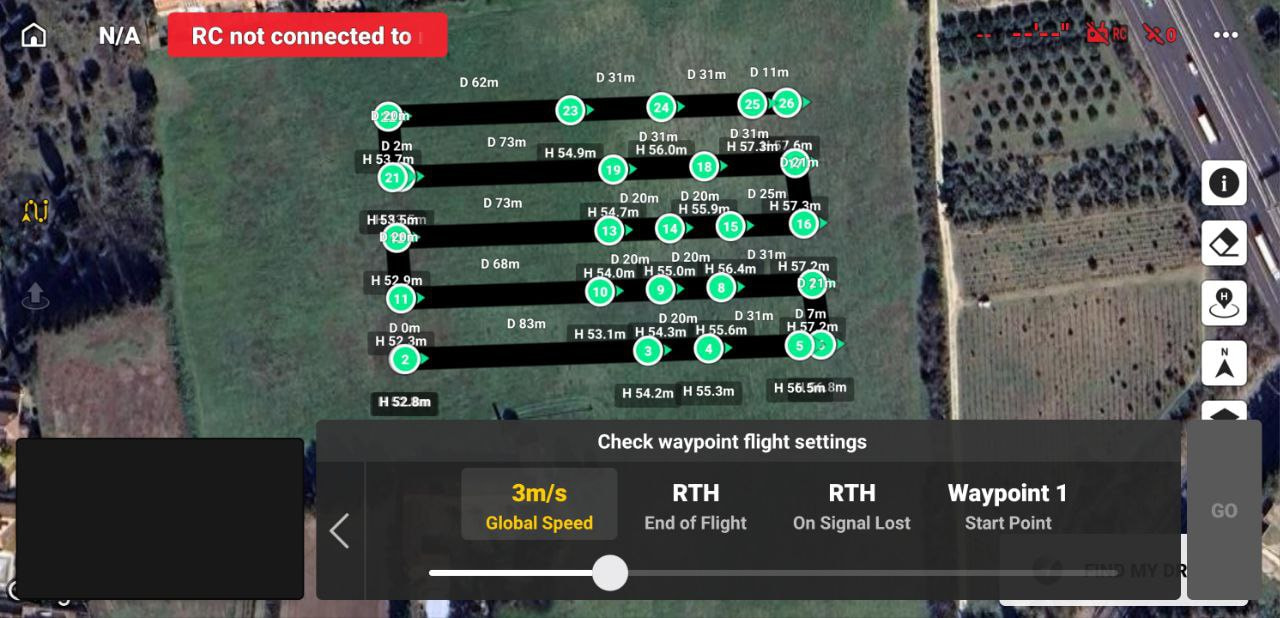
I got around this for this mission by: exporting as KMZ → converting in Mission Utilities to CSV → open CSV and then thin out the number of elevation waypoints to 2 or 3 per leg based on my knowledge of the terrain. Got it down to 60 points (2nd image) and it flew fine for my purposes (gaussian splat model after forest fire) except the battery alert after point 52.
Thanks Mike, I agree, not really necessary, except:
what I see on the RC2 sometimes bears little resemblance to the Mission map - often just the waypoints and a random chaotic line. Knowing the actual waypoints and their connection helps to correlate the 2 while monitoring the flight.
the point of the original post was to manage elevation correction waypoints - see response below
Still learning my way around drone flying, missions, litchi and making the mini pro do things it’s not really intended to do.
Hi there.
First, as many have already said, THANKS for the fantastic job with the new hub!
It has the most important tools (at least for ME) to stop using some other tools to plan and fly most of my missions.
HOWEVER, i’d like to kindly ask, is there already a request for bringing FACADE type missions to the HUB? This will TRULY make litchi my 100% flight app for all cases, and, i believe, to many others.
New “Flying with” setting
You can now select which app you will fly with when creating a flight. The selected app determines available flight settings, compatibility, export format, and overall flight behavior.
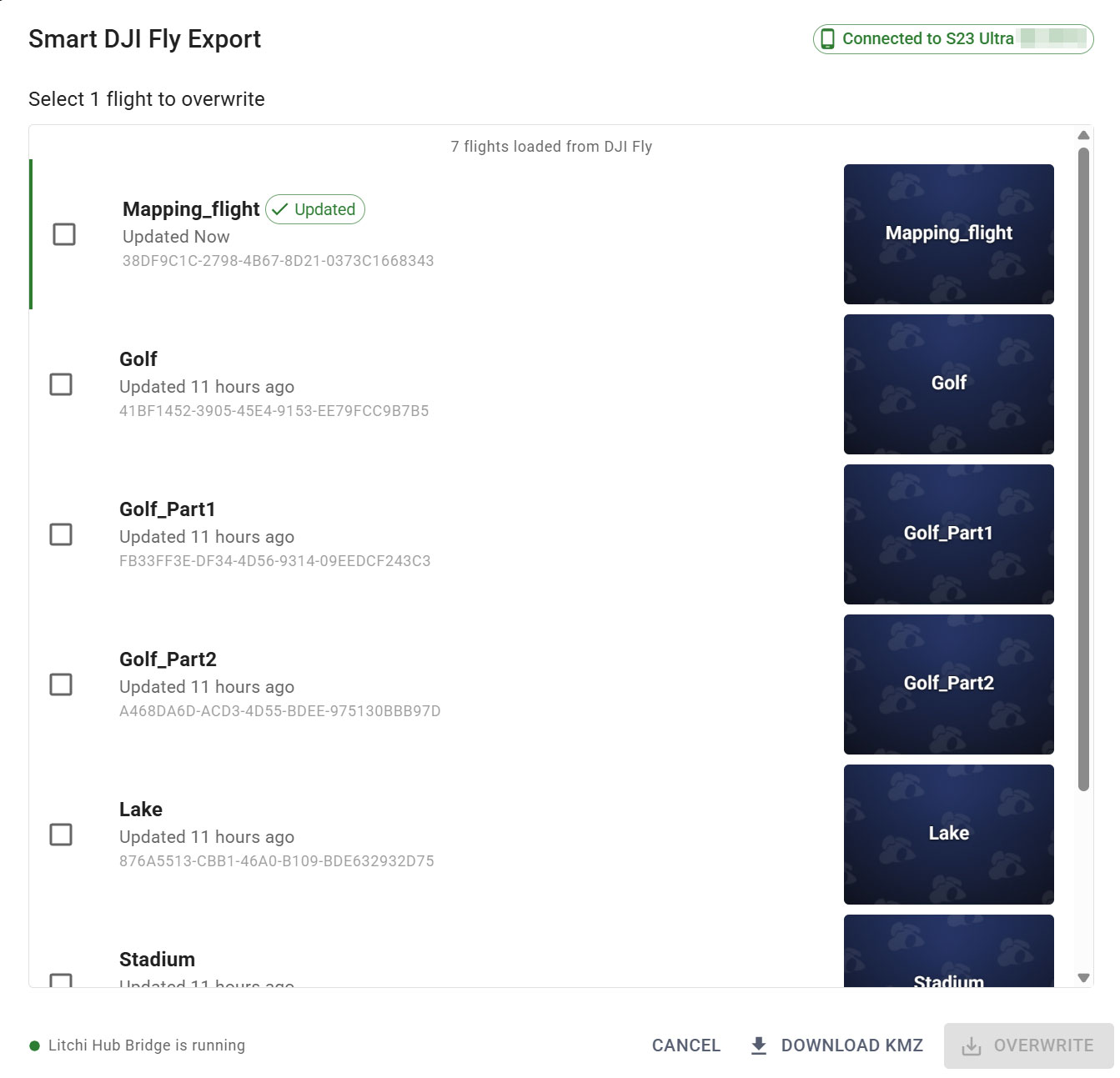
Litchi Hub Bridge enables seamless transfer of waypoint flights between Litchi Hub and DJI Fly or DJI Pilot. It allows you to export Litchi flights to DJI Fly and import DJI Fly/Pilot flights into Litchi Hub.
Export flights directly to DJI Fly using Litchi Hub Bridge.
The bridge automatically transfers the KMZ file to your connected device, eliminating the need for manual file transfers.
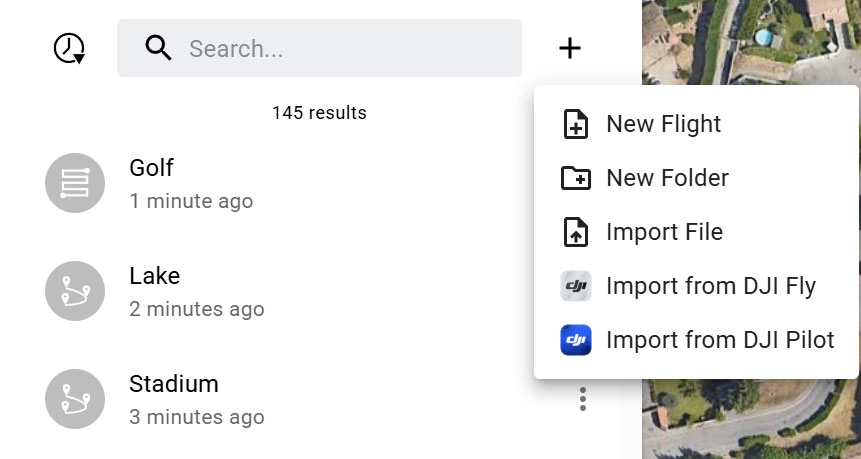
Easily import flights from DJI Fly or DJI Pilot into Litchi Hub.
With Litchi Hub Bridge, you can browse your flight library directly and import flights with just a few clicks.
A suggestion for the mapping plan’s is to set the default heading to follow path instead of custom. Most don’t want the drone flying backwards during half of the mission. Not a big deal to change it but many may not realize this is the default. Just a thought.
Amazing new features! Would it be possible to add a double grid option for area mapping, especially for oblique missions? Looking forward to the 3d reconstruction also. Is there a way to replicate the smart oblique mission from dji enterprise in drones like air 3s? Nowadays, i use 2 missions (one nadir and anaother with -45° double grid)
We’ve just released the macOS version of Litchi Hub Bridge, complete with full support for iOS and Android devices (including DJI remote controllers). You can download it directly from Litchi Hub within the Smart DJI Fly Import or Export UI: Litchi Hub