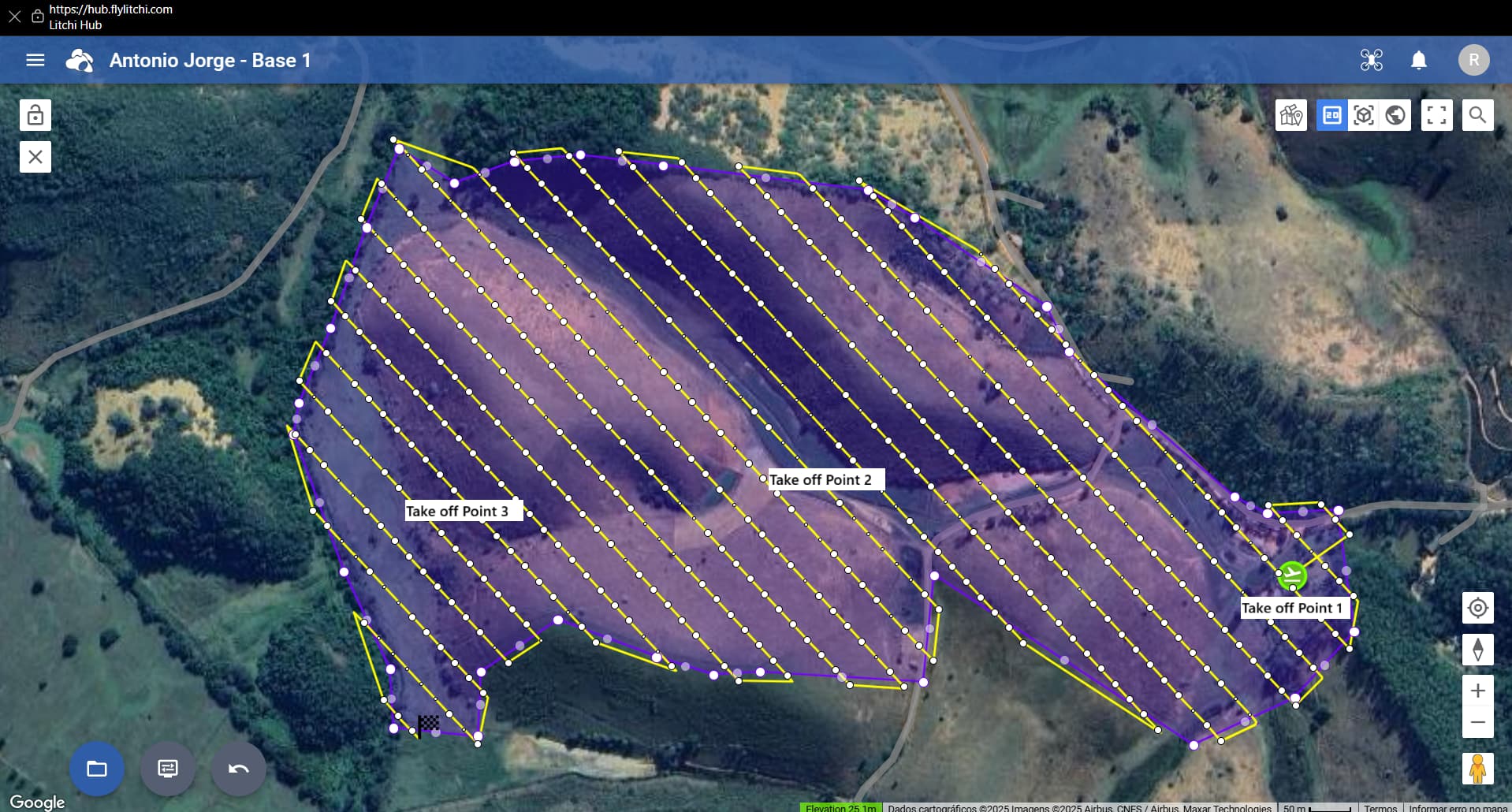
I believe it would be essential to have the ability to change the takeoff point without modifying the flight path. An option to “lock” the route would be very useful, keeping it fixed while allowing flexibility to choose the takeoff location.
This would greatly help with battery optimization, since the best strategy is to take off from the closest point to where the route begins. Currently, if I need to land and replace the battery, I must restart the flight from the original takeoff point to avoid issues with terrain following.
My suggestion is to implement a way to “lock” the flight plan, so that when moving the takeoff point, the altitudes of all waypoints are automatically adjusted to the terrain. In addition, it would be very helpful if we could also manually select the waypoint where the flight plan should start.
We are thinking of adding a feature that recalculates the waypoint altitudes just before starting the flight based on the actual take off location. This should solve your issue as it would mean you can take off anywhere and the waypoint altitudes will be adjusted automatically.
It would seem that this will require that the Litchi (Pilot) app makes an elevation API query of its current GPS position at the time of takeoff. If so, would this require that the app have network access at the time a mission is executed?
In my case, even if it weren’t possible to use this feature offline, it would already be excellent, since I can rely on a Starlink antenna. If it can be used offline, that would be even more amazing haha.
Another useful feature would be the ability to set a takeoff altitude. This way, the drone wouldn’t need to climb straight to the first waypoint’s altitude before following the mission. Instead, it could just reach a safety altitude and then start heading toward the first waypoint while still climbing. This would improve efficiency and help save battery, especially in mapping missions where the takeoff point is far from the first waypoint.
I’ve flown DJI Mini SE via the Litchi App before, using waypoint-missions created via ancient.land for orthophoto creation. I consider upgrading to a Mini 5 Pro.
Am i understanding it correct that a mission created with the new Litchi Hub, exported as .kmz can be used with a DJI Mini 5 Pro with a RC2 running the DJI Fly app?
That is correct. However, some have reported that large missions (200+ waypoints) can sometimes be problematic on the DJI RC and RC2 probably due to memory limitations.
Guys, I have a question. Are these new HUB features being planned for the standard Litchi as well, or only for Litchi Pilot? In my case, since I have a DJI Air 2S, will I be able to use the new features?
The new hub (Mission Hub v2) works with both the Litchi app and the Litchi Pilot app. It also works with all drones supported by both apps. There may be a few functions that are not supported in older drones but those are few.
Hi, the flight simulation in google earth mode doesn’t seem to be working for me anymore. When i start it in 2D mode i can see the little drone icon moving around, but in 3D and earth mode, nothing happens at all. The progress bar comes up at the bottom, but no drone icon on map, and no camera view moving.
Feature Request: When viewing a mission and using the “Previous” and “Next” waypoint buttons in the new Mission Hub, it is possible for the previous or next waypoints to be off the screen. The old Mission Hub would always center the map view on the selected waypoint when using those buttons. It would be useful to either:
Always center the view on the selected waypoint when using those buttons.
Center the view on the selected waypoint if that waypoint is off the screen.
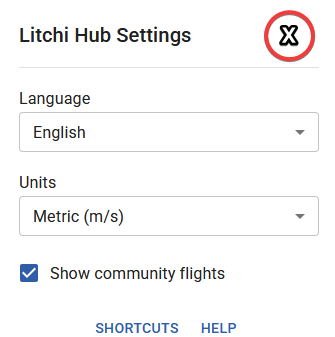
Feature Request: To be consistent with other dialogs in the Hub, the “Litchi Hub Settings” dialog should use an “X” for closing the dialog instead of requiring the user to click outside of the dialog to close it.