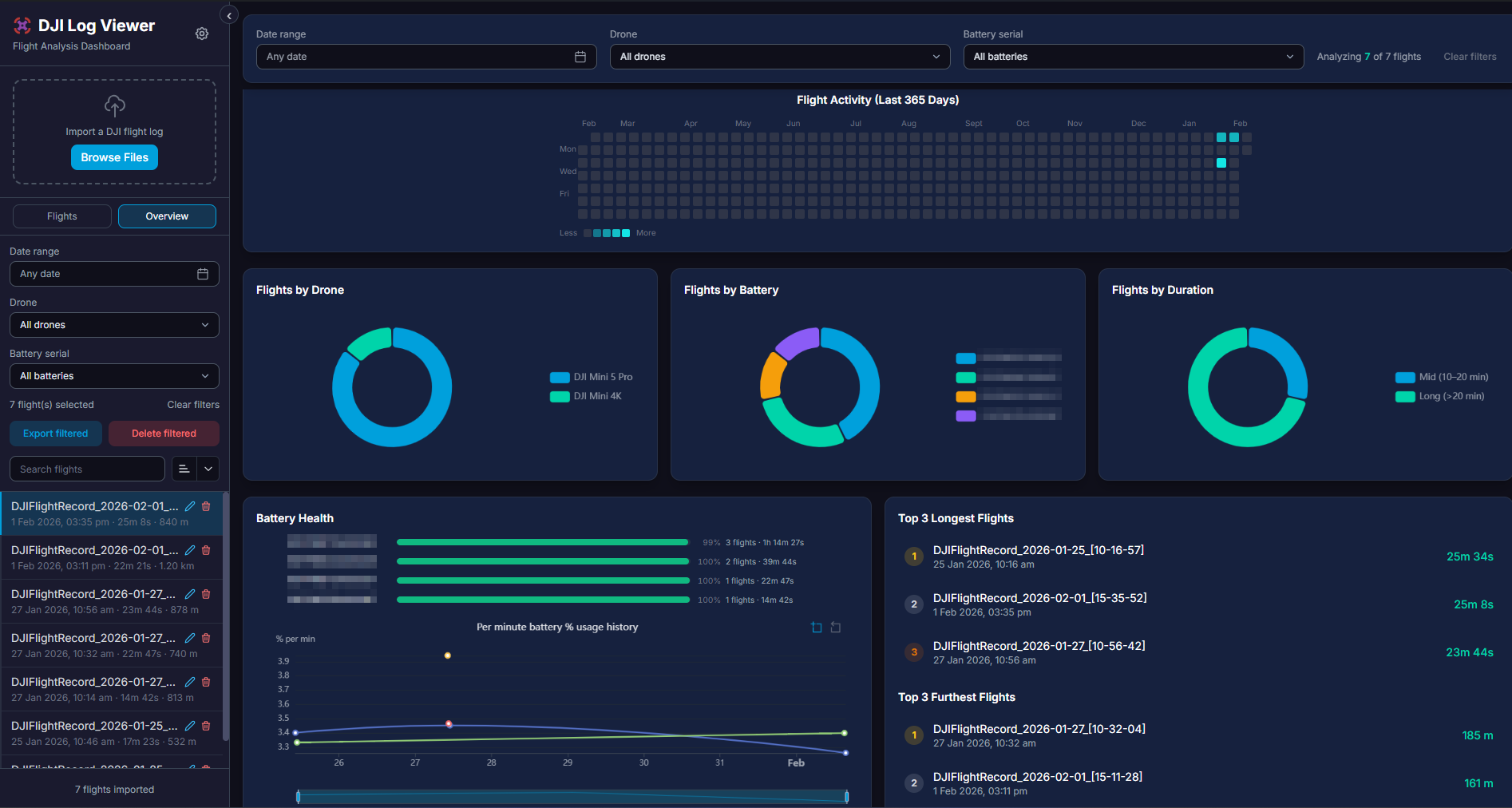
Basically it does almost everything Airdata does for you, but with a private and open source application for FREE. You keep your data with you without sharing it with any 3rd party. You have both a desktop (Windows, Mac, Linux) option along with self hosting with Docker.
You can do a quick test on your web browser before you download and install the applcation : https://app.opendronelog.com (Open from Desktop/laptop/tablet only)
This tool is free and you can load unlimited number of flights and view combined stats, with advance analytics and search/filter/export functions.
feel free to let me know any feedback you have on the application or leave a general thoughts please comments here.
So not a lot of use out in the field, for instance I was out flying this morning, and after landing I queried Airdata UAVto check what the wind was actually like at the height that I was flying at, plus the in flight battery use.
You might want to have a groupf testers convened on another platform such as a dedicated Discord server. Perhaps only post updates and or bug fixes here. This thread may get very long very quickly depending on how many users provide feedback.
Hi, there, first, THANKS for the project, i was looking for some OS way to store and see my flight logs for quite a time. Amazing.
I wanted to ask you, is there a way to import Drone Harmony logs? Some of my flights were done through it and i can’t see a way to import then.
I’ve exported CSV from these flights in Air Data, but they also arent supported yet.
Thanks again!
Thanks, i got it!
Imported all my flights nicelly now i’m one step further down to full organized logs!
I wonder, though, if it is possible to include other criteria to the deduplication routine, because file name isn’t working well;
I have two sets of logs:
one originals(various formats, some incompatible)
one airdata(all compatible now, imported)
The goal i’m at is importing all originals, and then just the missing ones from airdata, so the ideal would be comparing the files for internal date and time, coordinates, etc.
maybe options for toogle these criteria allowing to choose which ones to use can improve dedup?
@Alan_Caetano_Alves The de-duplication is already done during import not based on file name but file hash, on top of that, deduplication also works on same flight SN and takeoff time, so unless they are different flights, they would not make the cut. Our flight SN parsing has changed recently, so make sure to delete and re-import everything. Use your own DJI API key.
Hi, maybe i’m missing something, but my import trials end up duplicated, ex.
i import my logs into airdata,
then import into opendronelog,
then fetch the airdata csv converted log and import also into opendronelog.
As i can see, the airdata csv logs miss any identification, so dedup by these criteria simply wont work.
What i’m doing wrong here?
Hi @Alan_Caetano_Alves you are not wrong here. But the deduplication logic is based on flight SN + battery SN and start time, so for obivious reason as Airdata CSV logs lack the SN, It’s not possible to dediplicate them. I can’t come up with any other reliable logic for this, so maybe you need to sort them out or use a single source.
About the other question, offline and dynamic does not go hand in hand and it’s possible to do both together. If ever implemented, it will either be static one time, at the current status or it will be via server mode where your instance is in public web. Given that we support manual entry, this badge does not hold much value as it can be faked pretty easily in my opinion.
Well, i think the only way left for dedup would be a spatial join comparing the flights, and discarding if it matched a previous one, but i dont know if it would be much complicated to implement.
About the pilot panel, its like the airdata one, it can be faked by just importing a bunch fo random logs, to it to compute flights and time, right?
Is just a nice way to show the ‘resumee’ of the pilot, and, if ever questioned, i can even present opendronelog, with ALL my curated flight logs, as a Portfolio, and thats just AWESOME, right?
And, by dynamic, i thought about the representation of the current status (which already happens in the upper bar) just in badge format, more ‘Pilot like’.
Amazing! Such a quick deploy!
But I’ve must have some problem here, i downloaded both windows versions(Standalone and Setup) and this Signature doesn’t show. The other features, do appear and function normally, though.
I also tried to start fresh, no previous data, but nothing changed.