Hola probé la aplicación beta hub para planificar un vuelo para una planimetría, salió todo super bien el dron es un Mini 3 pro, el cual se comporto bien en vuelo al igual que la app Litchi Pilot el programa se comporto fluido sin problemas.
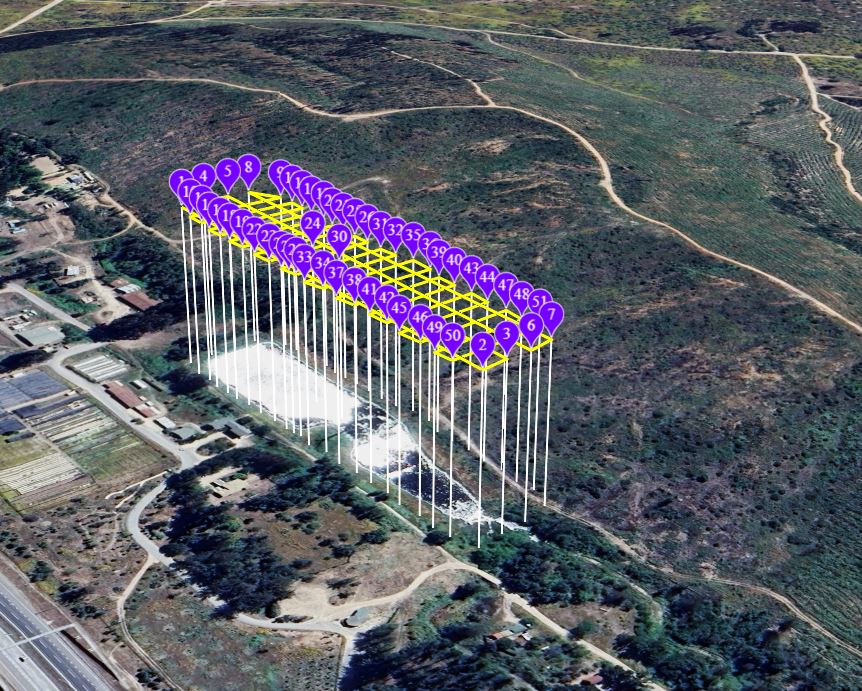
Hola trate de cargar un vuelo desde Google earth, pre diseñado pero la plataforma Litchi hub, no lo cargo será un error o aun no se podrá no esta habilitado, aunque existe en la plataforma la posibilidad de cargar el archivo KMZ .
The new Mission Hub does not yet support the import of Google Earth KML files. How did you import from Google Earth?
No, you cannot import KMZ files either. It is important to know that there are two types of KMZ files. There is a Google Earth KMZ file and there is a DJI KMZ file. They are different file types even though they use the same file extension. When mentioning a KMZ file, it is important to specify which type you are referring to, Google Earth or DJI.
2 Likes
Does this support for Mavic AIR 2?
No.
The regular Litchi app is compatible with the Mavic Air 2:
Hi. When flying an orbit mission with the heading set to ‘POI (center of orbit)’, the photos captured are not aligned with the orbit center and appear off-axis. Is there something I may be configuring incorrectly? Any guidance would be appreciated.
Litchi Pilot Beta has no Orbit Mode (yet).
Have a look at these topics:
Orbit Mode: Drone Not Correctly Pointing at Central POI When Taking Photos
Odd orbit behavior Litchi Pilot + new Litchi Hub
Orbit mode centerpoint
Looks like the problem is really with Orbit mode. When I do the same orbit using waypoints and set the drone to face the same POI, the photos come out aligned. But in Orbit mode they don’t stay centered.
Hello I would like to present my spherical panorama idea for drones MINI 3, MINI 3 PRO and MINI 4 PRO. These drones if you take spherical pano by default app can take just 12 megapixel photos and camera only in landscape mode. This pano cover 99% of sphere, but at the top there is small piece missing. Here you can see example Google Maps
Full sphere - camera orientation. If camera is switched to the portrait mode, drone is able to see 100% full spherical image. So there is no need to fill any part of the panorama.
Resolution increasing - as mentioned before, original app can take panorama source images just as 12 megapixel. If you stich 12 megapixels images, result spherical image is about 175 megapixel.
I can increas resolution by taking 48 megapixels photos. Then resulted image is about 650 megapixel spherical panorama.
I have one more question to panorama mode. it will be very good if it will be possible to focus manually. Auto focus can fail when pointing to clouds, so it will be much better to fix focus before first image and later keep focus the same.
2 Likes
When to get VR mode on Pilot Beta?
We suggest using DroneMask for FPV flight
yes, these would be really nice feaatures for us, panoramalovers!
I tested the flight (Area Mapping)
- Litchi Pilot 1.0.0_BETA-dji_595
- New Litchi Hub
- DJI MINI 4 PRO
Flight duration ~10 min. Speed 10 m/s. 197 photos (12mpx).
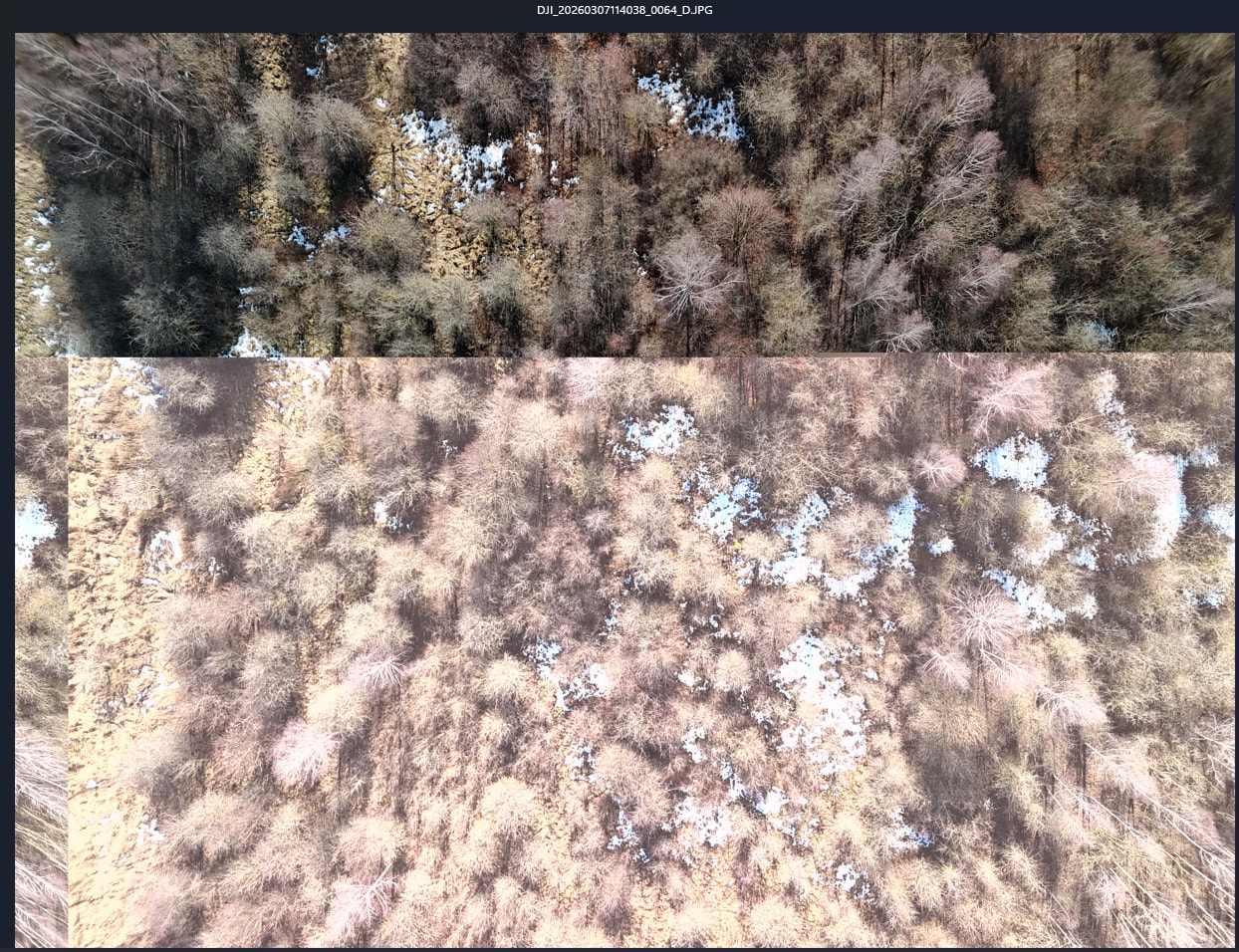
1 photo out of 197 came out incorrect (attached)
The next day, I made a similar flight, but reduced the speed to 8 m/s and all photos came out correct.
I did not observe any other irregularities (except perhaps that the drone hovered in the air at a set altitude above the launch site for some time (~10 seconds) instead of immediately flying to the first mission point).
1 Like
I did do this before manually and achieve some stunning high quality stiched images. I am testing with Litchi and my Mini 3 Pro since some days. And as I am working in IT, I was too bored to create myself waypoints, instead I created a quick powershell script to create me a fibonacci-spirale from just some parameters (coordinates, altitude, speed of movement of the flight) - it creates an easily importable .csv file for the Litchi Hub. As I just hand on a “dumb” remote since of today, I was just able to test it in real life by today, and it worked like a charm. My camera parameters still need to be adjusted though…
Example of the resulting waypoints in LitchiHub
unedited video-footage of the drone flying the route (but with higher, too high speed): https://www.youtube.com/shorts/aUpd8s4V8S4
If there is any interest I could think of rewriting this into a little web tool for just pasting coordinates and some sliders for the mandatory parameters & it returning a .csv file directly.
1 Like
Ah one feedback for the Litchi Pilot Beta app would be: Using the Sticks to start the drone did not make the flight controller taking over for holding the altitude - this worked for me just from the lift off button. Just mentioning it, as in the original DJI App the start via sticks vertical lower positions is allowing the flight controller in my Mini 3 Pro to start hovering on its own.
Litchi pilot does not “see” my 4G connection with DJI Dongle 2 on the DJI RC Plus 2 ?
If I’m understanding the question DJI changed the way you start the motors manually. Before the change you only needed to pull in and down on the sticks once. With my Air 3 I need to pull the sticks in and down twice and they will start the motors. Maybe that’s what you’re asking about.
May pay into my scenario - thanks for pointing to that change, I will test the next time I fly manually with my DJI RC remote / DJI App if it changed there as well.
It shouldn’t matter what device as it is the drones firmware which controls this. It should work. Good luck and enjoy.
I can start via Pilot BETA wih the button to lift off, as written - so I have no real issue, just wanted to point out the stick-combo is not doing as expected from the persepctive from a person who directly came from an DJI app usage scenario before as a beginner.