I am seeing the same behavior. At this point my recommendation would be to start using Litchi’s new mapping function in the new Mission Hub.
I’m checking it out! It’s kind of similar but there are some missing options that for me are important, for example the gimbal orientation.
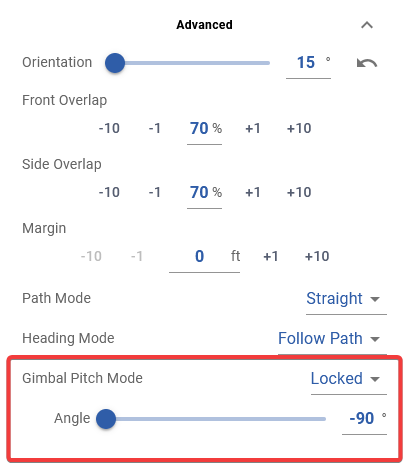
If you expand the options where it says “Advanced” you will be able to change the gimbal pitch angle:
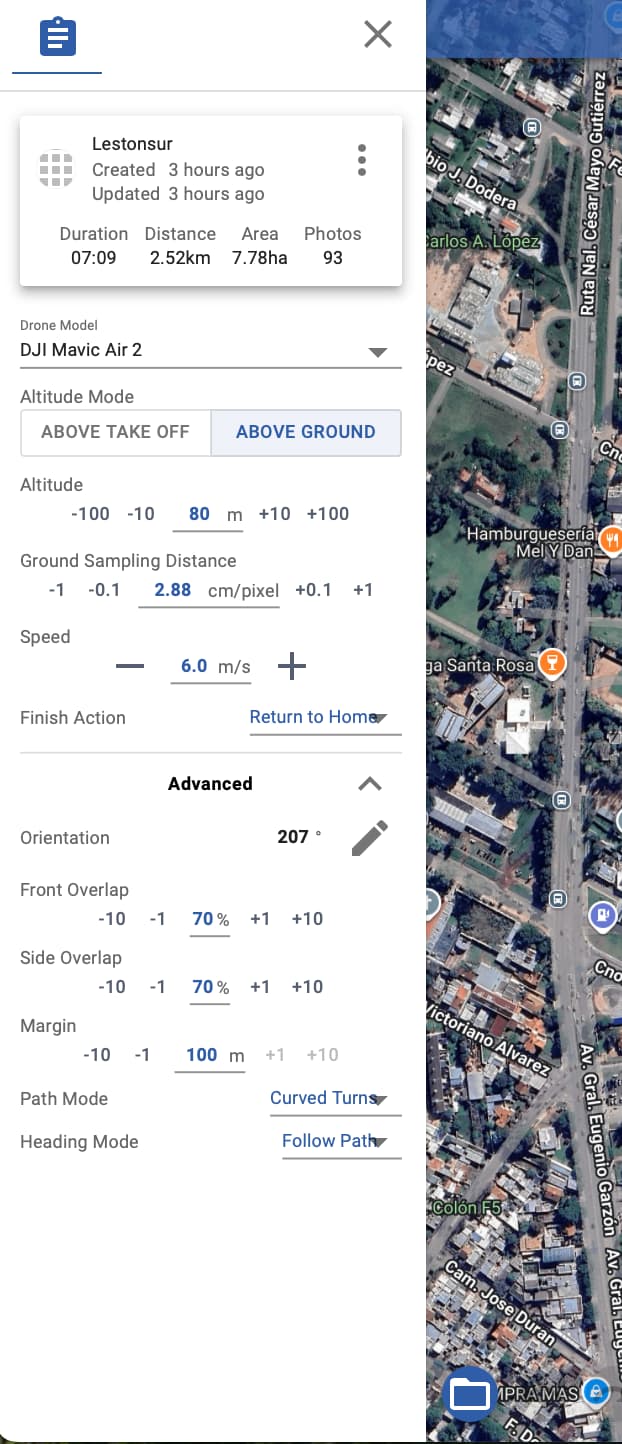
I do not see the option available for the drones under “Litchi for DJI Drones” where my air 2 is at.
Hmmm. That option only seems to appear if either a “Litchi Pilot” or “DJI Fly” drone is selected. I’m not sure why that is.
Since both the DJI Air 2 and the DJI Air 3S have an 84 degree FOV, you might want to try selecting the DJI Air 3S when designing your mapping mission but then fly the mission with your DJI Air 2.
I see that newer deones like mini 4 pro are not listed. will grid planner work for them?
Use the new Litchi Hub Area Mapping feature, Mini 4 Pro is supported: [OPEN BETA] Litchi Hub - #157 by vico
1 Like