So i tried to set up a mapping mission of a graveyard and long story short it kept flyint towards the trees and i kept having to do an emergency abort…. the start point i mapped in the office was not available in the field so i had to use a point about a car length or two away… my question is does the start point in the desktop have to be exactly? I assume the gps will be used to navigate?… whyat exactly is the start point for? the drone starts where it starts and returns to home whereever home is… I am speaking of DJI Mavic Mini and by start point, i mean the point which is the first click when setting up a mission…. also while i am here… why cant you raise and lower the altitude of all waypoints at the same time? I would assume most people want the mission to fly at a consistant altitude… maybe a toggle?
(There is NO mention of a start point in the new Hub.)
YES, because a drone determines it’s altitude by barometric pressure (NOT GPS), so ALL altitudes are relative to the Takeoff Point (aka Home Point)
You assumed correct, but ONLY for longitude and latitude.
Explained above.
You can:
-In a Waypoint mission by using the Batch Edit feature.
-In a Mapping mission by changing the Altitude.
There is, it’s called Altidude Mode:
-Above Take Off
-Above Ground
All DJI drones determine their altitude by comparing the barometric pressure at startup or takeoff to the barometric pressure during flight.
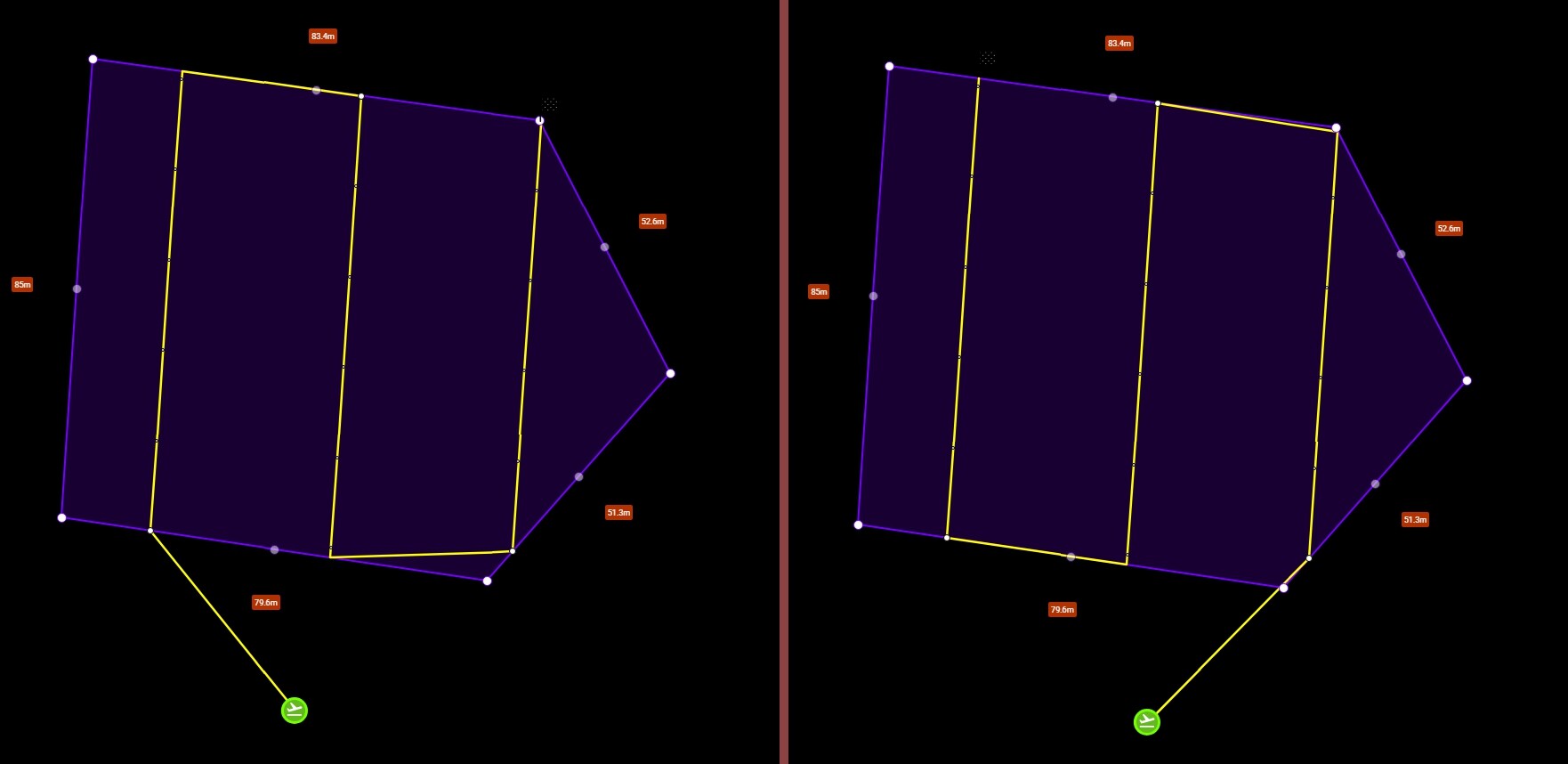
The home point in mapping missions is used to determine roughly what the ground elevation will be at the take-off location. If your mapping mission area is relatively flat, the exact take-off location will be less important. If your mapping mission area is relatively hilly, it will be important to select a take-off location that is at roughly the same elevation as the location chosen when planning the flight. You can see the effect of moving the home point location by planning and previewing a mapping mission in 3D in the new Mission Hub. When the home point is moved to a higher or lower elevation, the height of the mapping mission will change.
On a separate issue, the Majority of mapping mission are flown at an altitude of roughly 150’ to 300’. So almost hitting trees sounds like it’s way too low. Flying much lower will not increase the quality of the photos captured and you will more than likely get motion blur and unusable images especially with a drone with a rolling shutter. If you need to fly very low for whatever reason then you will need to slow down the drones speed significantly to single digits. Just some thoughts and suggestions. Enjoy.
i got ya… you misunderstood my question, i was talking about the entire mission being offset laterally based on the home point… yes the ATO would be based on the take-off elevation… in my example lets say the takeoff point was a parking space… but the space was occupied… so another somewhat adjacent space was used… this should not offset the mission right?
yes thank you… in my case i am flying a cemetary and want the headstones to be more detail in the DTM, also my Mavic Mini is not trustworthy at those elevations so i keep her low and use the 4k for high altitude… but the 4k will not run waypoint missions… what da?
Understood Christopher. Flying just a tad bit higher to clear those trees won’t reduce the quality though so I’d suggest increasing the altitude just a bit from whatever you had it set and retry.
Just like to add that the take-off pin, (starting point) you placed during any plans setup is a starting point of reference. So taking off a few feet or even 30’ or so from where you placed it originally won’t affect the actual mission as long as the area is relatively flat. I believe Tribar explained it well. If needed you can easily move the reference pin closer to the actual take-off area while at the location. Of course this is only if it will make a difference based on what you see at the actual location.
Also the Mavic Mini does not have 4K video resolution only 1080 & 2.7K. So it Doesn’t matter which app or component you fly the drone cannot record in 4K. Hope that helps. Enjoy….
yes… many people tell me when i say i have a Mini 4k that all the drones have 4K when this is not true… they do not understand the MODEL is branded as 4K… also as you say if you have a 4K camera you can get the same GSD from a higher altitude…. I used DroneODM and at high altitude the headstones looked piles of sand… I hand flew the mission and got good data that made the headstones much more accurate… it is possable the drone would have stoped over the accurate points… but i was not trusting that much… I will probably try again in a more open section of the cemetary