Entirely possible I’ve misinterpreted what the Panorama action does or how it works - forgive me, it’s been a while since I used Litchi.
What I need is a mission to fly to different locations and then take 360 panos at those locations.
I created a test mission with two waypoints. On each waypoint I put the Panorama action. When I ran it, it moved to the first waypoint, and then just started heading for the second waypoint without taking any photos.
What am I missing here?
I’m using a Mini 4 Pro, the RC-N2 controller and a Galaxy S23 phone as the device.
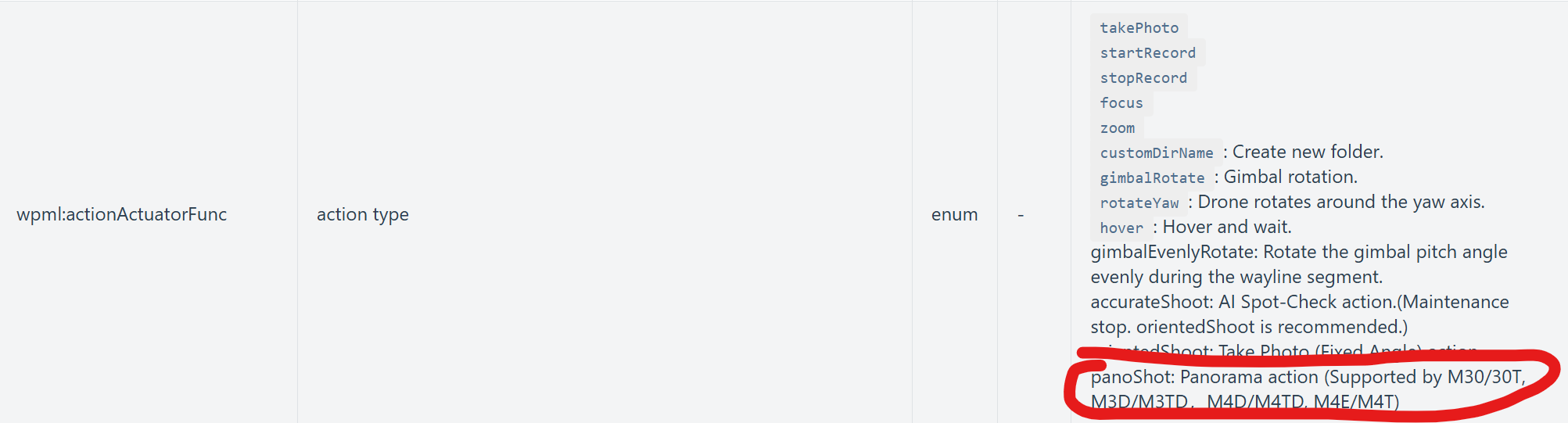
I have the same need to incorporate Pano’s into a mission. Please accept my upvote for Panos. As I understand it, the “Pano” is an executable command in DJI’s MSDK.
DJI MSDK Release notes and API references confirm PHOTO_PANORAMA mode availability and the Mini 3 Pro is explicitly supported among other drones. See developer.dji.com
Mini 3 Pro has been supported in MSDK V5 since around V5.3 (2023).
When can we expect the Pano Command to be working in Litchi Hub / Litchi Pilot. It would be a great functionallity.
Mini 3 Pro does not support this action. In order to support it, we have to generate the waypoints/actions required to shoot a panorama. This is a significant task in order to support all drone models and flight engines as each combo has specific limitations and/or requirement. We will get there at some point just not what we’re working on currently so can’t give any ETA.
What kind of pano do you want to shoot (simple horizontal 360, full spherical, partial/arc panoramas, portrait mode panoramas, etc)? There are many types of panoramas, some are simpler than others to support.
360 Sphere! Glad you are working on it as an important Waypoint Action. Also please implement is the same 26 photo sequences DJI used - Vertical Columns, not like Dronelink - which uses Horizontal rows. Clients object to the Row order, believe it or not.