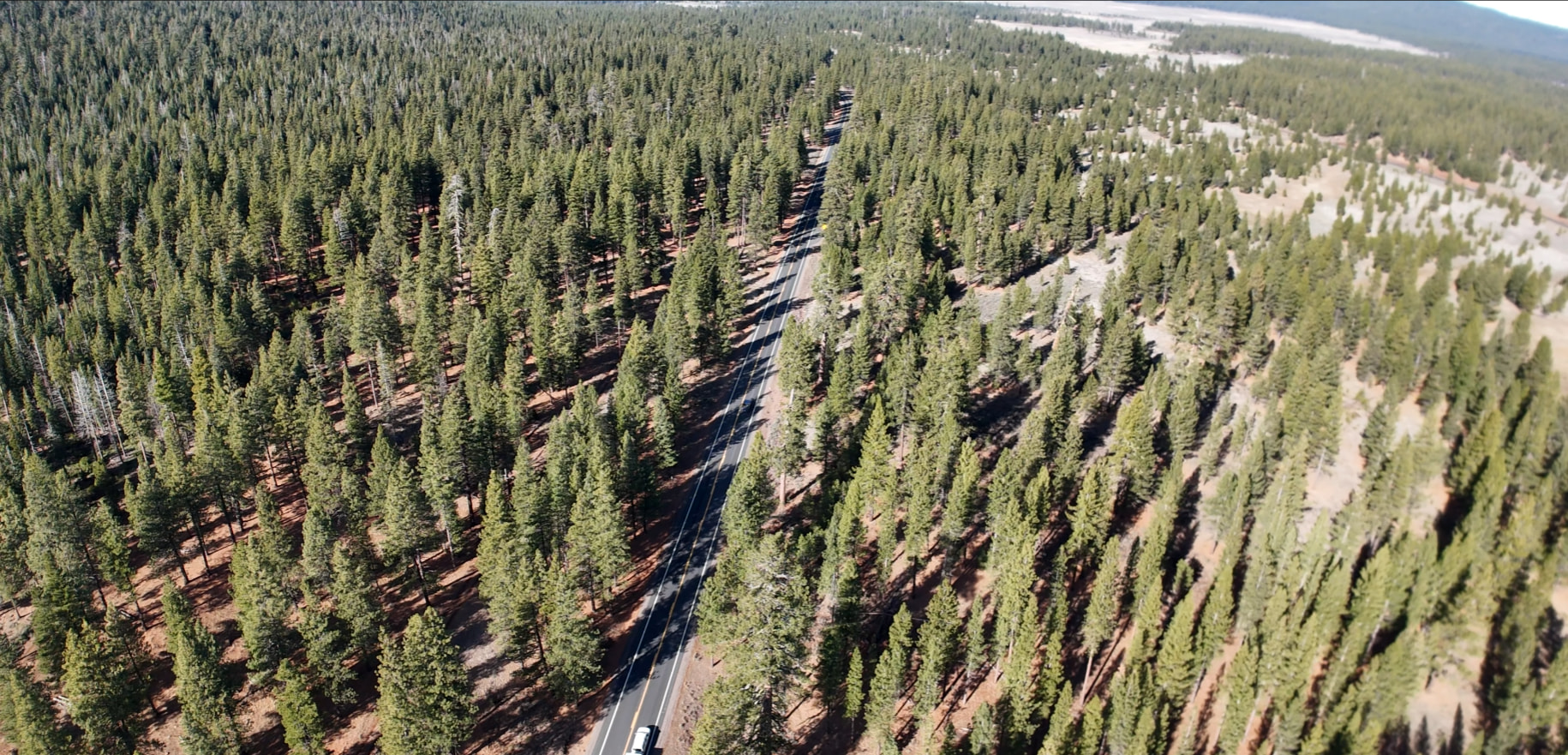
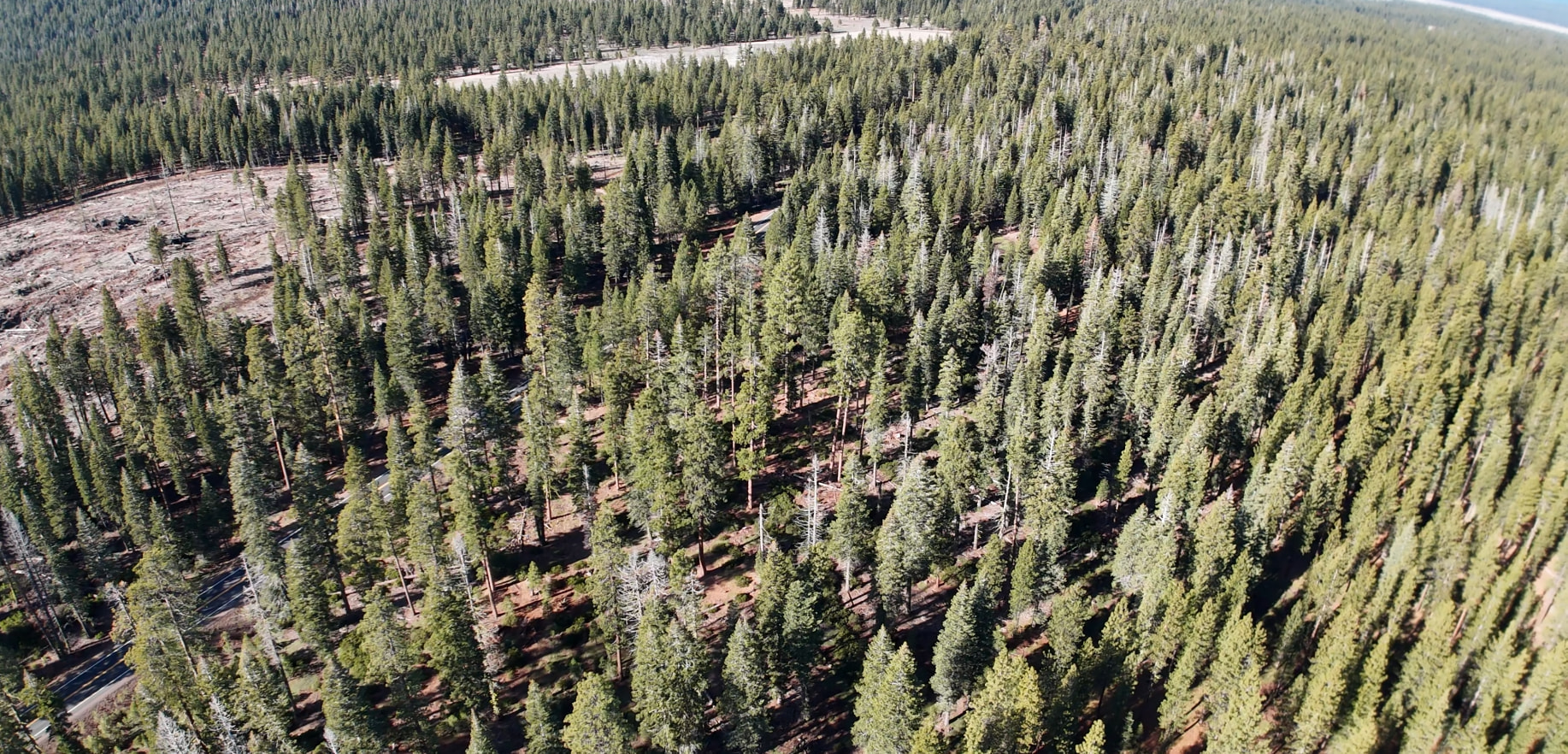
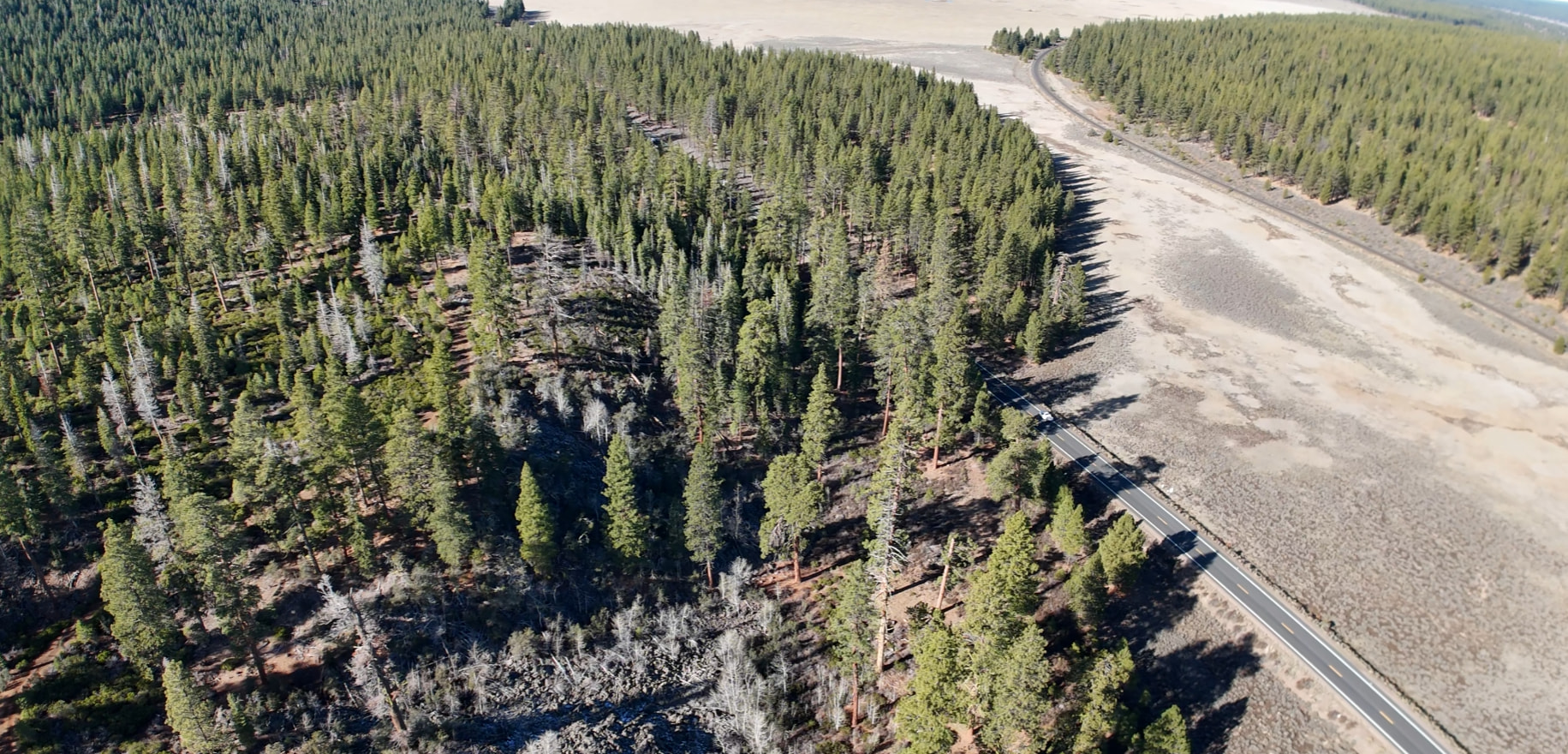
All video and photos captured with Mini 4 Pro using Litchi Pilot on waypoint missions leaves 10-15% of the right edge blurry and out of focus. I use AFC, 4k30fps video for every mission. Examples attached.
As I gathered from other posts, I first set camera settings in the DJI Fly app to Auto, then force-close the app. I then load/connect to Litchi Pilot and set camera focus to AFC (which by now is loaded by default because I don’t change it). My waypoint missions are all flown at 400’ above homogenous forest landscape with gimbal in the range of -24 to -28 degrees. I use the DJI-brand wide-angle lens. The view will focus clearly all the way to the left edge, but it leaves a portion of the right edge out of focus. Even if I tap the screen on the right edge in the blurry area, it will not focus there.
Likely related note: In the Litchi Pilot UI, on the camera view screen, the camera settings toolbar showed a gray box element at the beginning (next to “AFC”) with the text “Left”. This appeared while executing all of my missions until recently, when I tried to address the blurry edge issue. The appearance of the “Left” toolbar element was intermittent, and would disappear when cycling focus modes, then reappear when launching the app. It wasn’t until I spent more time cycling camera settings in DJI Fly before opening Litchi Pilot, that the “Left” toolbar element went away for good. I wish I would have taken a screenshot. Still, the screen will only focus clearly all the way to the left edge and leaves the right edge blurry. The “Left” toolbar element has not reappeared for the last few missions.
All other Litchi Hub planning and Litchi Pilot execution functions fantastically.
Please advise me on how I can troubleshoot or provide more detailed information. I apologize if I’m missing something obvious, if this is intended behavior from a setting I’m unaware of, or if this has been discussed elsewhere. I keep up with the forum daily and I’ve yet to see this behavior described anywhere.
Thank you for your time.