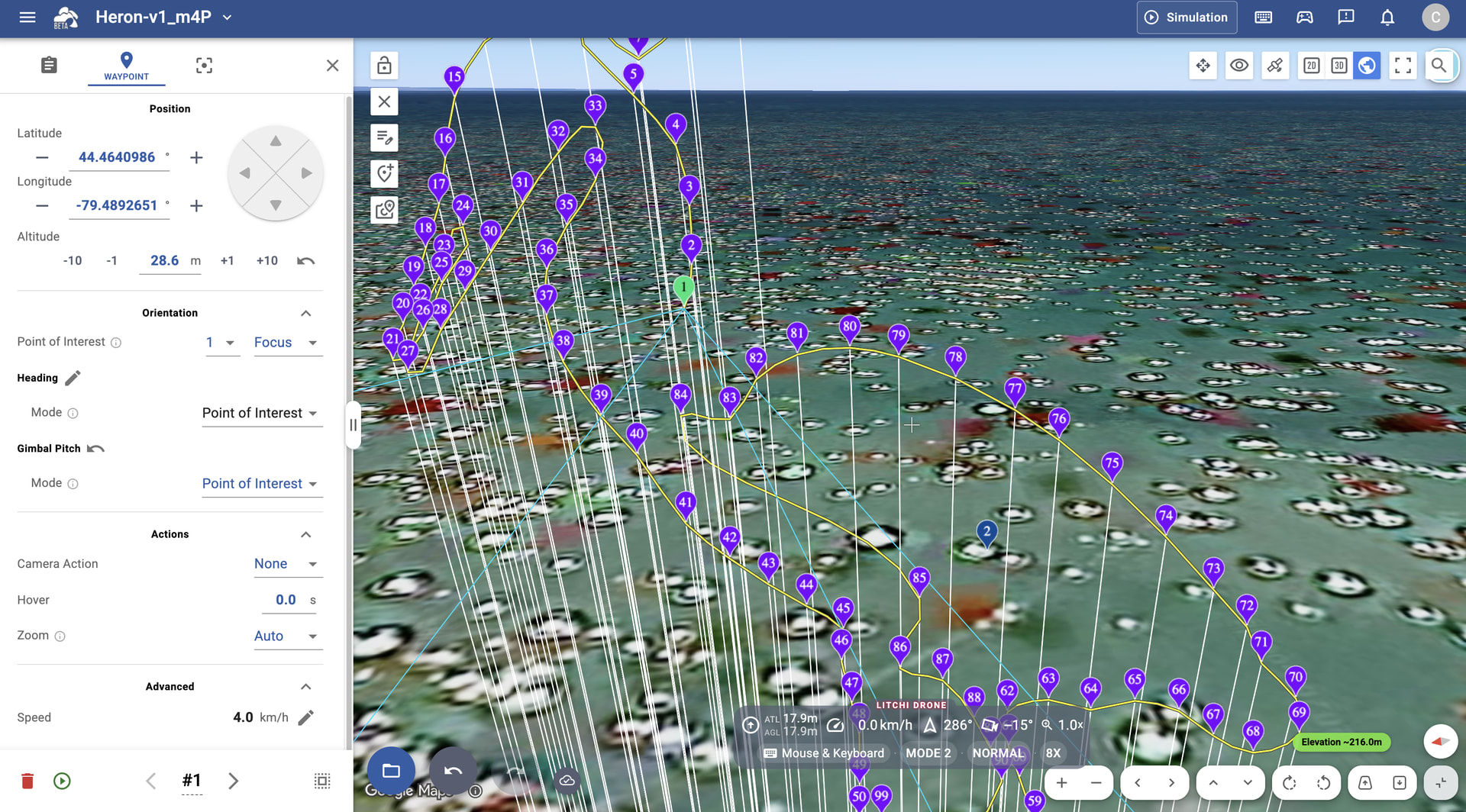
I am trying to fix a light painting mission that has portions missing without having to try to recreate the mission from scratch. I can see the missing parts in the Hub and add in waypoints but there doesn’t seem to be a way to manually move the waypoints I need to add manually. The only way seems to be by using the directional panel to the right of the Latitude/longitude waypoint position. This panel doesn’t give me enough fine control and often moves the waypoint too much in the wrong direction. In the screenshot waypoints #1, 2 and 3 have been added by hand to try to complete the herons neck which was missing.
Dragging waypoints is not yet supported in the 3D map view but we hope to add it at some point.
Until then, you can obviously still do it using the directional arrows, or manually edit lat/lng/altitude for fine control. Note that you can also focus on an input (click on the lat/lng/altitude) then use up/down arrows to increase/decrease values, you can also hold up/down arrows to increase/decrease until you release the key
vico, thank you for your reply. I have tried the directional arrows as noted above, but they move the waypoint too much often in unintended ways. I will try the suggestions you have given to see if it helps. Thanks for your suggestions.
I look forward to the addition of dragging waypoints in the 3D map view.
Follow-up: I did try the suggestions that vico gave above - manually edit lat/long, etc but it is still very difficult to get the waypoint to move into the desired location. They still move too much in one direction or the other. Hopefully when dragging waypoints is implemented this problem will be solved.