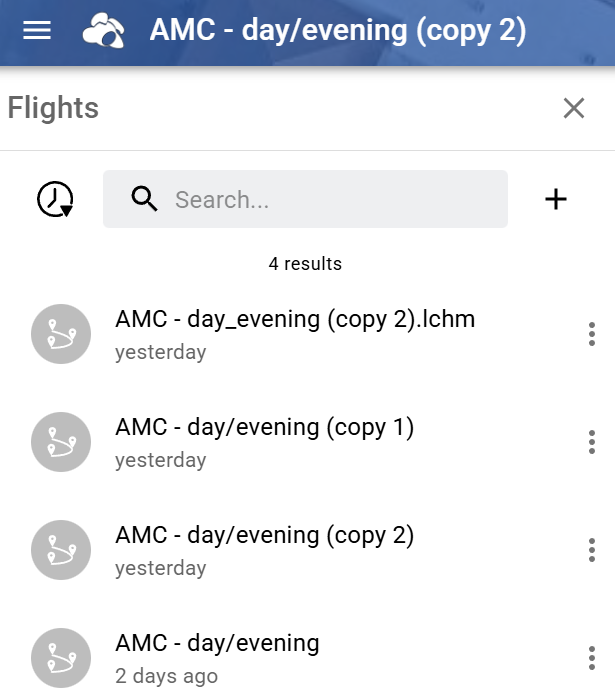
On the smart controller I can delete missions, change my screen name, login/out, sync license and these changes sync to mission hub on the browser. However, missions created on the browser no longer sync to the smart controller. This is new behavior…never seen this happen before.
If it’s the Amazon version you’re using and you’ve already synced your licence, you can download the APK outside the Amazon Appstore (which is no longer supported) directly from your account.
I installed Litchi on a spare smart controller. Still no sync when logged in (Sync Local Missions is toggled on in Settings/General menu). The only way to load missions to the controller is to download them to the PC and transfer to the controller via USB.
When in Litchi Hub (Chrome browser), the mission I manually loaded to the controller is synced again, it’s the top one (appended.lchm):
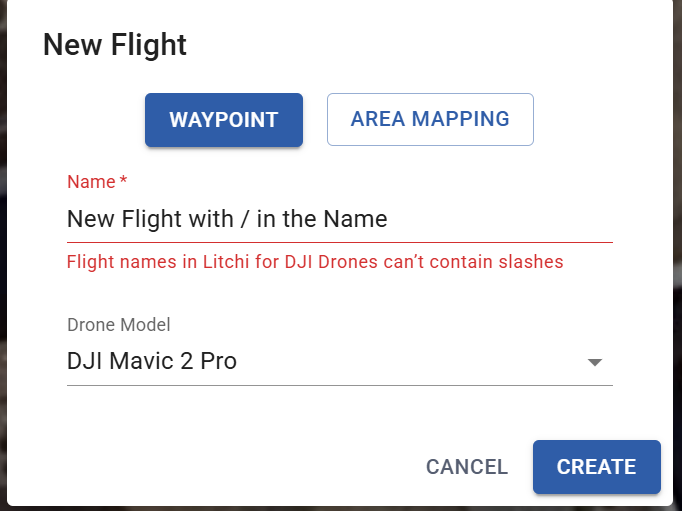
The new Hub should prevent you to use forward slash in the flight name if you use an older drone model. Which drone model did you plan your flight for? And how did you create the flight with a slash in the name?
I created & named the mission in the new hub for a Mavic 2 Pro. I noticed the “/” was automatically replaced with “_” when I manually installed the mission to the controller.