My phone app on iOS doesn’t load up my map; there is no issue on pc. I’ve tried all the tips like restarting, deleting/reistnallign, renaming file, logging out, changing password, checking settings.
Map issues in the Litchi app on an iPhone are unrelated to the Mission Hub running on a PC.
The map not loading in the Litchi app is typically a sign of a network problem. Is your iPhone connected to the internet? Can you display maps using the iOS Maps app?
Yes to have WiFi and maps load fine. My old map I drew last year loads fine. Both load on pc but latest one doesn’t load on iPhone. My friend logged into my account with Samsung phone and all maps load fine.
Hi Mark. I have only Apple devices and the map loads fine. I’d first check that all the required permissions have been granted. Specifically the location services but Bluetooth and local network as well. If that doesn’t work then I’d delete the app and reinstall with attention payed to all the permissions when installing it. Maybe it will help. No issues here with I phone 16 Pro Max or iPad 11 Pro. Enjoy.
Would you explain what you mean by this? Since one doesn’t draw a map, I want to make sure I understand what is not working on your iPhone. Is it the mission, the background map, or the satellite imagery that is not loading?
Hi all thanks for replies, apologies for the confusion. I designed a set of Missions last year that load fine on both my PC and my phone app last year, This year ive designed a new set of missions using on my PC but they arent loading on my phone. The files are there but when i choose load they dont appear on the map (either google or apple). The maps load fine but the mission dont load up (no way points load). If i choose last years missions they load fine. Ive checked settings (sync local missions) is selected, tried reinstalling, changing mission name, changed login detaails, changed passwords, checked for app updates. Nort sure what else to try.
Little more information which may help. I notice the missions that load are .lhcm extensions and newer ones that dont load are .lhcz extensions
LCHZ is for newer drone models, did you select the correct drone model in Litchi Hub when planning your flight?
The mission loads on my friends phone who uses an android, but doesn’t on my phone ios.
is there a way to convert back to a different drone use?
Since you mention file extensions, it sounds like you are trying to manually export missions from the Mission Hub and then manually import them to your iPhone. The recommended way to do this is to let the missions automatically synchronize between the Mission Hub and the Litchi app.
For this to happen, two things must be true:
- Both devices (computer running the Mission Hub and your iPhone) must be connected to the internet.
- You must be signed into both applications using your Litchi credentials.
Once this is done, your missions will automatically sync between the two devices.
1 Like
Both my Pc and iphone are connected to the internet. They are both connected to the Mission hub with the same credentials. After logging in on my Litchi phone app i can see the missions in the folder but when i load them the way points dont load up on the google map. My live ,ocation shows and the map loads fine but the mission points dont. However they display on my friends Android phone if he signs into my account. They also display when loaded into my PC. Like i mentioned previously if i selelct and load the files i creted last year, they load fine on every device. The only difference i can see between previous saved missions and the latest missions is the extension as explained. The only reason i have been trying to download and convert the missions is attempts to resolve the problem my self.
open the flight in Litchi Hub (https://hub.flylitchi.com) then open the flight settings and change the drone model
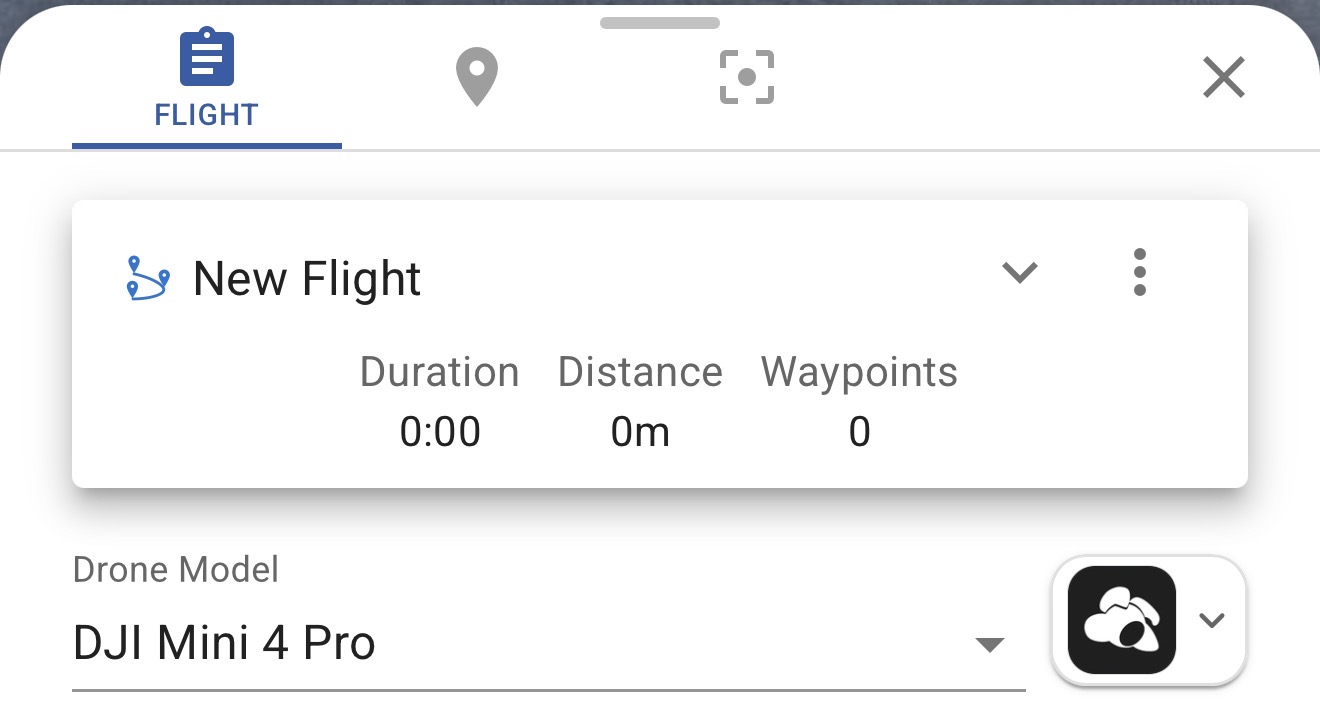
Since we are not working with files, nor file extensions, nor maps, just waypoint missions that are not displayed once selected and loaded in the Litchi app, the only thing I can think of is that the missions were designed in the new Mission Hub for a drone that is not supported by the old Litchi app.
To solve this, open one of the offending missions in the Mission Hub. In the main mission properties dialog, select a drone supported by the old Litchi app. You haven’t mentioned what drone you are using. In this example, I have selected the Air 2S:
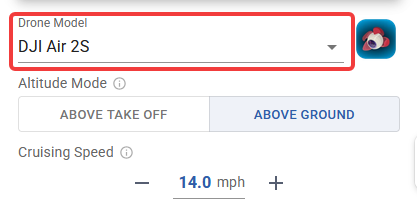
Once a drone supported by the old Litchi app is selected, the waypoint mission should open properly in the Litchi app.
Hi all. Thankyou for your replies you have fixed the issue I was trying to explain. I didn’t know the app on iOS I had purchased was an old version. Is there a newer one I can upgrade too?
There are two apps:
- Litchi
- Litchi Pilot
Litchi is made for older drones. Litchi Pilot is made for newer drones. One does not upgrade the app to fly the same drone. Instead, one selects the correct app for the drone you wish to fly.
It is also important to know that Litchi Pilot only runs on Android.
1 Like