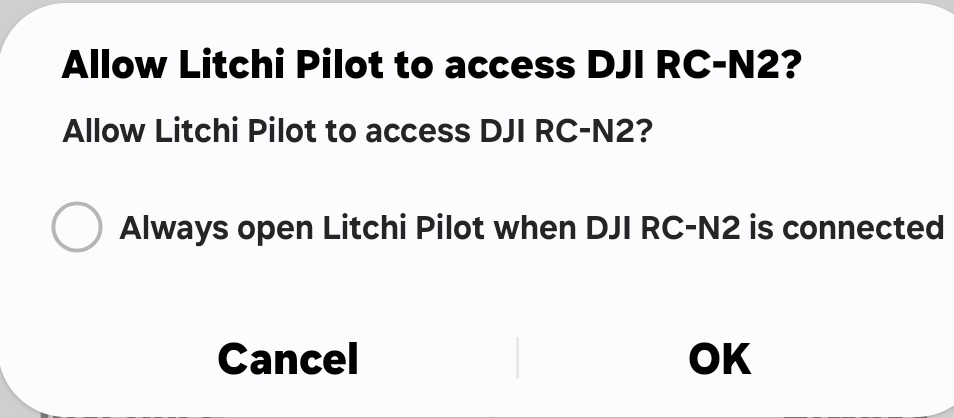
Litchi Pilot Beta – Connection Issue Report
Device: Google Pixel 9 Pro XL (Android 14)
Controller: DJI RC‑N2 (standard remote)
Drone: DJI Mini 4 Pro
Litchi Pilot Version: 1.0.0‑beta‑dji Build 526
DJI Fly Version: v1.17.6 (1035-official)
Firmware Versions:
• Aircraft: 01.00.1000
• Controller: 01.01.0300
Connection Method: USB‑C to USB‑C cable (data‑capable)
Other Apps Installed: DJI Fly (closed during Litchi use)
Issue Summary
When connecting the Pixel 9 Pro XL to the RC‑N2 and launching Litchi Pilot Beta, the app does not detect the Mini 4 Pro.
No live video feed or telemetry is displayed, and “Aircraft Disconnected” remains on screen.
Steps to Reproduce
- Power on drone
- Power on RC‑N2
- Connect Pixel 9 Pro XL via USB‑C cable to controller
- Launch Litchi Pilot Beta
- Observe connection status
Troubleshooting Already Attempted
• Force‑stopped DJI Fly before launching Litchi
• Cleared “default app” setting for DJI Fly
• Tried two different USB‑C data cables
• Rebooted phone, controller, and drone
• Verified all firmware is up to date via DJI Fly
• Tested with DJI Fly (connection works normally there)
Expected Result
Litchi Pilot Beta should detect the Mini 4 Pro and display live video feed and telemetry.
Actual Result
No connection established — “Aircraft Disconnected” message persists.
Additional Notes
• This is a fresh install of Litchi Pilot Beta on Pixel 9 Pro XL.
• Issue occurs consistently across multiple attempts.
• Willing to provide logs if required.