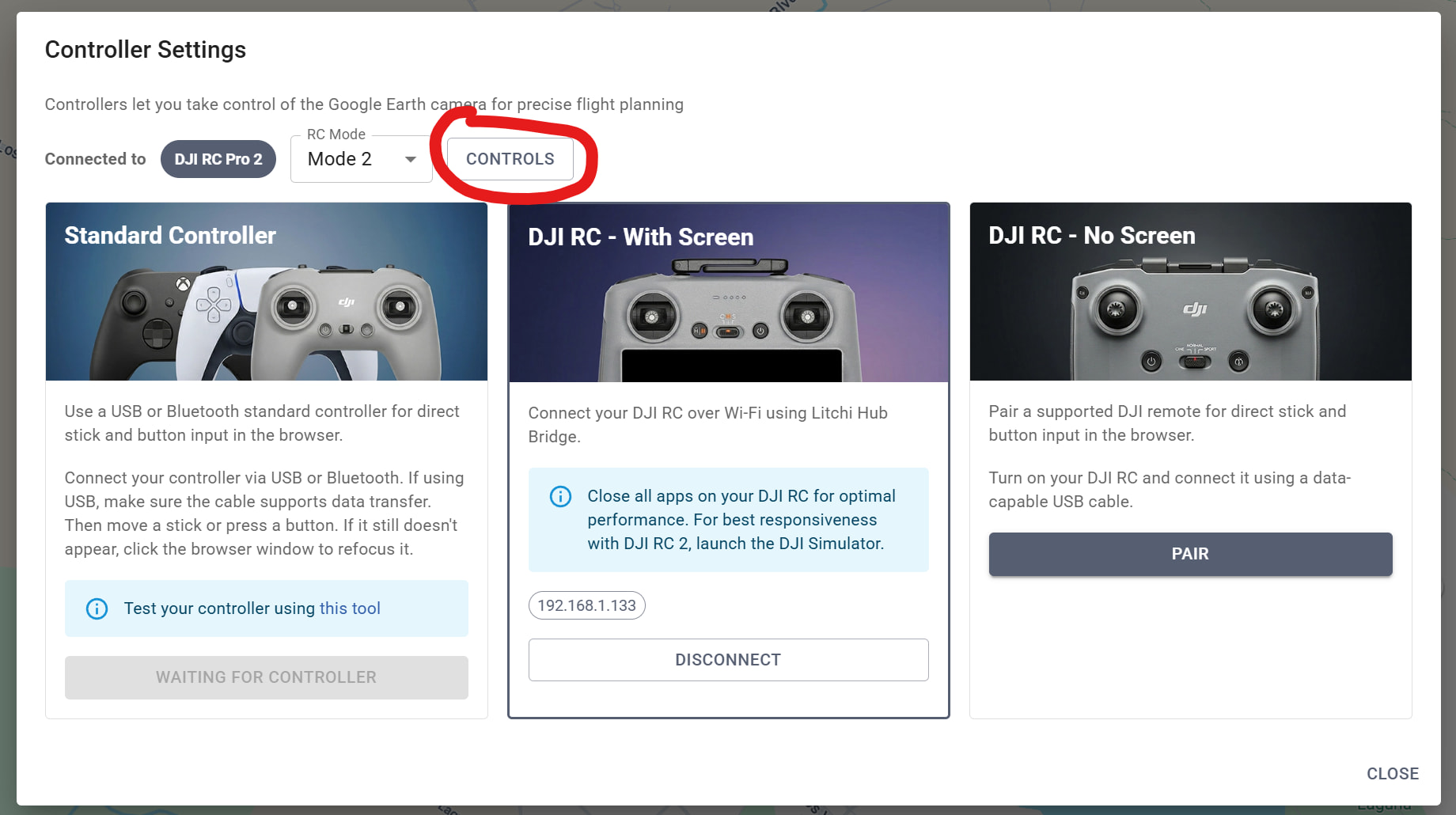
I can use the RC-N3 controller from my DJI Mini 5 Pro with the latest version of Litchi Hub via a USB cable (it pairs and works in Google Earth mode) but not the RC from my Skyrover X1 (doesn’t pair as is not recognized).
If you go to this webpage https://webserial.io/ then with your skyrover RC connected, click on Connect, select the first device in the list (from your skyrover rc) and tell us what you see at the top
For example with RC-N3, you would see:
CONNECTED - DJI Technology Co., Ltd. (2ca3:1020)
It asks me to Select Serial Port. Three are listed that say Paired. They are the same whether or not my Skyrover RC is connected (and turned on). If I select any of them and then Connect I get:
CONNECTED - Unknown Device (undefined:undefined)
When I connect my DJI N3 I get ACM DATA COM12 & COM13. If I select the first one and Connect I get:
CONNECTED - DJI Technology Co., Ltd. (2ca3:1020)
So I take that to mean the Skyrover RC is not being seen as connected at all.
Correct, and this means it cannot be supported.
I just tried this in Firefox (does not work), the Edge (works) with my RC2. The initial screen looks like this:
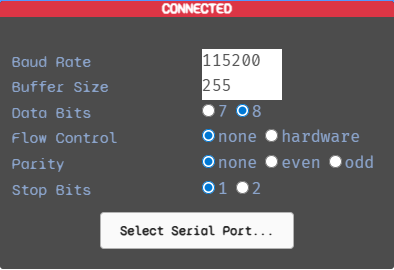
After selecting “Select Serial Port…”, I see this:
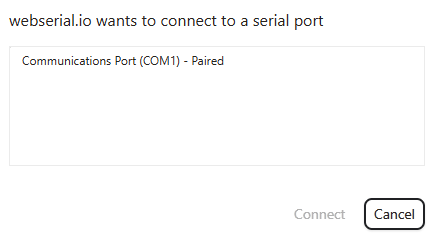
So I select COM1 and Connect. Then I see this:
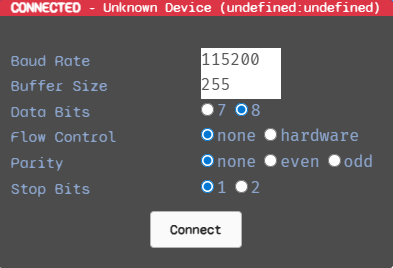
I have had no problems connecting and transferring missions between my RC2 and computer. Does this simply mean that the Edge browser is not compatible with this process or something else? Just curious.
For RC Controller support in Litchi Hub (allows controlling the google earth camera):
All modern DJI RCs (with and without screen) are supported in Edge and Chrome using wireless or wired connection but not both.
For Firefox, only wireless connection to DJI RCs with screen is supported. Wired connection to RC-NX is not.
For Safari, it’s not possible to connect to DJI RCs with or without screen, wired or not.
P.S. I was using Edge.
While I have your attention I have a simple waypoints flight that exhibits incorrect camera rotation (or rather lack of) when flying between two waypoints when using the simulator. In actual flight the drone rotates slowly ccw from backwards (facing a POI) to forwards (no POI) but in the simulator it fliers backwards all the way and then rotates suddenly at the next waypoint. How do I get it to you to test with?
Please share the flight so we can take a look: [GUIDE] How to Share a Flight or Folder
We’ve just updated how POI transitions are treated in the simulator so maybe your problem is already fixed, please try again to double check
I have shared it. It is named 12277A36-FAD6-47BC-B8B4-35F7E5C32462
In the simulator look at the drone icon from waypoint 5 to 6. It remains pointing backwards but when flown in reality the drone slowly rotates CCW to point toward waypoint 6.
Thanks for reporting, we fixed it internally and will release it soon
Great! If I might make another suggestion:
When I hook up my DJI RC-N3 controller (I’m abandoning the Skyrover RC as it doesn’t work as previously discussed) and choose the Controller icon at the top right of the Hub it would be nice if it automagically switched to Google Earth View. It took me a while to realize that after I struggled for a while not being able to get anything to happen in 2D Map mode.
Also, while I am using the controller is there a way to add a waypoint using it? Perhaps by clicking the Fn button? Or am I missing something?
Great features by the way!