I have used the Litchi app on my iPad for 5 years without a glitch, but recently, when I tried to open the app, the screen would appear for a second and then close. I decided to uninstall it and then download it anew from the app store, but the download process seems to be stalled in an endless wait state.
Now my iPad is really full, with 31.8 GB out of 32 GB occupied, and I am hesitant to delete anything that might be important to the iPad’s normal functionality. That said, I don’t think space could be the issue here, since I didn’t download anything to the iPad between the time I uninstalled Litchi and then tried to reinstall it.
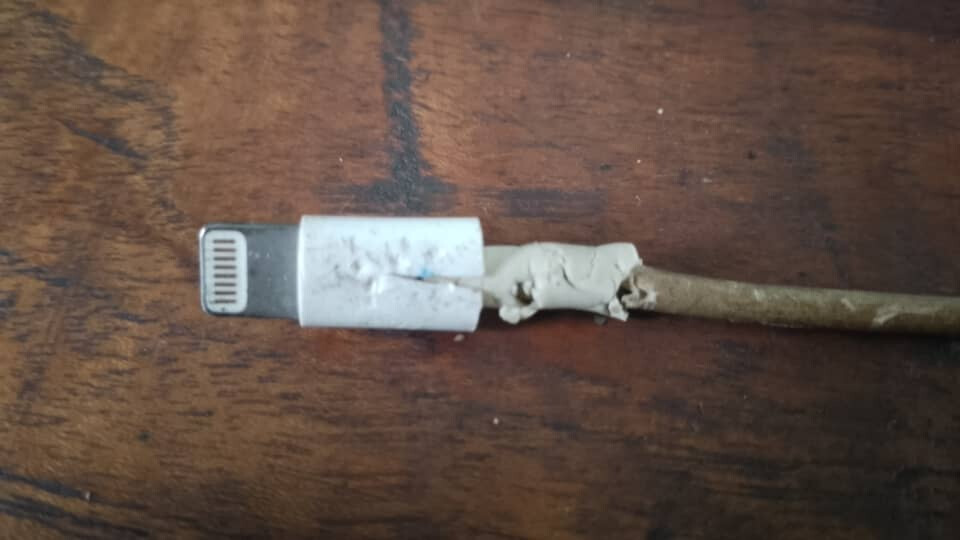
The Litchi app still works fine on my Samsung tablet, but I had been test flying a few of my older drones when I encountered a possible issue with the only connecting cable I have on hand to connect the Samsung tablet to the drones’ controllers.
Switching over to the iPad I found the Litchi icon unresponsive. This led me to uninstall Litchi from the iPad with the intention of immediately reinstalling it on the presumption that the previously installed copy of Litchi had been corrupted during the time I wasn’t using it regularly.
Any advice about how I can get Litchi to download into my iPad would be appreciated.
Your lack of available storage space was causing Litchi to be unresponsive.
Trying to reinstall Litchi does NOT resolve your lack of storage.
I have an iPad Mini 4 dedicated for Litchi & DJI GO(4) with 14.6GB used out of 32GB.
Either free up storage space, or better factory reset your iPad and start over.
WRITE DOWN your Apple ID and Password before resetting.
After reinstalling the DJI GO(4) & Litchi apps, all your missions will resync from the Litchi cloud.
Haha I can confirm that the hound’s artwork is not to blame this time, Tribar, since I opted to use the WIFI link and not a cable.
I suspected it had something to do with the memory being nearly full. For the past five years, prior to my using DJI Fly for the first time, I never saw a single alert about memory space running low in this iPad.
DJI Fly hogs a lot of memory, so I’ll either have to run a full factory reset as you recommend, or start to think about getting another iPad with more memory, since I’ll need one sooner or later anyway.
I agree it’s storage space. One thing you can do is check the storage size of a browser which over time accumulate a lot of unwanted junk. I use Firefox browser 99% of the time and even though the app size is only 277 MB over time it’s now up to 1.7 GB. All browsers build up junk over time so you may want to check a couple of your browsers and see what the basic size is and what storage space is now being used. This applies to other apps as well but browsers seem to use much more space than needed over time. You could even delete a browser first freeing up maybe 1 GB then install Litchi. Once done then reinstall the browser without all that unneeded junk. Just some thoughts. Good luck and enjoy.