A new option called 3D reconstruction has appeared in the hub, although it is not yet available. What will be possible to do with this new option, and what are the differences compared to the orthomosaic mode? It would also be interesting if they could create a way to perform vertical inspections on façades and similar structures.
2 Likes
I believe you can use the Litchi Utulitize from Wes Barris to fly Facades.
1 Like
@wesbarris I have attempted to use the facade generator at Facade Mission Creator and receive an error when I attempt to generate the file. I have generated to waypoints in flight hub, exported in kmz and browse to import, set the parameters and when I click the generate button I receive an error to return and upload a file. Any advice is greatly appreciated. Thank You, Dan
The facade mission creator takes either a Google Earth Pro KML/KMZ file or a Litchi CSV file as input. A DJI KMZ file is completely different. Since the new Litchi Mission Hub does not yet support CSV exports, the old Mission Hub may have to be used.
I had also inadvertently introduced a bug recently which has now been fixed.
Can you advise how to access the ‘old Mission Hub’?
Thank You
I was able to generate a path in Google Earth, export the KML, import in the facade utility, export a csv, import csv in the hub and it worked successfully. Great utility! Hopefully the 3D Reconstruction enables similar functionality. This is a great feature, just many steps for reconstructing a multi-faced structure. Would also be great to be able to orient vertically for corners, towers, or pilings. Thanks, Dan
Here is the old Mission Hub:
Do you mean it was previously only available through the app @wesbarris ?
The mission created by the Facade Mission Creator is oriented vertically. That is its purpose.
I’m not sure what you are referring to.
It appears the mission routes are horizontally rows versus vertical columns. There are many cases where vertical paths are applicable.
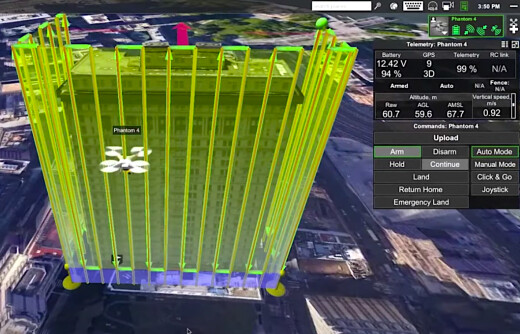
What I mean is I can’t find the old mission portal, only links to the current mission hub.
I found the older/legacy mission hub (Legacy Mission Hub)
That is a good idea. I will look into implementing that.
1 Like
I have added an option to change the orientation. Please give it a try.
What’s the best way to share an example with you from Litchi Hub?
@vico it would be ideal to be able to select all and use the waypoint controls to move the points relatively away from the structure. Meaning, if taking a series of facade waypoint images that are all stacked on a plane, and it’s too close to a structure, it would be ideal to be able to move all of the points 10 feet back after having selected all the points or using an offset-like setting. I think just enabling the controls to move laterally on a flat horizontal plane would be ideal.
Here’s some snippets of how I will use this. Getting the distance away from the facade is a challenge without a way to offset it. It would be excellent to have a desired GSD value (ex. 0.5 in) and let it dictate the number of waypoints given an offset of x feet with whatever % overlap for side an front. This will work, but working off of a desired GSD would be ideal, otherwise using an offset is required and trial and error.
Thanks for making this available so quickly. It’s excellent!
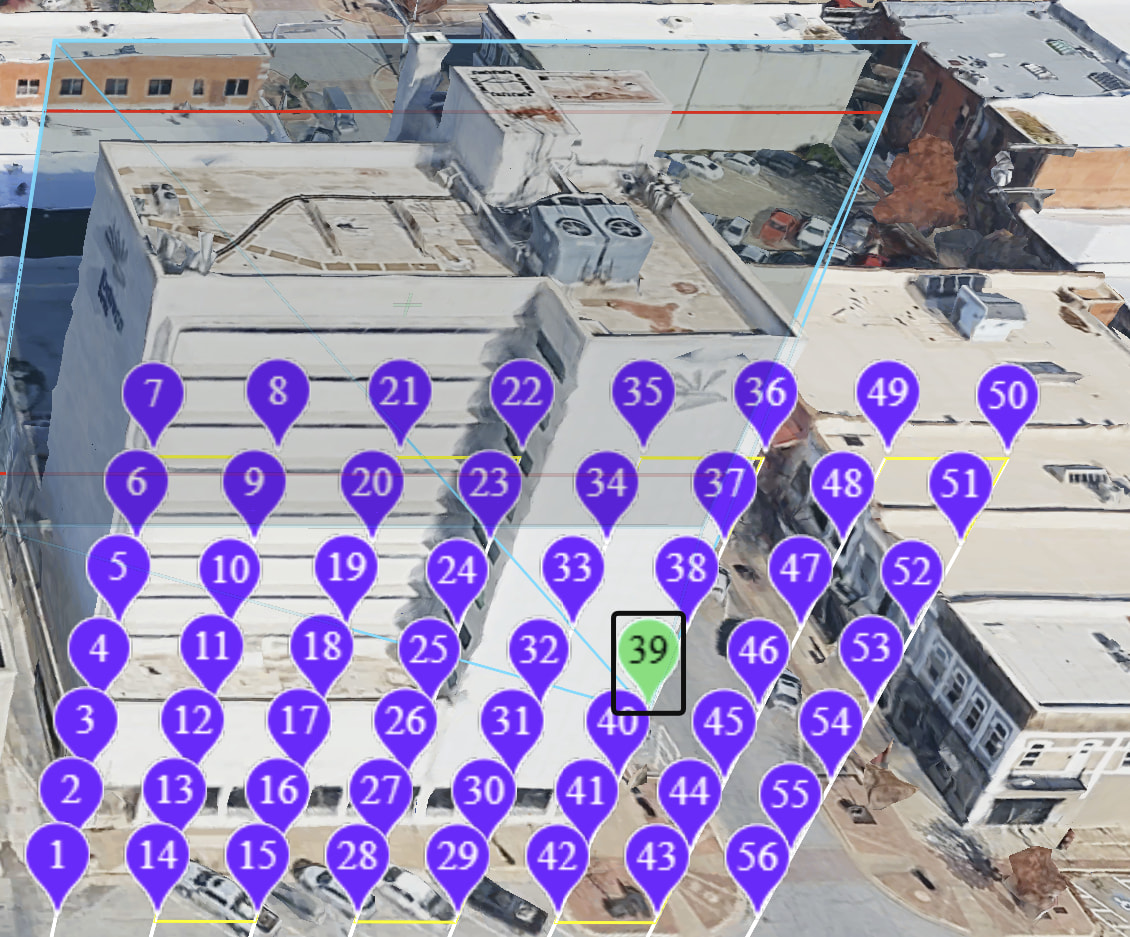
You can perform that action in the Mission Hub. Use the Multi-select tool, select all Waypoints (or the ones you want to move). Then, use the Transform tool to move the waypoints.