I see when I insert a Takeoff point that it connects to Waypoint #1 which is good but at my last waypoint #24, its finishing action is Return to Home, I would have thought it would connect graphically to the Takeoff point but does not. I’m assuming that the Takeoff point is the same as RTH, am I missing something?
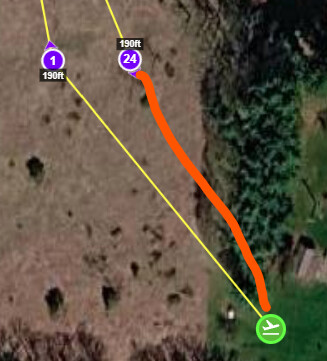
Normally, this is true but it doesn’t have to be. Cases where it isn’t true include when one takes off before the drone has a chance to establish a gps lock or when the home point is changed during flight. As to whether or not a line should be drawn between the last waypoint and the takeoff location, I can see arguments for both. For example, one may prefer to keep he screen clear of clutter or perhaps one is going to load and fly a second waypoint mission after the first one completes.
Thanxs for the response, I had recalled on some previous photo post(s), whereas the end or flight was signified with a checkered flag icon, I did not verify if it was with associated with Litchi or Drone app specific.
The checkered flag is only shown for mapping flights, since waypoint icons are not displayed in that mode.
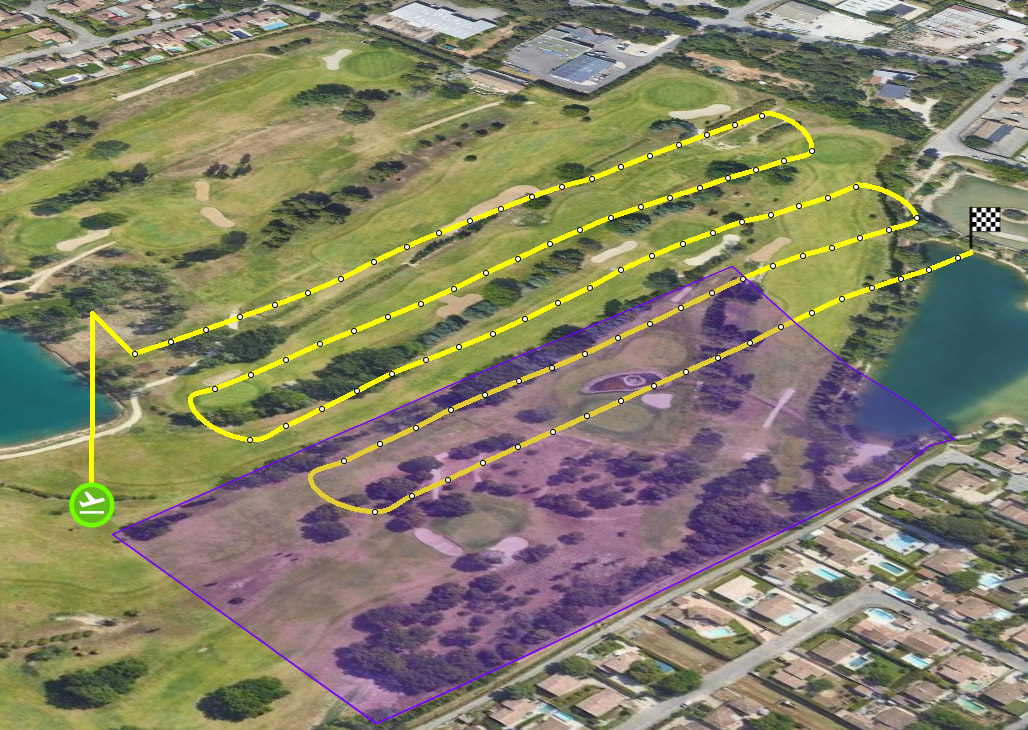
Regarding the RTH path not shown on the map at the end of the flight, this behavior was inherited from the previous Hub design, but it might be worth revisiting whether it should be added.
thanxs for the response and picture, I would suggest if one denoted “take-off” = planned “RTH point”, and if I tell the last waypoint to RTH at the end of the mission, maybe a different color line from last waypoint back to original RTH, as this is the planned mission. If one changes their RTH, this is over and beyond the planned mission setup and there I would expect an open-ended last waypoint.
I think the main reason we don’t show this is because it adds clutter more than anything. If people really want it, we can add it (when finish action is RTH/return to 1st), but we haven’t received a lot of requests for that. And as said above, the RTH position is not always the take off spot.