I have still the problem that the kmz with all the obstacles is not working. Any idea?
I can not load the kmz here, where?
I have still the problem that the kmz with all the obstacles is not working. Any idea?
I can not load the kmz here, where?
Without any details, your question is difficult to answer.
How, and with what software, was your KMZ file generated?
How have you tried loading it?
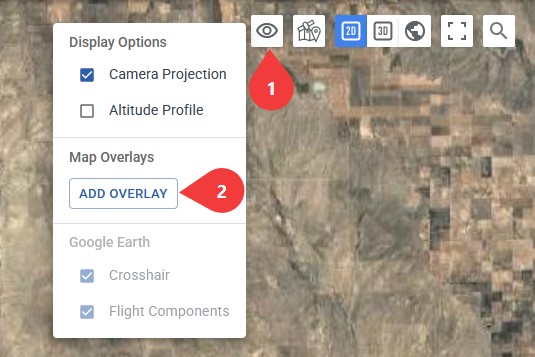
This is the correct location withing the Mission Hub:
The kmz file was created by an official Swiss federal agency (“BAZL”). I don’t know how it was created.
When I load the kmz file, after a very long time, the message “No objects found” appears.
Because I can not download tthe kmz, please load it down from Obstacle data
Download here please.
That is a 12MB KML/KMZ file containing numerous elements. Even Google Earth Pro has difficulty displaying this massive data. The data covers a wide geographic area.
What are you trying to do with this data? The data covers much more area than what should be required for a drone flight. Is there any way you could obtain a subset of this data targeted to where you will be flying?
These are the official obstacle data for drone pilots in Switzerland. This way, no matter where I am in Switzerland, I can see which obstacles are in my path.
I’ve now exported a subset of them—one-fifth—into another kmz file
That doesn’t work either.
This file is 2.6MB which is still on the large size. If unpacked, the KML data is 67MB. It contains 42377 Point coordinates and 958 LineString coordinates. The types of obstacles in the database include:
32706 TRANSMISSION_LINE
2795 CABLE_CAR
2761 POLE
2678 CATENARY
934 BUILDING
627 CRANE
499 VEGETATION
145 STACK
71 WINDMILL
51 BRIDGE
While I can see use for such a database it may not be practical to load all of this data into a web application. I’m curious how the creator of this database intends it to be used. What application do they suggest is used to view the data?
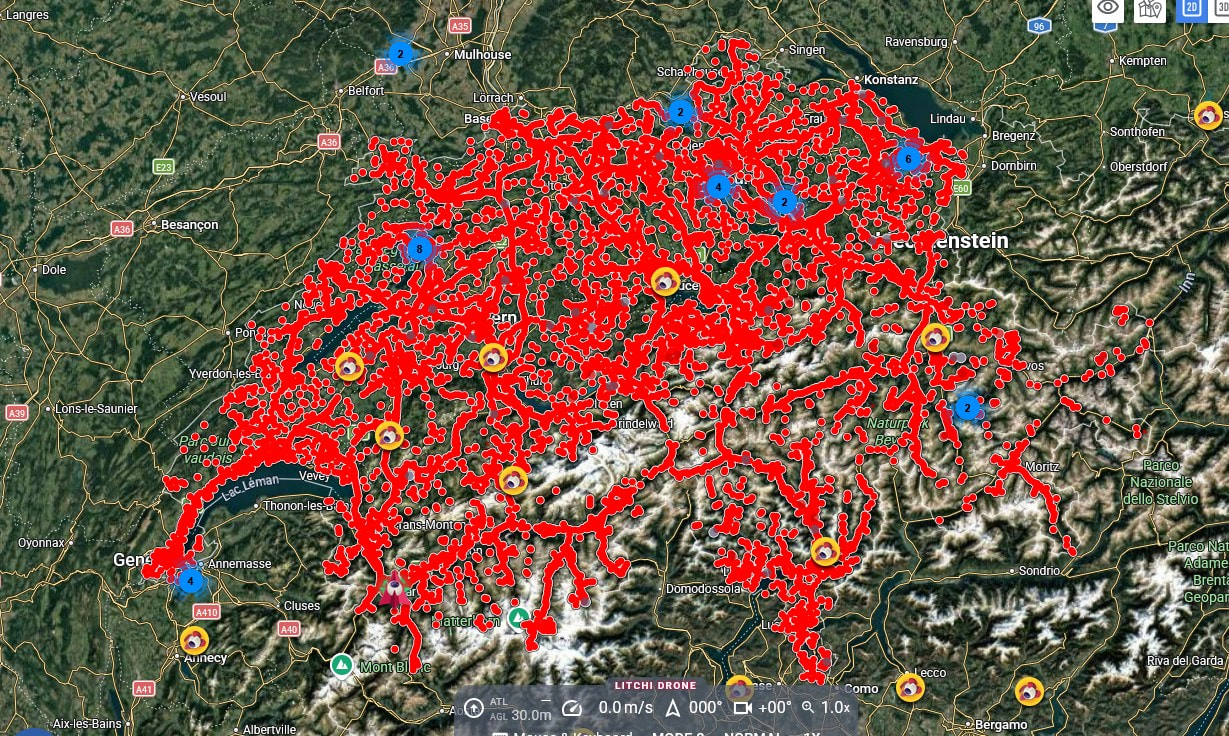
The KML data uses a slightly non-standard kml namespace. By editing the data, I can get it to load into Litchi’s Mission Hub. This subset looks like this once loaded:
Do you know if it is possible to generate the dataset for only the area where a mission will be designed and flown? If you are comfortable editing XML data, I can tell you what you need to do to make it displayable in Litchi’s Mission Hub.
I was able to split the kmz file into 25 parts. Each part corresponds to a canton in Switzerland. Cantons are roughly the same as states in the U.S., only much, much smaller.
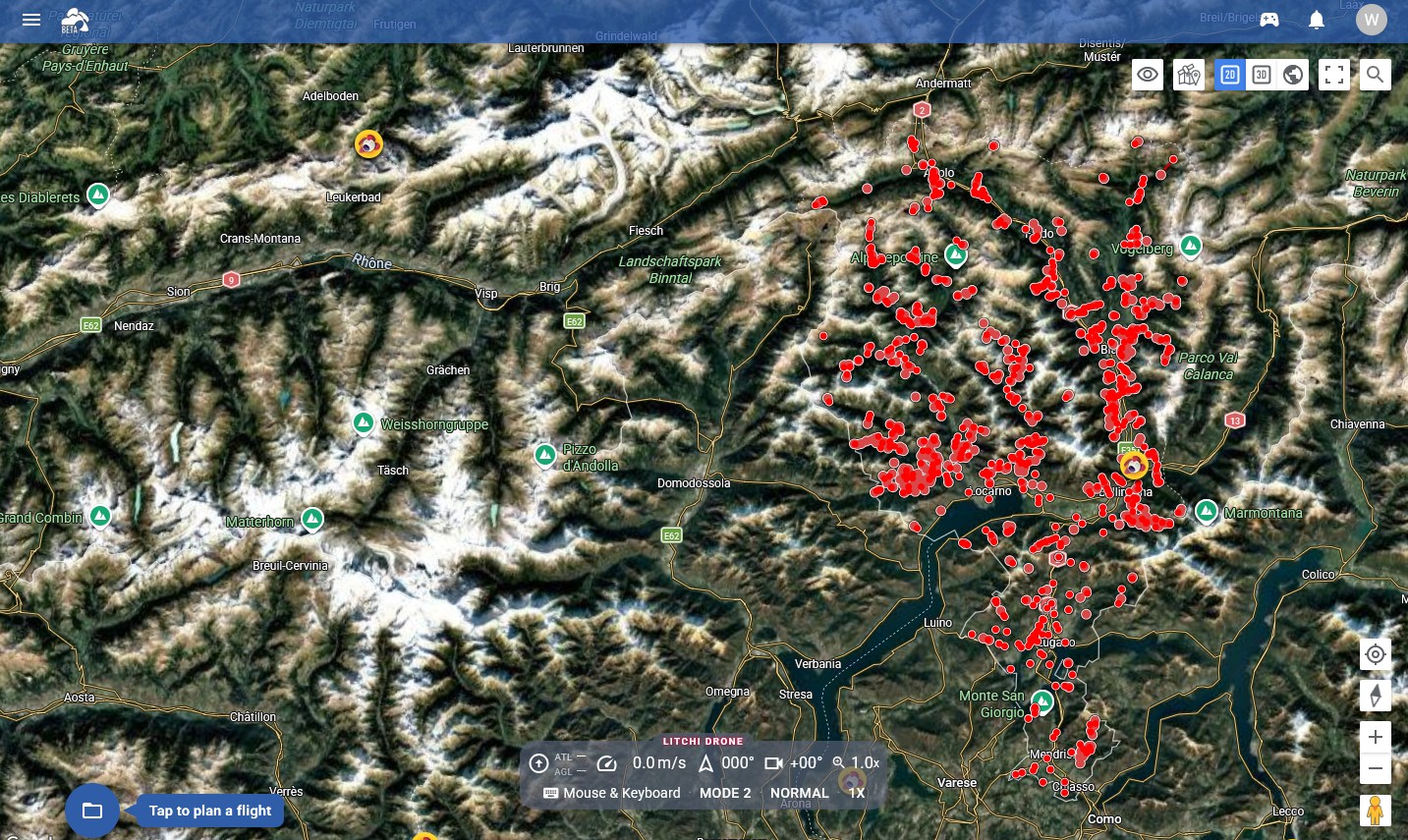
For example, here is the kmz file for the canton of Ticino.kmz canton tessin
Please let me know which editor to use and provide instructions on how to edit the data. That would be great—thank you very much.
Here are the steps to display the contents of that file in Litchi’s Mission Hub:
I have problems with removing: Replace with what?
I get now the information frim Litchi “kml could not be imported”
Can you please send to me the file who is working. Thanks a lot
Thomy
Nothing should be replaced. All occurrences of ‘kml:’ need to be removed.
Example:
<kml:Point>
should be replaced with:
<Point>
Means
Regards Thomy
Yes. A global search and replace should do it.
It seem, that I am no able to do that. I replaced all the kml:. But I got an error loading it to th Litchi hub.
Can you please verify the file. Thank’s a lot
We have fixed the issue causing this file not to load in Litchi Hub, however we would still recommend working with smaller files.
The ‘kml:’ portion needs to be deleted, not replaced. You replaced all occurrences of ‘kml:’ with ’ ’ (a space character). At this point it no longer matters because the Mission Hub has been adjust to accommodate this namespace.
It seems to work. Thank’s a lot!!!
Thomy