Hello everyone! I’m really enjoying using Pilot for mapping!
So, for mapping…
To ensure flawless overlay, what’s the best option?
Gimbal capture mode: automatic or time interval
Hello everyone! I’m really enjoying using Pilot for mapping!
So, for mapping…
To ensure flawless overlay, what’s the best option?
Gimbal capture mode: automatic or time interval
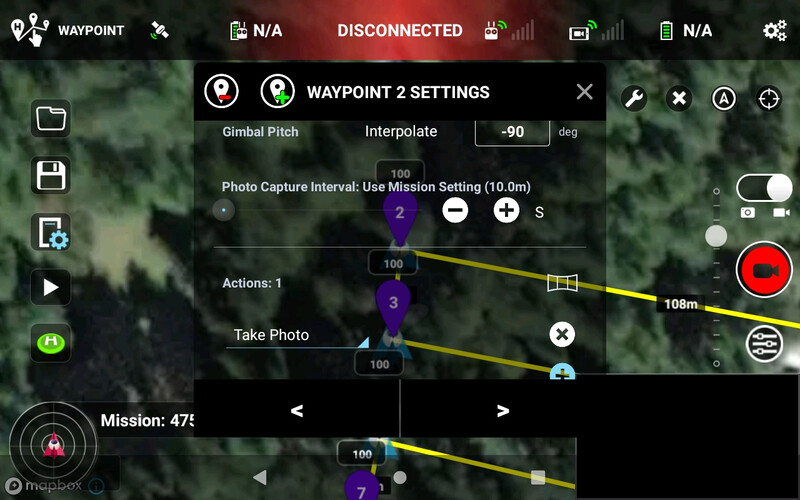
NOT a “pro”, but I’ve used both. Either time interval or distance interval work well enough for me. I usually include a “photo” action at the corners but there’s not really a good reason to do this if you’re going to crop the map… Naturally I set a “mission speed” that I think is good for the light conditions (darkness will want a slow shutter) AND height…ie: if you’re whipping along at treetop height, you need know a rollling shutter on a mini can blur photos so “intervals” may not be as good as a waypointed-with-pause-and-shoot track when you’re close to the subject.
Thank you so much for your reply!
How do you include the photo in the corner? Which option do you use?
Okay. I’ll see if I can find the option.
My layout is a little different; I use the beta version for the Mini 4 Pro.
Yes, without the old original Litchi with its own offline Mission Planner you’ll have to use the new online Beta Hub for “Pilot” but the setting will be there