Ghost Waypoint counts finally understood

One way I verify that a Hub Mission successfully transfers to my RC2 is by checking the number of waypoints (WPs) in my final mission hub compared to the last WP displayed on my controller after the transfer.

I was puzzled when I noticed that the RC2 mission showed over 20 additional WPs. To understand this discrepancy, I unzipped the KMZ file and loaded the waylines.wpml (in XML format) into a spreadsheet. I then audited each WP to confirm that the WP number (ns2:actionGroupEndIndex) matched the WP entry in the Google Earth object tree.

Only then did I realize that the extra WPs I observed in the WP mission file on my controller were added to handle other functions, such as Orbit.

It may be helpful to note that you will encounter a mismatch in WP count if you include some of these macro functions in your mission. Just a thought.
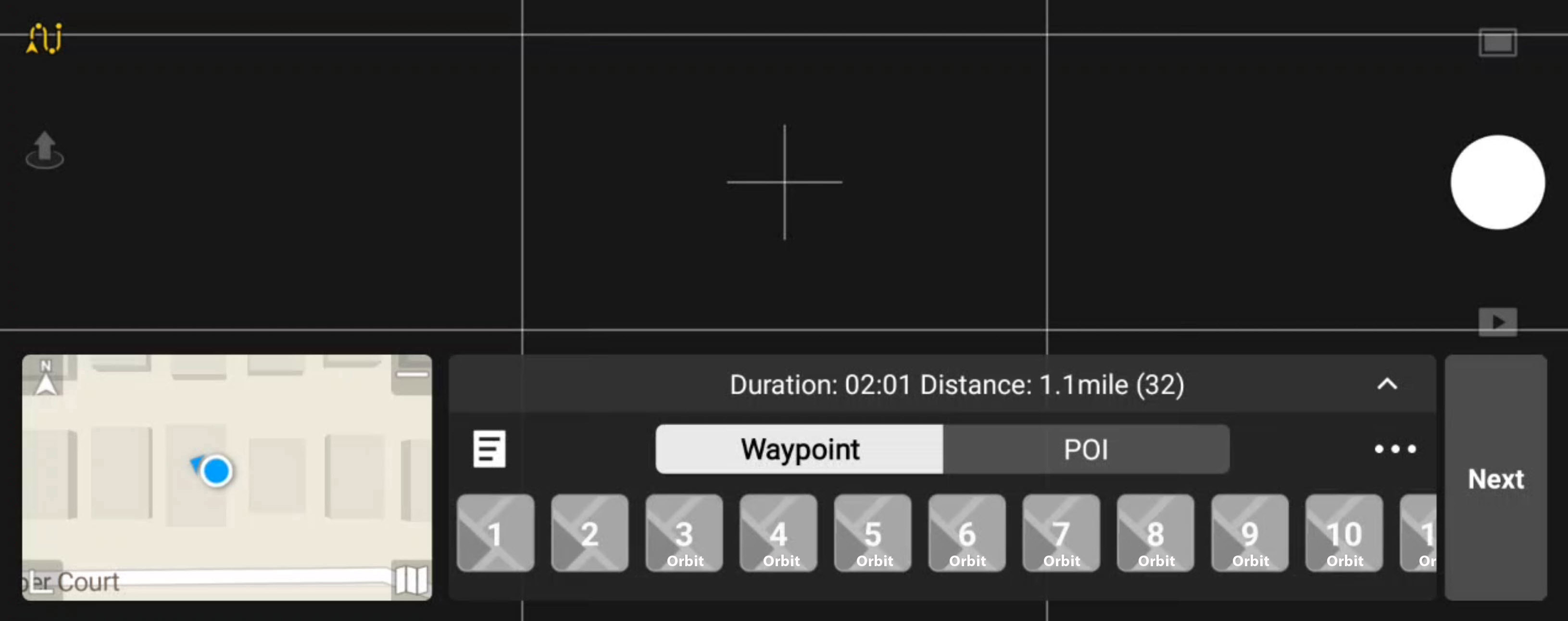
For Orbit/Spiral, we have to generate extra waypoints as it’s not natively supported by DJI Fly (within a waypoint mission that is).

I’m not sure where is best to show this in the UI, right now we only generate these extra waypoints when you overwrite. Perhaps a dialog when overwriting but then we’d need to also add a way to not remind again about it, or it could quickly become annoying for users who already know.

Vic, here is something to think about. Have a separate class for “Orbit” and “Spiral” points. Then use a different Icon resource to use for your internally created WP on the RC UI. As an example:

This not only tells me my WP count will have increased, but also helps me know where they are. Just a thought.

Nevermind, sorry. I keep forgetting this ui is within the DJI Fly app…