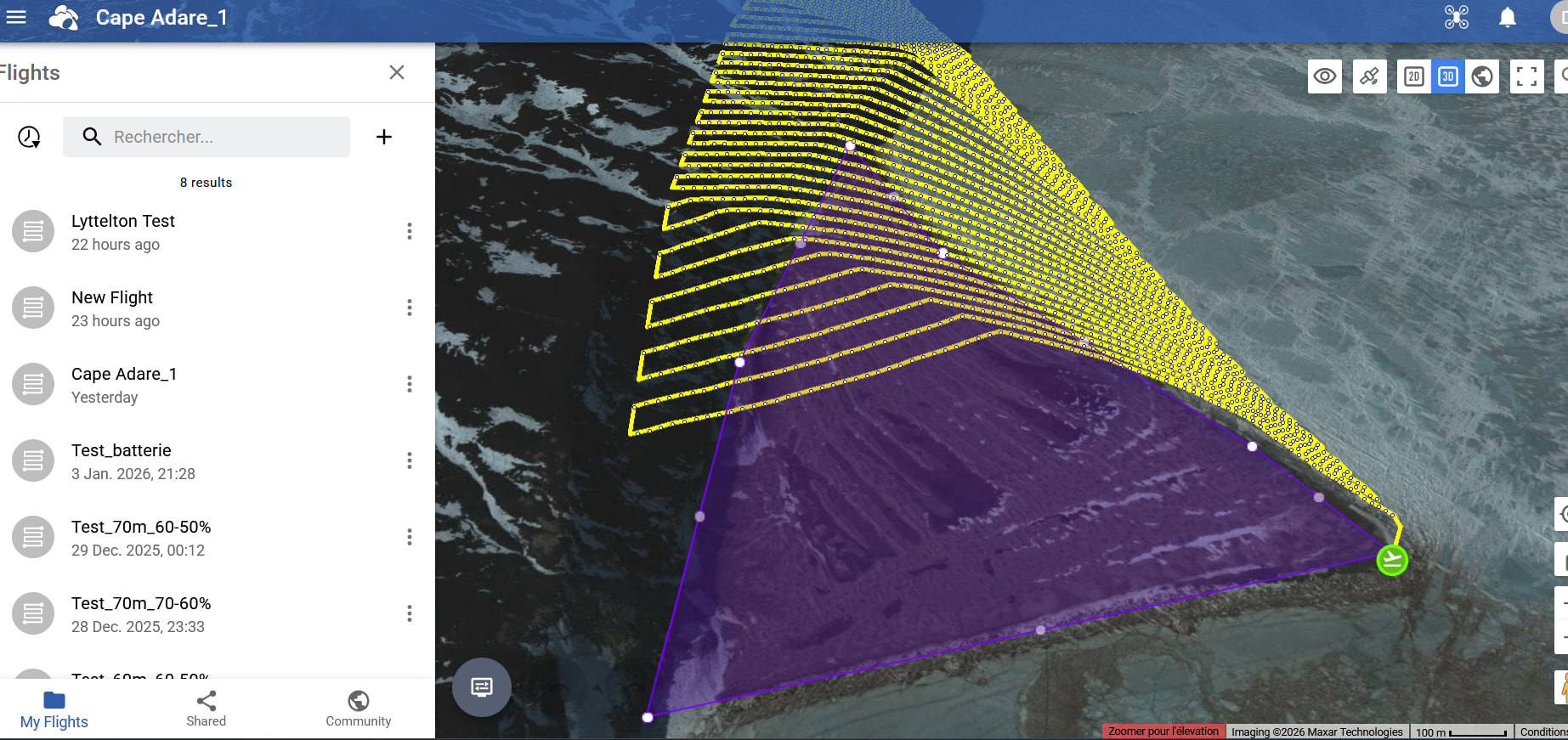
Dear all,
I want to create a mission map over a flat area in Antarctica (here: -71.306068, 170.201559), but the lines are based on terrain that doesn’t exist. The flight altitude seems to be calculated based on the mountains right next to it!
And I would not want to use the “Above the take-off point” mode because there are still some small hills.
How can I correct this error?
Thank you very much for your help.
Yves
Welcome to the forum.
This is a curious one. There is either a problem with the DEM at this location or it is out of date. I was able to duplicate what you show.
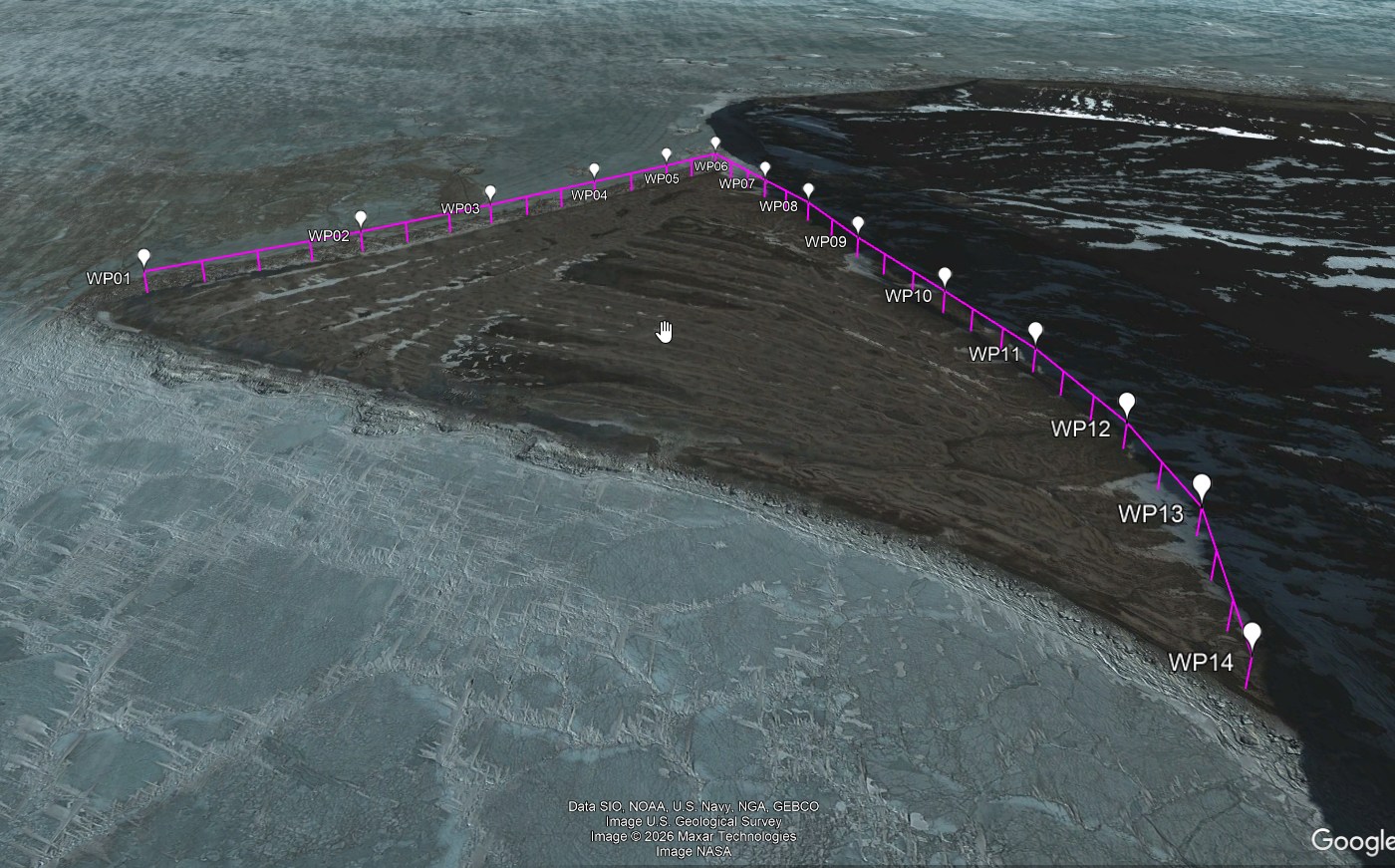
I created a smaller test mission at the same location so that I could test the Google Elevation API. When I converted that test mission to an “Above-ground” mission using Google’s API, I got different/better results. This is an image showing my test results:
Here are the steps I suggest you try:
- Take either your original mission or create a smaller one at the same location for testing purposes.
- Use the Above-Ground option and specify your desired height.
- Use the old Mission Hub to export this mission as a CSV file.
- Use my “Litchi Above-Ground to Google Elevation Converter” to convert the waypoint heights to Above-Takeoff heights.
- Use Litchi’s new Mission Hub to import the CSV file created by the utility used in step 4.
- See if the heights look better.
I think there is something wonky with the elevations shown in Litchi’s Google Earth view at this location. You would have to experiment with this flight on location to verify the proper heights. Here is the conversion utility:
1 Like