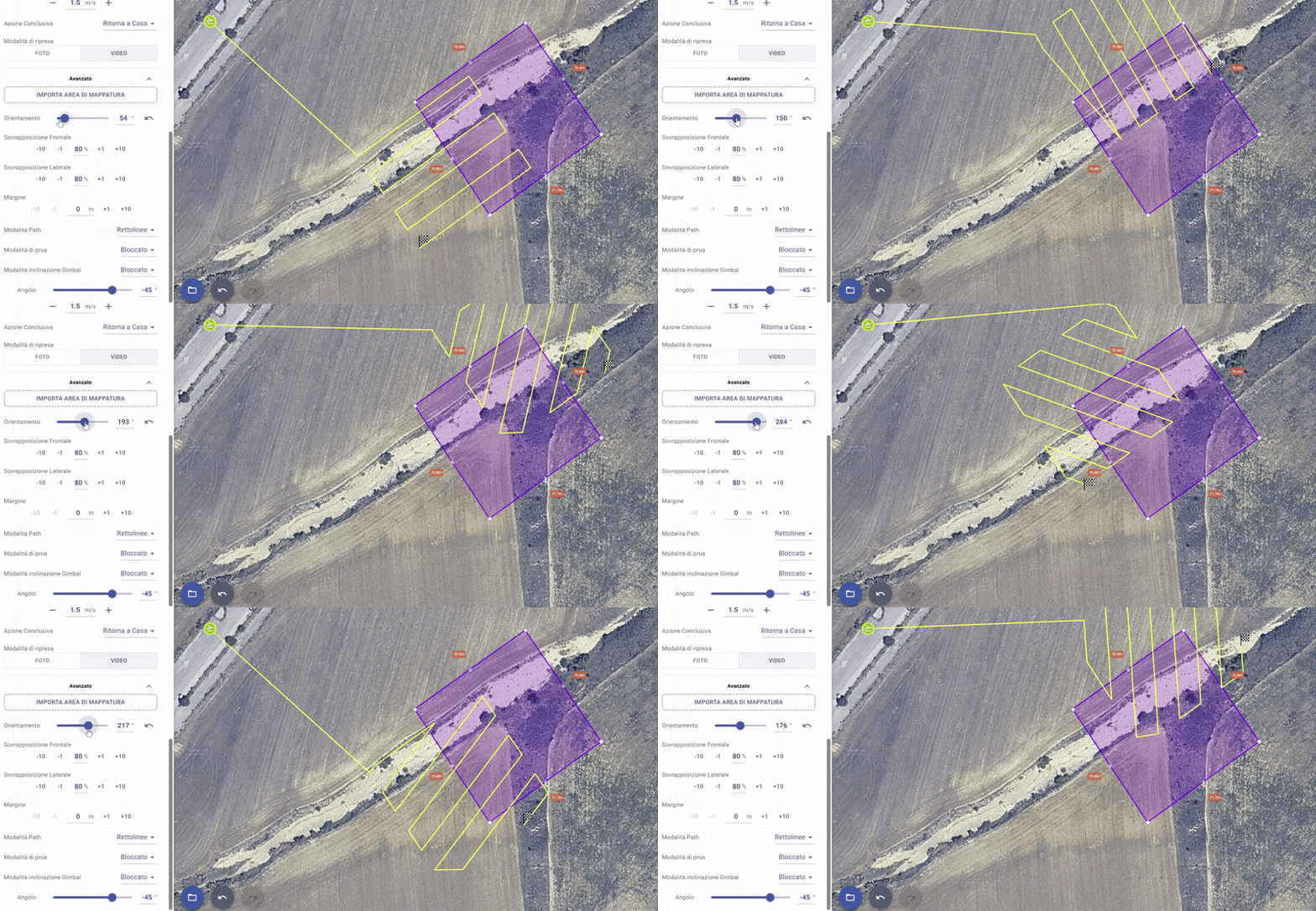
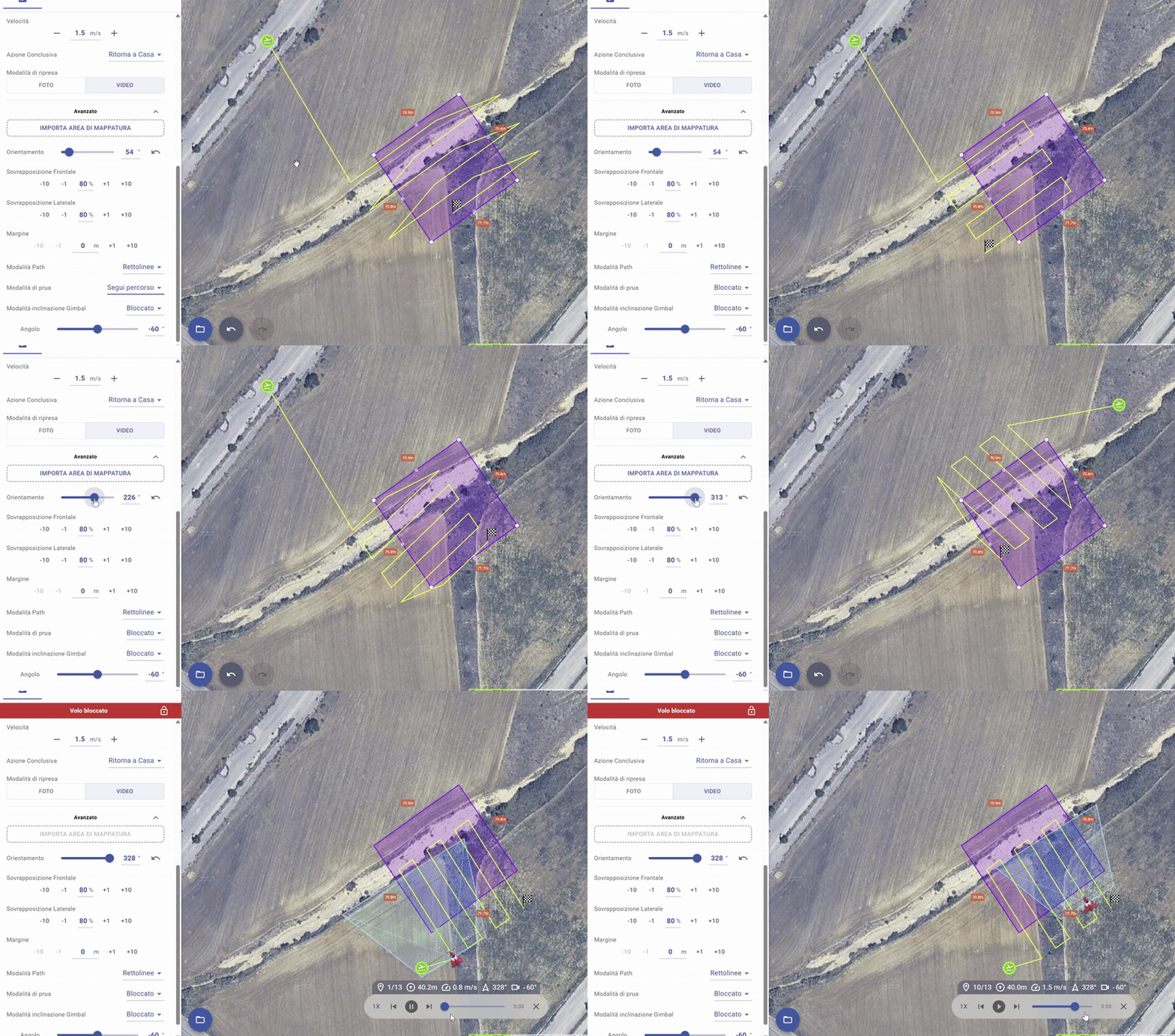
I’m currently testing the new Litchi Hub, and I’ve noticed a strange behavior. When I rotate the path, it seems to have some kind of discontinuity. I can’t rotate it completely to cover all four sides.
I’m trying to manually build four paths for a 3D reconstruction. Video attached.
This is because you have your gimbal pitch angle set to -45 degrees. Set it to -90 and you should experience the expected behavior. With the gimbal pitch angle set to -45 and a custom heading mode, the flight path will not coincide with the mapping polygon.
Yes, it works with -90, but I actually want to use a -45 or -60 angle. Isn’t that possible? I don’t fully understand why, but I trust your explanation. I know that the flight path will not perfectly match the mapping area, but with the gimbal set to -45°, I can still capture images of the entire area (I will plan also 4 different missions, one for each side of the area).
It’s strange that I can’t rotate the flight plan 360° when using -45 or any angle different from -90. As a workaround, I can change the takeoff point.
I see. You want to capture all sides. Yes, there does appear to be something missing. With the heading mode set to custom, there does not appear to be a way to capture imagery from all sides. It is not clear how the mapping mission is supposed to do that when the gimbal pitch angle is set to anything but -90 degrees.
The developers should be watching this thread. They will need to describe how the grid planner is intended to be used when the gimbal pitch angle is set to something other than -90. Currently, I don’t see a way to capture images from any arbitrary heading.
I created a mapping plan and the same issue is still present. I found this thread so you would understand what the issue is. Anything other than -90 gimbal pitch alters the coverage area and path. Not that important for me since I rarely run mapping missions but it may be to others.
When the gimbal is set to an angle other than -90, the path is offset accordingly and this is intended.
I can confirm the bug reported in the first post is fixed after testing again.
Ok. Screen shot shows that when the gimbal pitch is changed the drone doesn’t fly within the boundary area which is where I would want the captures. I just created a quick map and set the pitch set to -60° and you can see it is way out of the mapping area. It is the same as the original first posting with the screen shot.