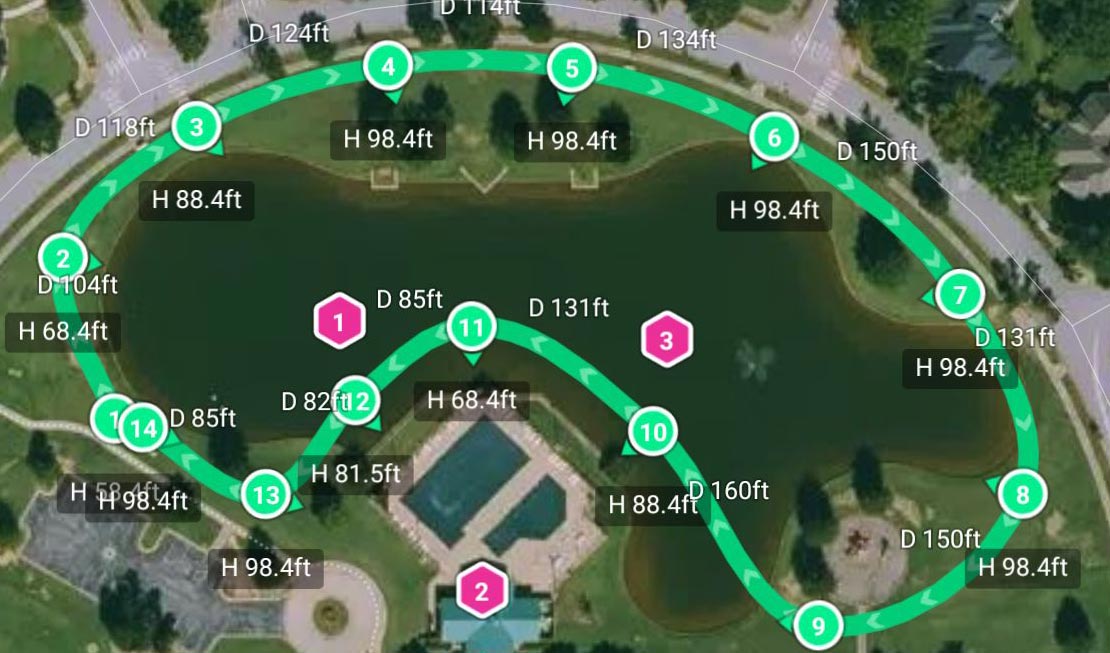
After I export the KMZ file, overwrite the file on the RC2 and open it in DJI Fly, there are elements missing.
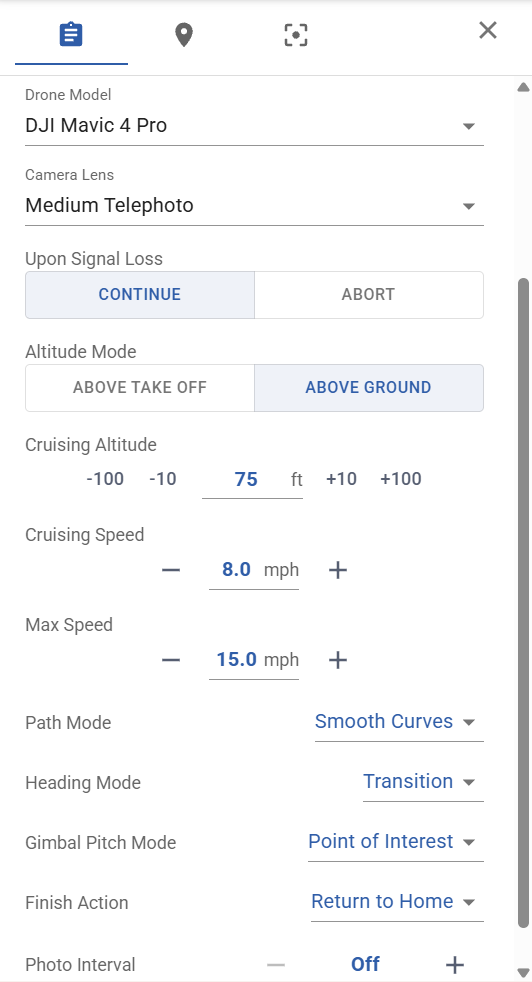
In global settings, global speed and camera selection aren’t correct. I can work around that. Most importantly, the POI’s aren’t included and the Gimble Tilt is set to manual. Is there anything I can do to fix these issues?
There must be something else going on. I tested this and the POIs I created in Litchi do appear in DJI Fly and the heading and gimbal pitch mode are both set to the respective POI. Your screen shot shows the heading mode to be set to “Transition”. What happens if you set it to “Point of Interest”?
OK, that worked. If I’m understanding it correctly, this will make the camera focus on the POI from start to finish. Here’s the remaining problem. POI focus from start to finish is probably fine if the flight path is a straight”ish” line. If I’m shooting a 1 mile variable path (picture a curvy mountain road) focusing on POI isn’t going to work. Talking through it, I guess the answer is going to be additional POI’s. Ughhh….
Keep in mind that “focus on the POI” has two components:
Focusing horizontally (heading)
Focusing vertically (gimbal pitch)
Why not? Perhaps I’m not understanding your use case. Focusing on a POI will work no matter the path or distance that the drone takes (within some limits based on the location of the POI with respect to the waypoints).
If you wish to have the drone’s heading follow the path that the drone takes along a road, then the POI setting may not be appropriate. The “follow path” or “follow wayline” heading mode would be a simpler method in this case.
It works from a technical perspective, but not for the video I’m trying to create. It would be focused on the POI before the POI is really visible. I need to focus on the path up to the point that the POI is visible and then focus on POI. That’s where I think the solution is going to have to involve multiple POI’s.
The thing is, everything looks right when it’s configured with the Transition heading mode. It just won’t export the POI that way, as you pointed out. I guess the question at that point is whether that’s the intended functionality. Any chance this is a bug?
Is the heading mode for any of your waypoints set to “Point of Interest”? If not, then the expected behavior is to not output the POI (because it is not used).
I have not seen your mission. Have you tried setting the global heading mode to “Transition” and then set at least one of the waypoints to “Point of Interest”? Or, you should be able to set the global heading mode to “Follow Path”, but then set at least one of the waypoint heading modes to “Point of Interest”. When at least one of your waypoints references a POI, that POI will be exported with the mission.
I was working under the impression that once I chose a global heading mode or gimble pitch mode, I couldn’t change it on an individual waypoint since the drop-down menu wouldn’t drop down. Then I clicked the little pencil. I’m really not an idiot, but there’s very little evidence of that in these forums! I have a test mission I’ll update and fly tomorrow, but I expect you’ve solved my problem (me).
Thanks for your time and help. I really do appreciate it.
"When planning your mission, it is essential to set the Heading Mode to ‘Point of Interest’ (POI), just as you have already correctly done with the Gimbal Pitch Mode. Once both parameters are set to POI, the behavior will be exactly as intended.
If you configure these two settings in the Litchi web interface and designate a POI on the map, the mission will sync perfectly to your RC 2 via cable. The error currently lies in your Heading Mode; simply switch it to POI, and everything will be corrected.
Regarding the Cruising Speed, it is currently set to approximately 32 km/h in the RC 2 mission settings. This value serves as a global default; it applies to all waypoints unless you have specified an individual speed for a particular waypoint."