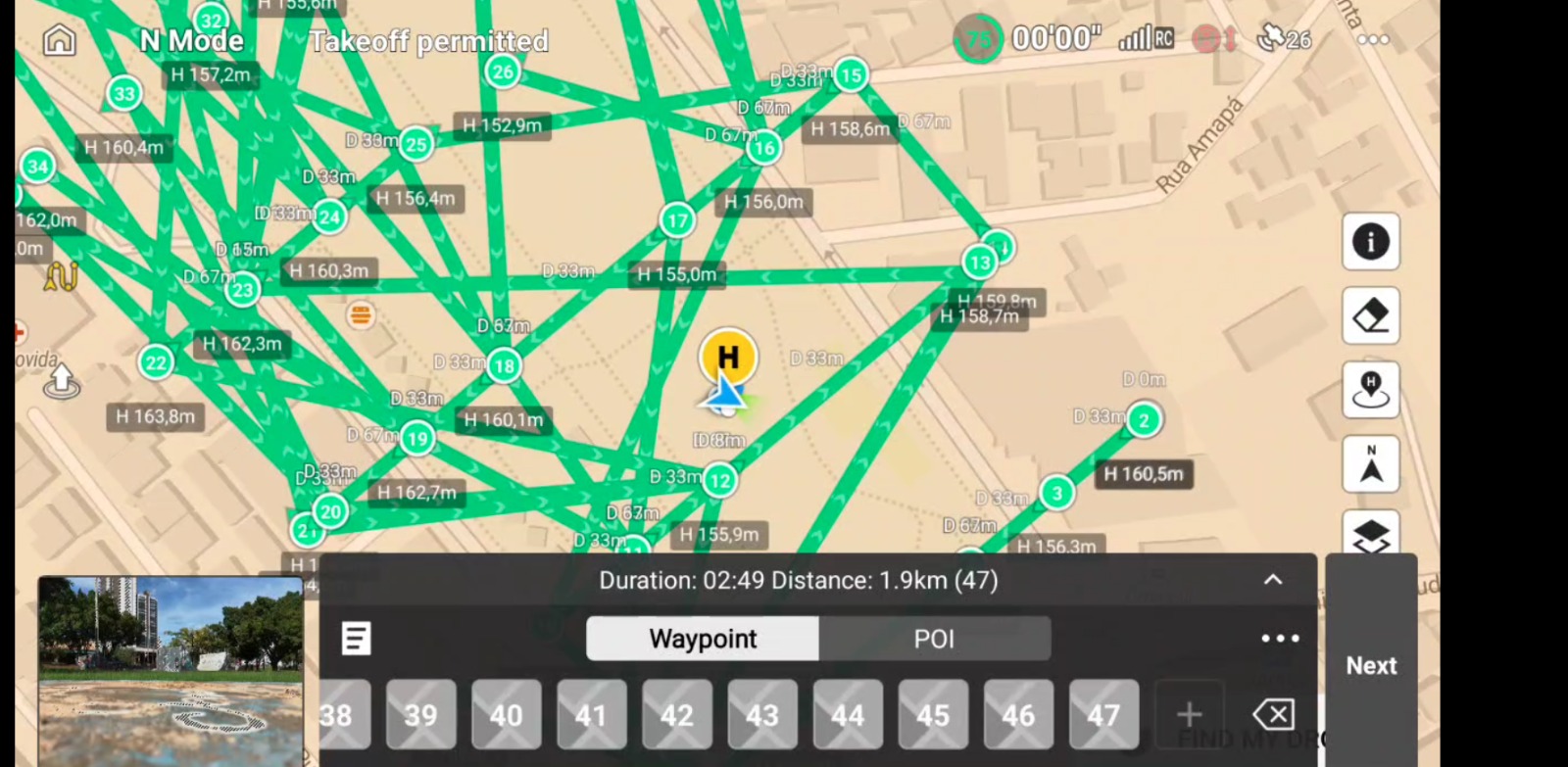
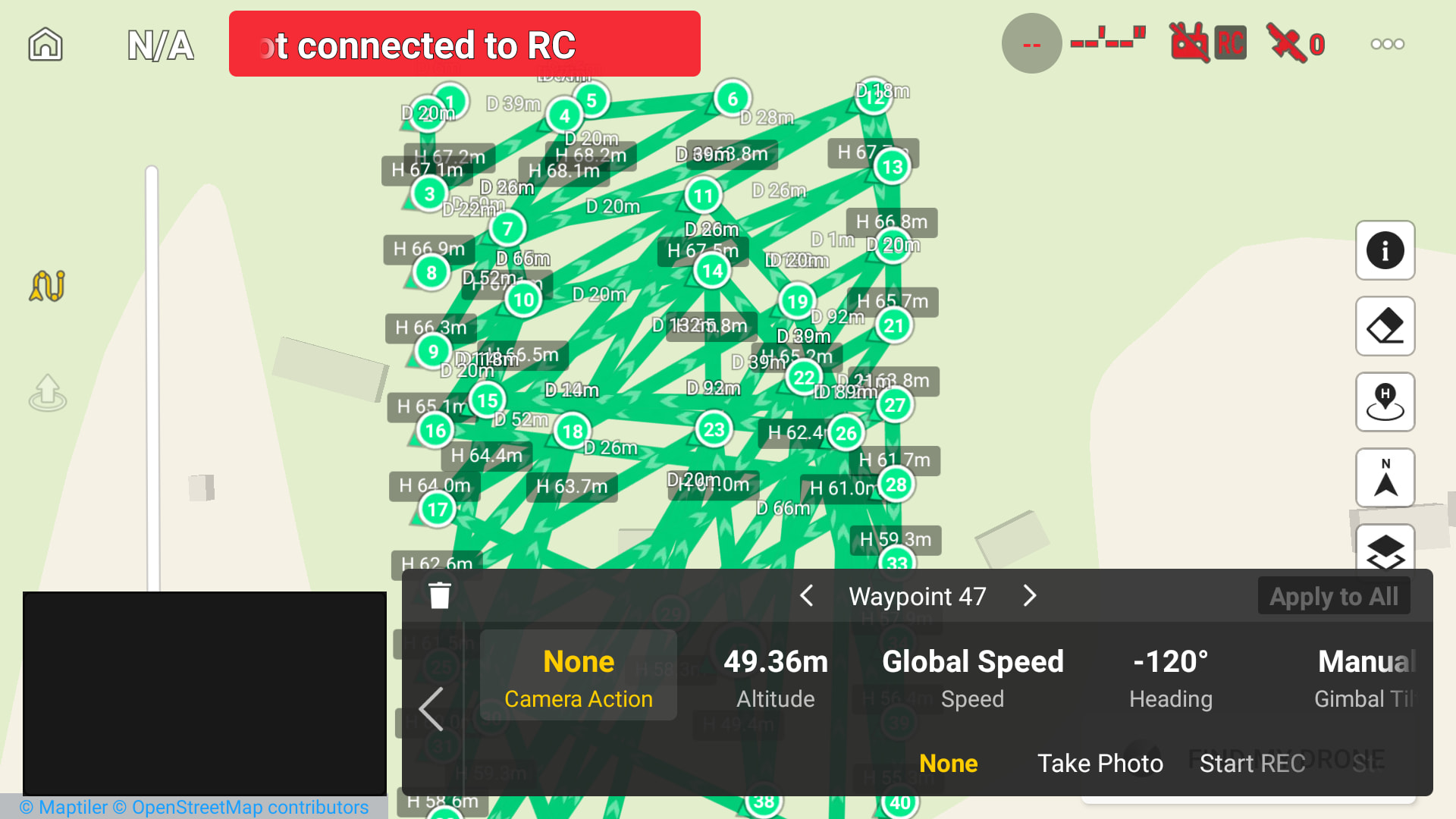
When creating a flight plan and exporting it to DJI Fly, an issue occurs depending on the selected Path Mode.
If the Path Mode is set to “Straight”, the exported flight plan contains multiple errors in DJI Fly and does not behave as expected.
The export only works correctly when the Path Mode is set to “Smooth Curves.”
Steps to Reproduce:
Create a flight plan in Litchi Hub
Set Path Mode to Straight
Export the flight plan to DJI Fly
Open the plan in DJI Fly
Expected Behavior:
The flight plan should be exported correctly and function as intended in DJI Fly, regardless of the selected Path Mode.
Actual Behavior:
When using Straight Path Mode, the exported plan presents multiple errors and does not work properly.
I have seen this reported by others. However, from what I’ve read, only the display of the mission is affected. The mission itself executes properly. When you say “multiple errors” are you referring to the display of the mission or actual error messages?
I have flown a lot of straight line missions using a Mini 5 Pro. In my flights, I have not experienced this behavior. Without being able to reproduce it, it is difficult to know exactly what causes it.
I’m having the same issue. A straight line mission is producing waypoints all over the place. I haven’t tried flying this yet but it doesn’t look promising. I’ve attached a screenshot from the controller and my hub setup and mission map area.
So these actually flew as shown on Litchi Hub, however, the number of waypoints led to several stalls. My second mission over the same area using a different grid direction stalled out so bad I had to abort. Is there a way to reduce the number of waypoints in a mission? Ideally I don’t want/need all the waypoints between directional changes on straight leg grids for mapping.