Hi, I haven’t seen it here yet. But the new HUB could have an option for a dynamic starting point in grid flight planning.
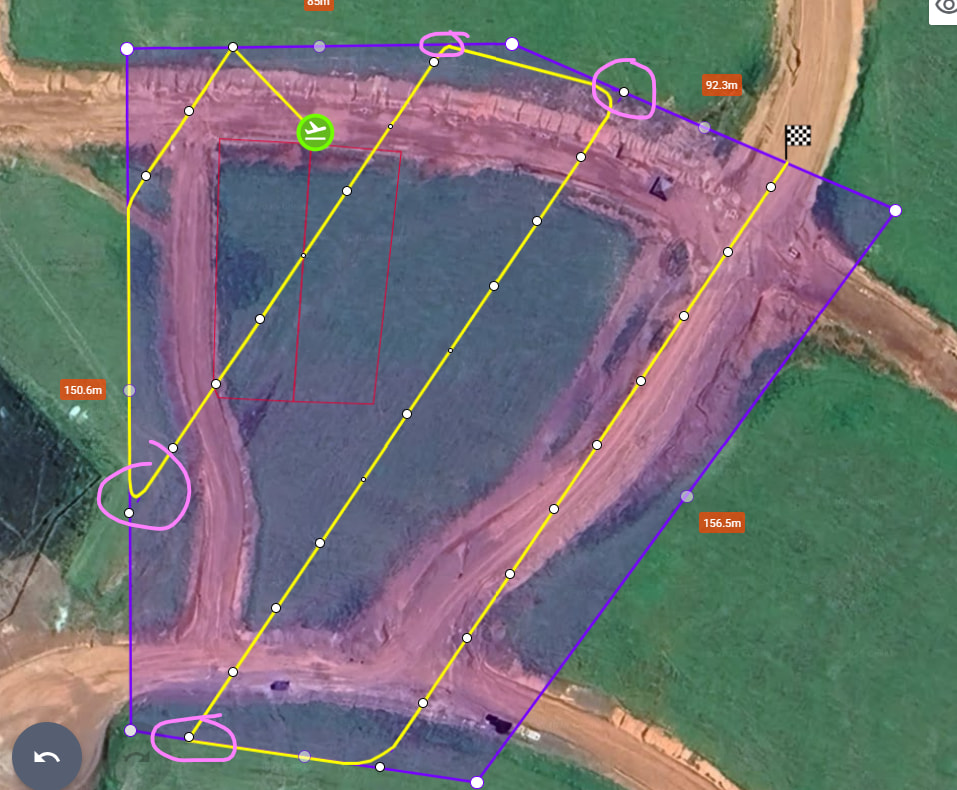
A “take off” point is required because DJI drones measure their altitude from the point at which they take off. If another location is used for take-off and that other location is at a different elevation from the original take-off location, the waypoint heights will not be consistent throughout the mission.
Então. Não é o ponto de decolagem, é o ponto de início da missão em grade.
O ponto de início da missão poderia escolher onde começar.
Mais ou menos igual a imagem abaixo.
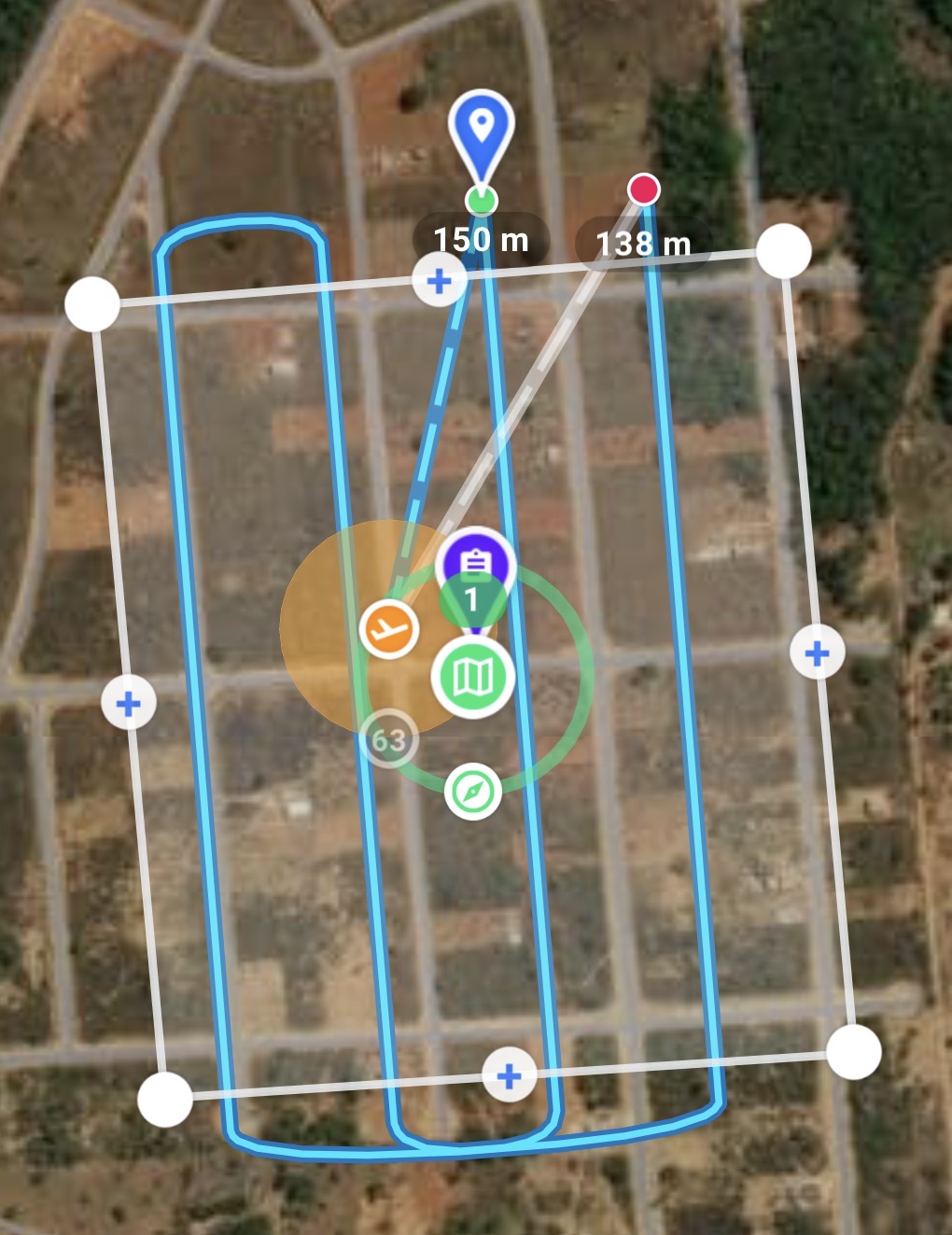
The drone height is always measured relative to the take-off height. If the above-ground option is selected an elevation API is used to compute appropriate offsets to be added to each waypoint. However, this depends on knowing the take-off location at the time the mission is planned in the mission hub.
As I said before, it’s not the takeoff point. It’s the starting point of the grid mission. Just like in other apps, you can define where the mission will begin, regardless of the takeoff point.
It is not clear what you are saying. What isn’t the take-off point?
I’m saying the following: it’s an option for where the mission will begin. It’s not the takeoff point, it’s the point where data acquisition will take place. See the example below. It’s the same mission, but the data is being collected from different points. It’s this flexibility of indicating where to start the mission that I’m talking about.
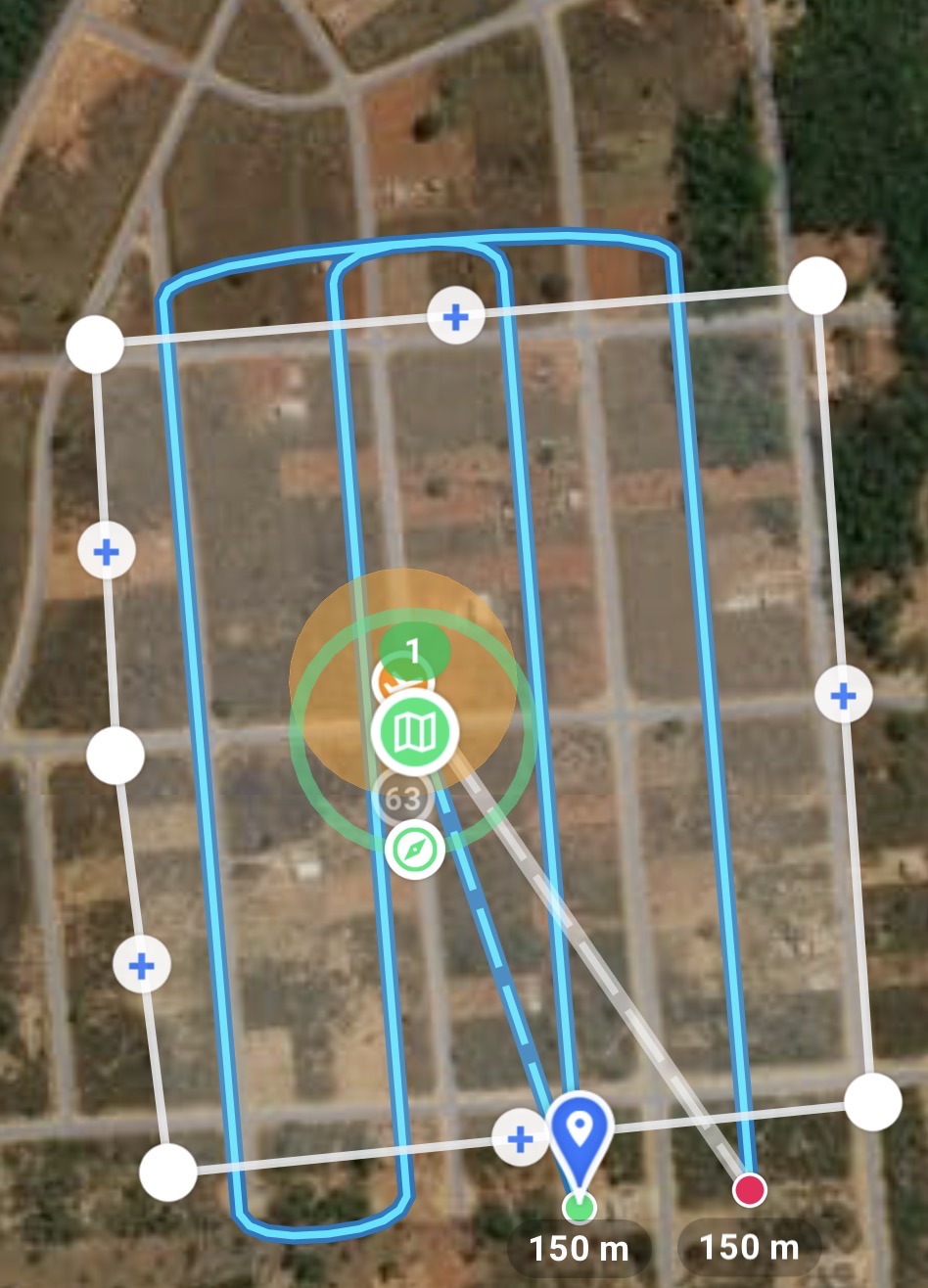
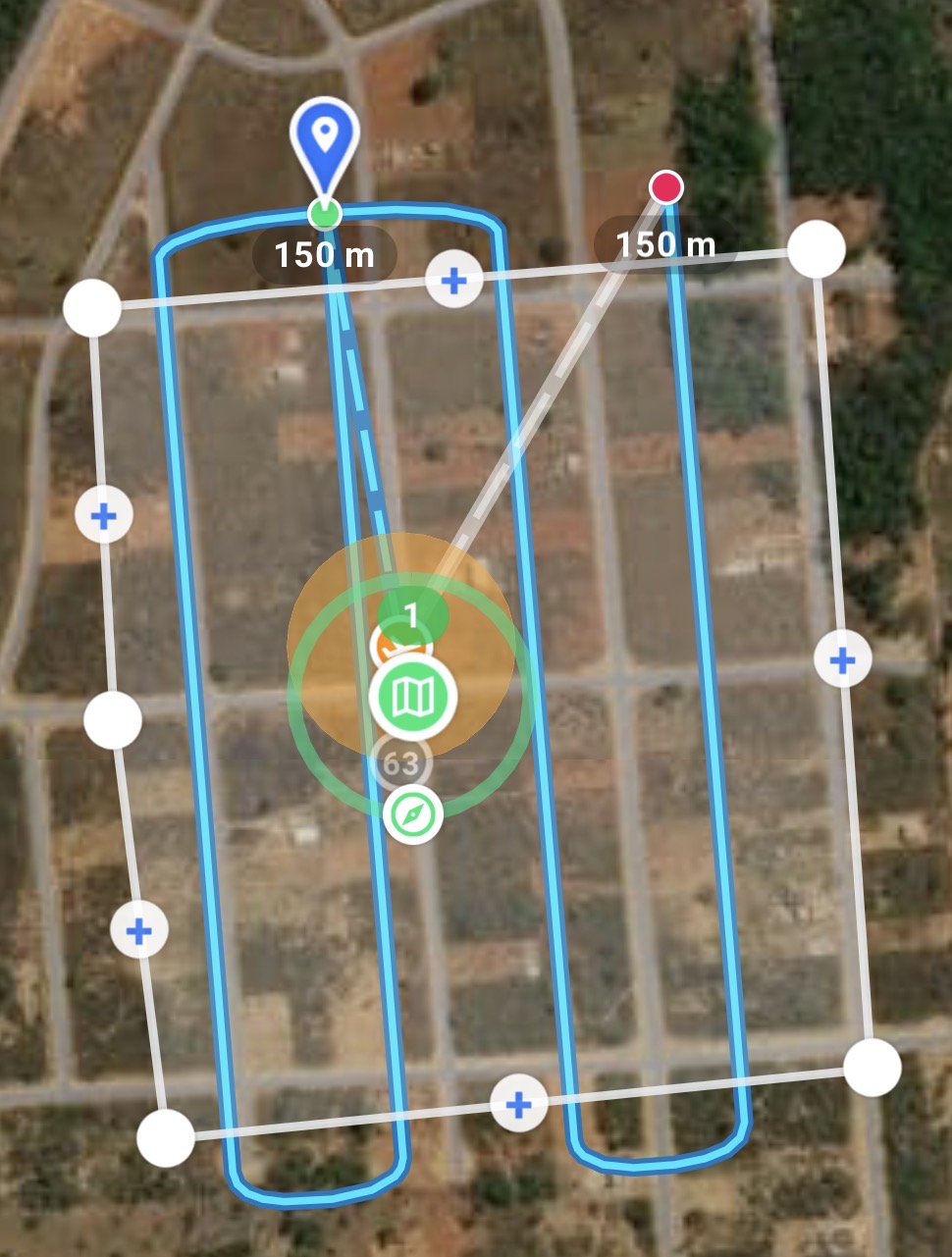
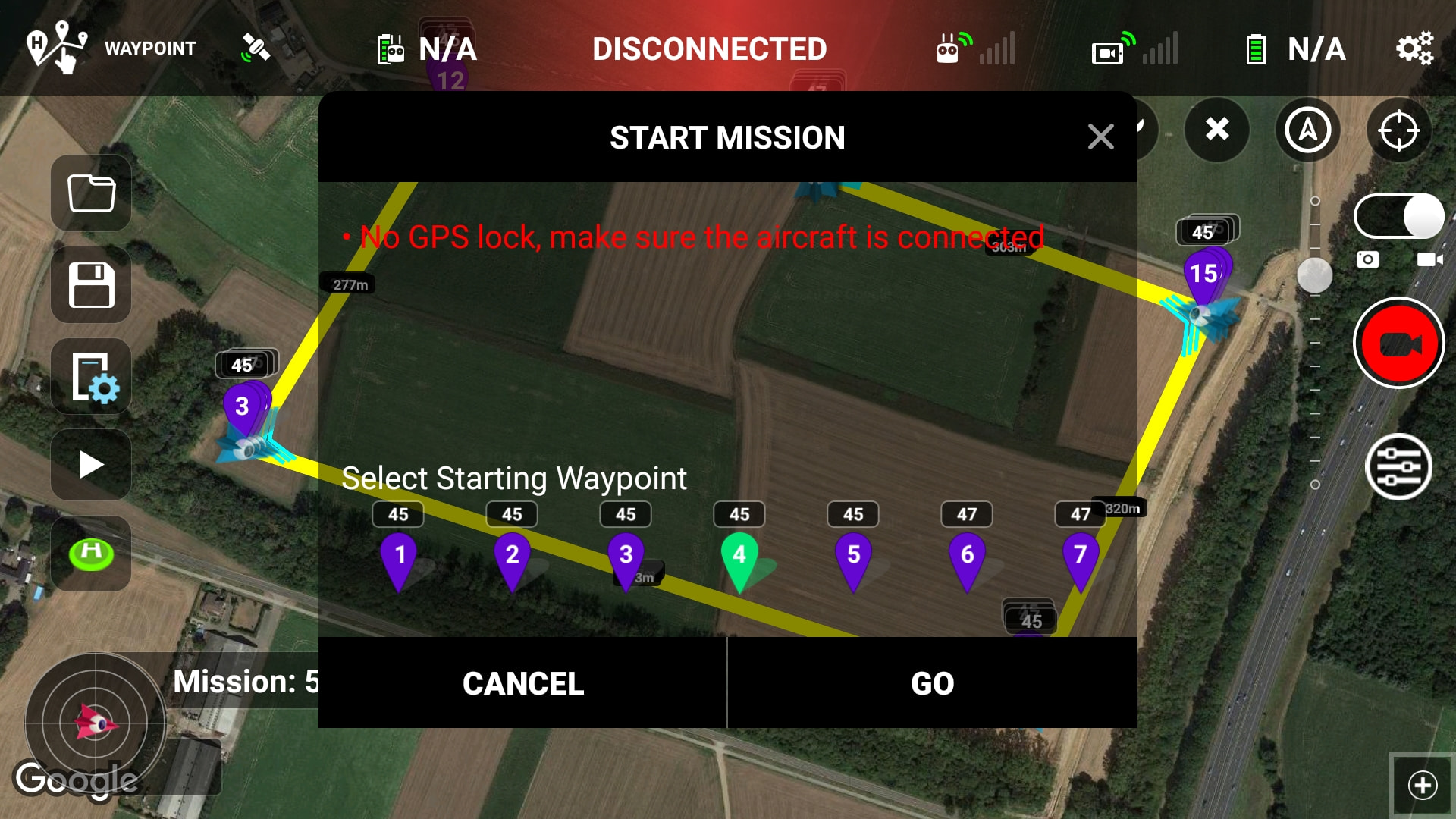
Sorry, I had to re-translate and re-read this entire thread. I think I now know what you are requesting. Perhaps it was something lost in the translation but when you mentioned a “dynamic starting point” it made me think of DJI’s dynamic home point where the home point will dynamically follow the location of the controller. I thought you were referring to the starting/take-off point.
I now understand that you wish to specify the starting waypoint in a mapping mission. This could still mean two different things:
- It could mean that you would like to continue a mapping mission at a specified waypoint.
- It could mean that you want the whole mission grid pattern designed after explicitly defining the starting waypoint.
Isso mesmo! Correto.
I think I’m understanding correctly. Sounds like you want to change where you want to first starting point of the mapping component. If so you will need to move the starting point, actual launch location of the drone, green airplane icon to a location near the area of the map where you want the start of the actual mapping component. I tried and only thing it will do is change to one of four possible starting locations. Drag the green icon, starting point to location and see how that works. Hopefully this will help.
1 Like