When using the drone camera view, what does the following mean:
-
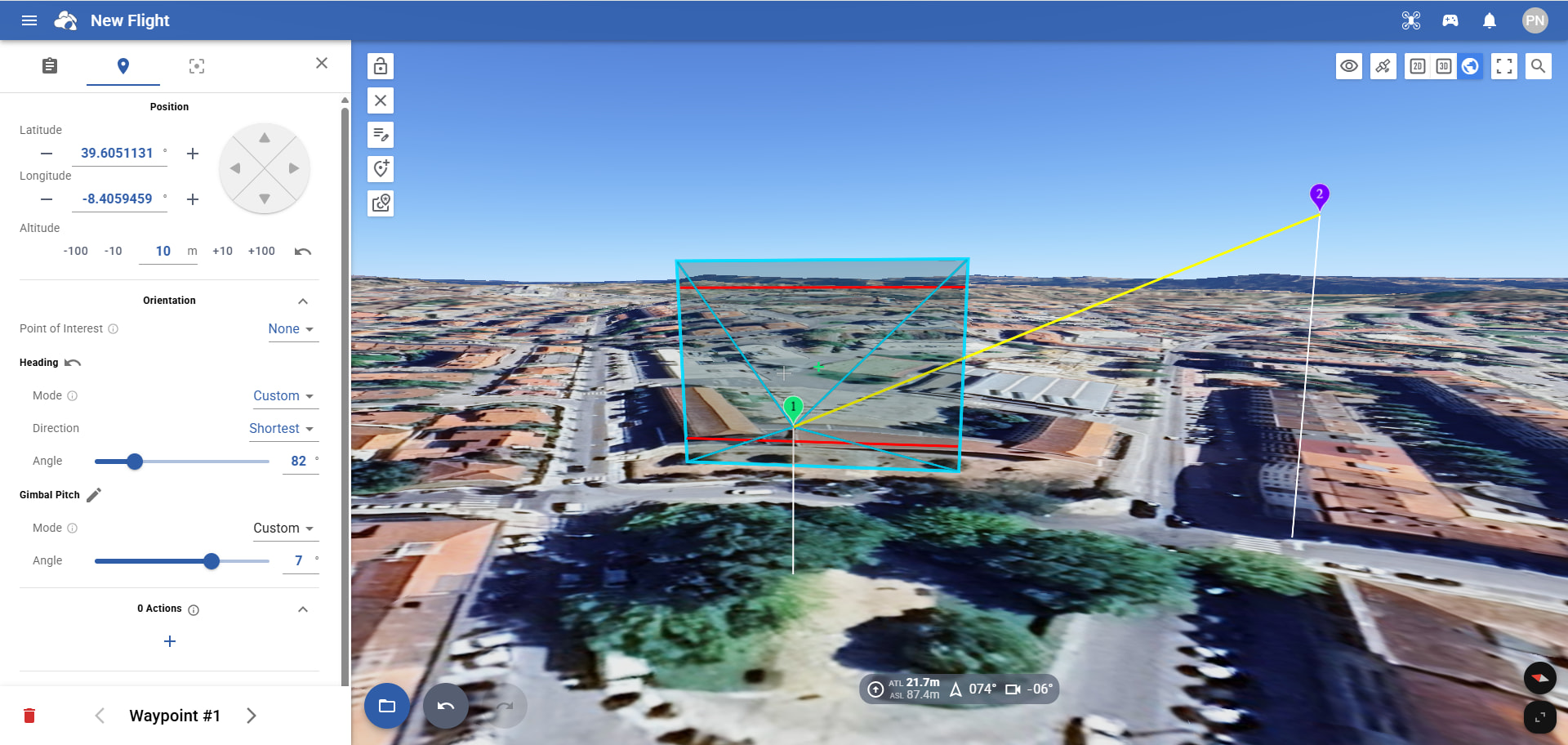
Horizontal red lines;
-
Green cross;
-
Gray cross
When using the drone camera view, what does the following mean:
Horizontal red lines;
Green cross;
Gray cross
Blue for 4:3 (photo)
Red for 16:9 (video)
Green cross is the center of the projected image
Gray cross is the center of your Google Earth view (close the Flight Settings to see it in the center of your screen). Gray cross will not move.
Thank you in advance for your reply…
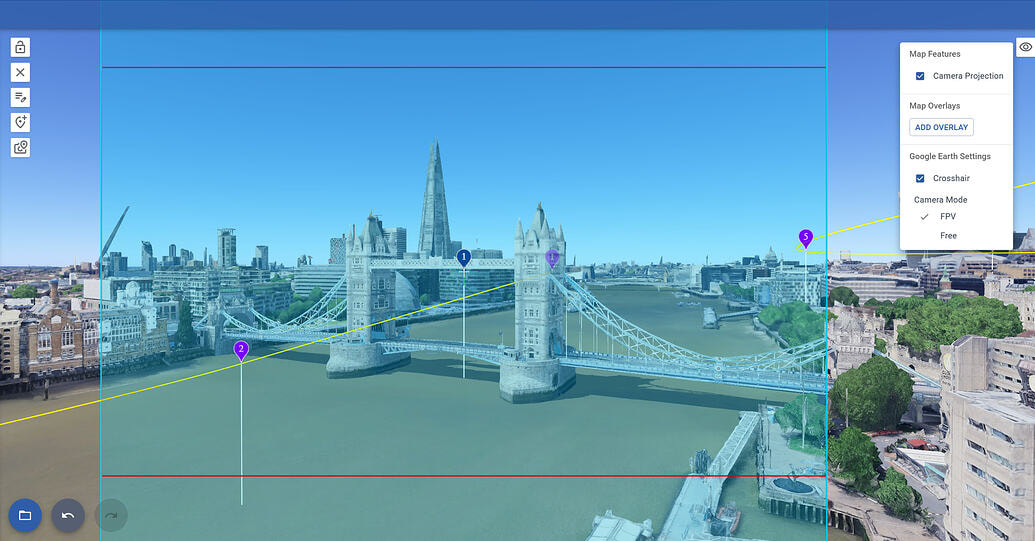
Does this mean that if I match the waypoint with the green cross, Google Earth will show me the photo I’m actually going to take?
Then what’s the purpose of the gray cross?
The gray cross helps you to find the center of the google earth view.
To see the photo you will take at a waypoint, set the Google Earth Camera to FPV mode, then click on the waypoint
Thanks for the explanation!