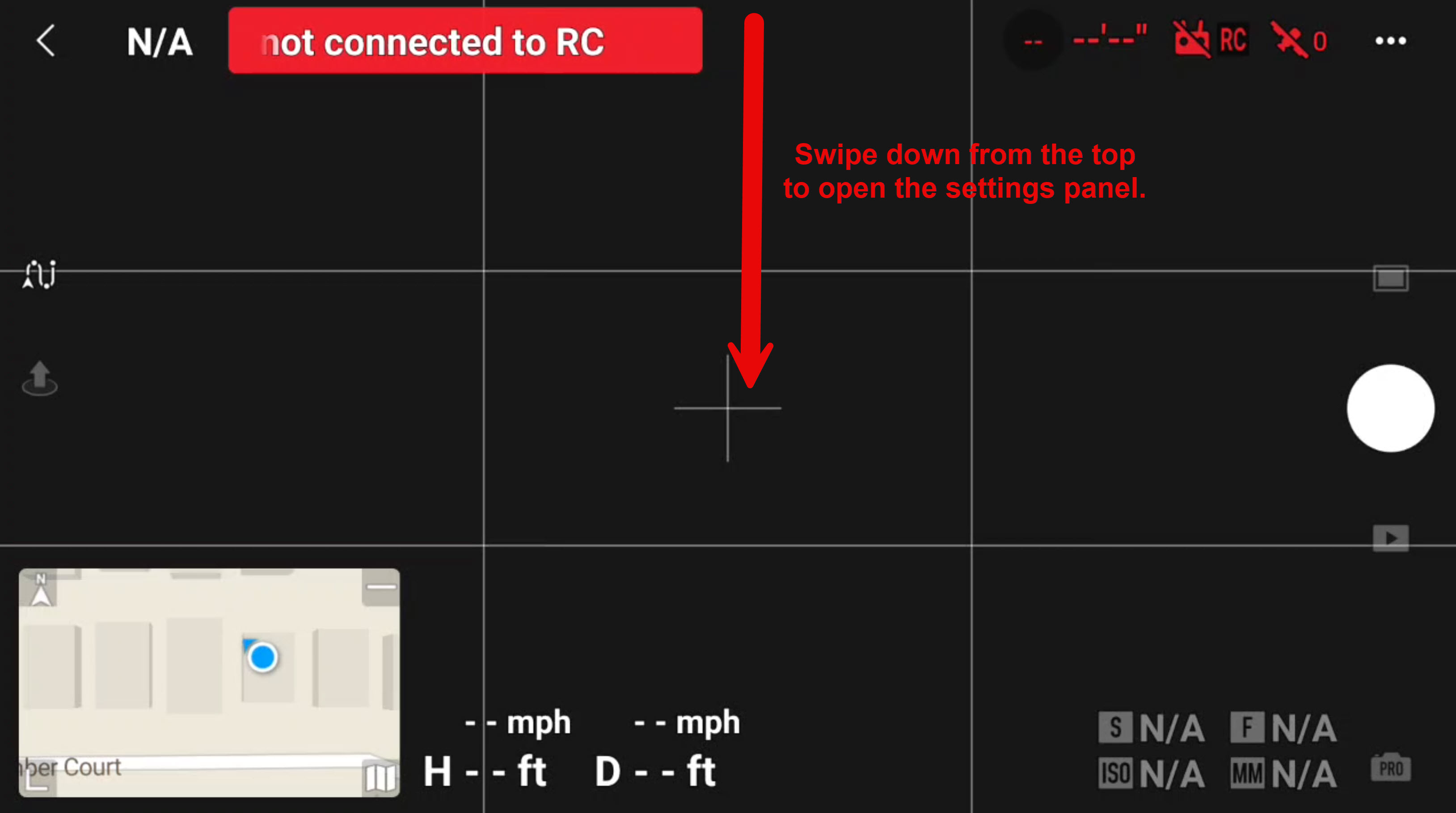
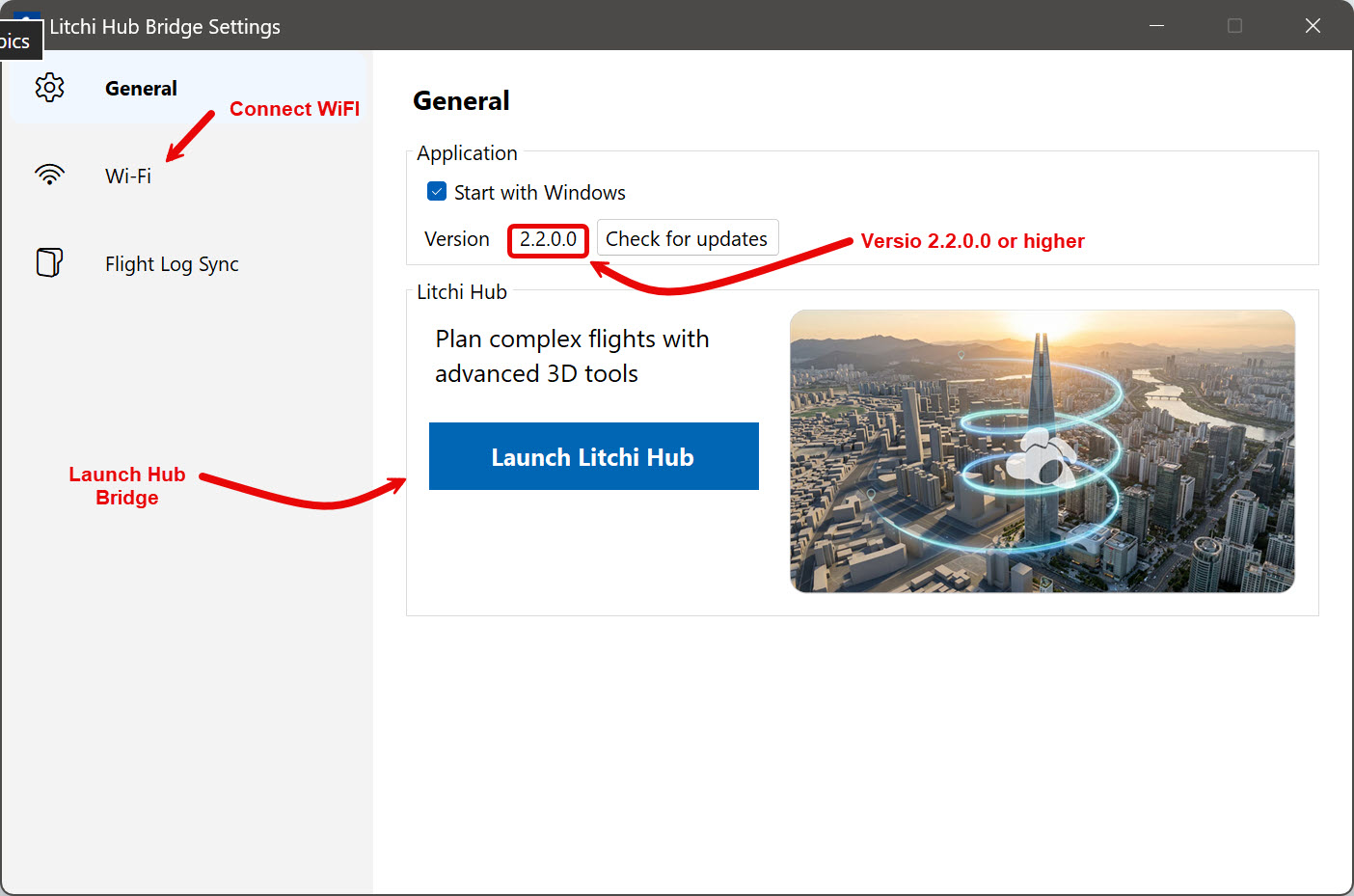
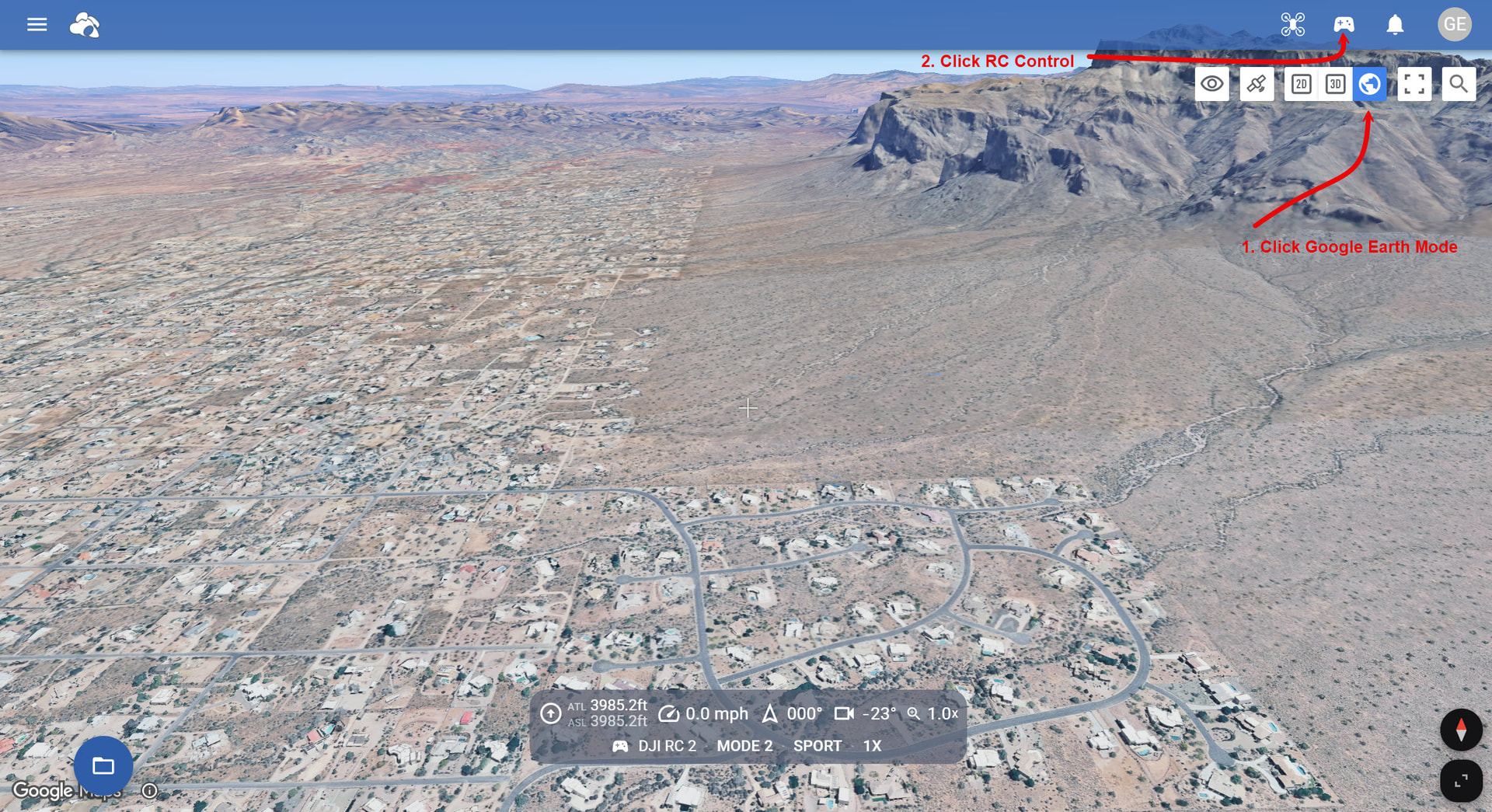
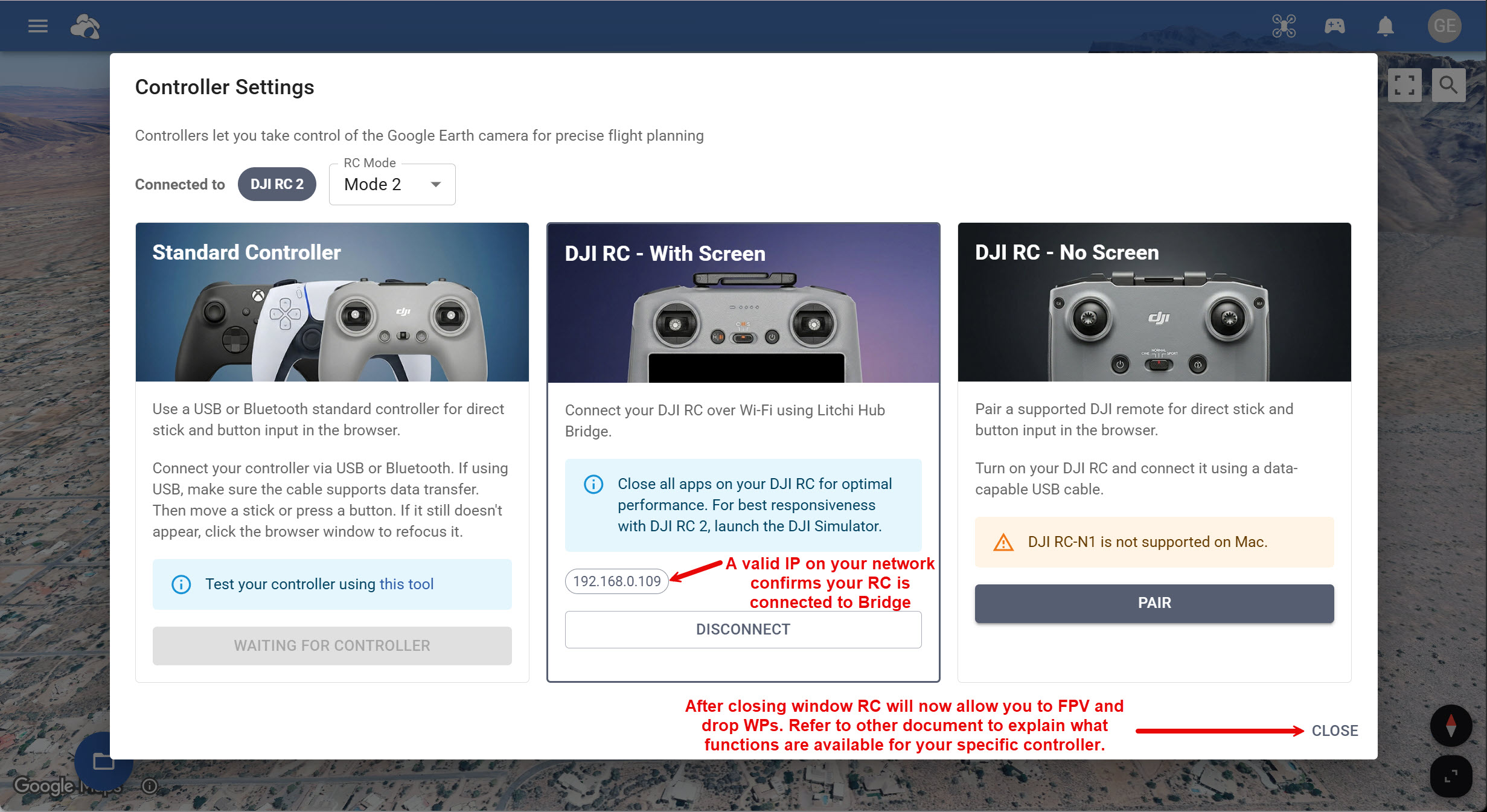
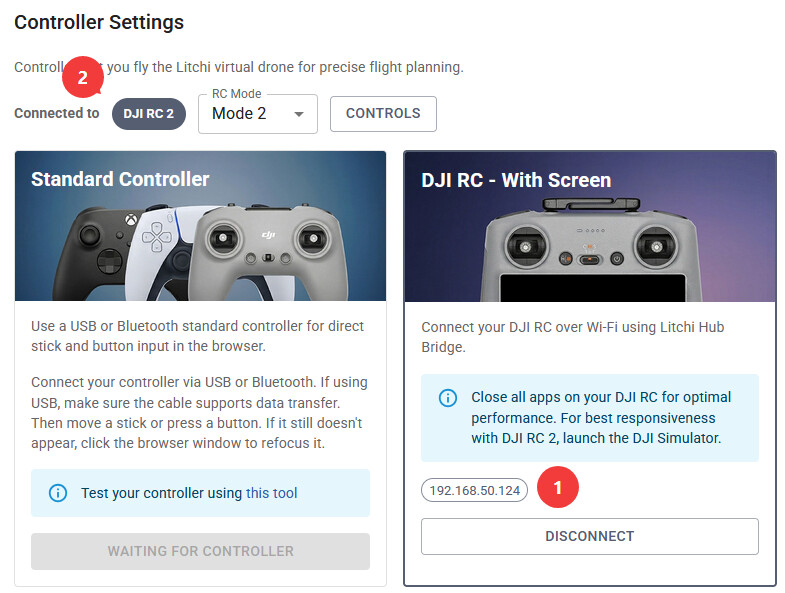
It was anounced a new feature
Please can anybody explain it ?
thanks
Emilio
That’s it! Hope this helps.
Dear Gary,
Thanks for the instructions. I managed to connect the controller after entering my RC Pro’s IP address and following the on-screen instructions to briefly connect via USB and then disconnect. After that, it connected.
I closed the controller settings screen, but after that I couldn’t see anything new on the RC screen, nor could I download WP via Wi-Fi.
Should I be able to see Google Earth on the RC’s screen ? Or should I be able to download WP by WiFi ?
thanks
Emilio
The entire session of connecting ther RC through WiFi is intended to assist in laying out a waypoint mission on your computer using Google Earth that is instigated after clicking on Launch Litchi Hub.
Then you tweek the waypoints as you like and finally export your final mission to your RC controller for running in the field.
At least that is my workflow.
Google Earth is available in Litchi Hub. Make sure you click on the Globe icon in the top right corner which shows the google earth map. See step 3.1 in @Gary_E_Hilton 's screenshot
I have attempted to use the hub with my RC Pro. It connects successfully, but I can not get a mission to export directly to the controller from my PC.
When you are ready to transfer your Litchi Hub Mission to your RC(2), you will need to make sure that the RC is connected to your PC using the USB-C cable. Also, the Litchi Hub Bridge must already be loaded and running in the background.
Dear friends,
Please excuse my ignorance. I already use the new Litchi Hub successfully and send missions via USB cable.
I also managed to connect the RC via Wi-Fi. But I still don’t understand what this functionality is for? I couldn’t see Google Earth on the RC screen or transfer missions to the controller via Wifi. Only via USB.
thanks,
Emilio
A USB connection to your RC is required to transfer flights to DJI Fly.
A Wi-Fi connection to your RC is required for controlling the camera in google earth view in Litchi Hub
The above are separate features
Wow. Now I understand. It’s a flight simulator in Google Earth. It’s quite interesting.
Good, simple, straightforward answer, Vic. I tend to overcomplicate. lol
Are you sure this works with the DJI RC2?
I enabled Wifi on the Hub bridge and my controller but I can’t connect. (Hub Bridge 2.3.0.0)
Even with typing the IP address of my RC2 (or with USB-cable), no connection can be made.
Update:
The transfer of the flight (through USB) does work. ‘Connected to DJI RC2’ is visible.
When I go to ‘Controller settings’. My controller is not detected 
Those are two separately controlled functions.
The import/export of waypoint missions is enabled through the use of a USB connection between your computer and the controller.
The control of the “Litchi Drone” in Litchi’s Mission Hub via the controller is done through either WiFi or by specifying the IP address of the controller (RC2) in the “Controller Settings” on the Mission Hub. I obtained the IP address of my RC2 by logging into my router and viewing the client DHCP list, then entered that IP address into the Controller Settings. After doing that I can control the Litchi Drone in the Mission Hub using the RC2 controls.
Tried on the latest Firefox (150.0.2) and Chrome (148.0.7778.97).
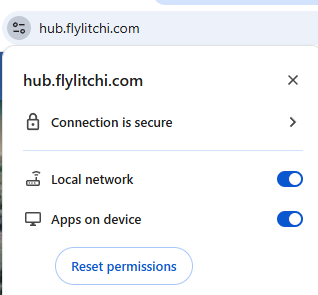
Site settings allow the necessary permissions. (screenshot below from Chrome)
I can ping my RC2 and I get a response but when entering the IP address, still can’t connect.
(even my firewall is completely disabled)
Don’t have a clue…
This was discussed in another thread, see my response in this thread Updated the RC2 - #4 by vico
Thanks for the info. That explains a lot…
I did a video. You can choose dub and subtitles in english