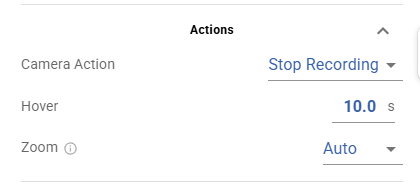
I was just clicking through a large set of waypoint maps before going to shoot the project tomorrow and I noticed something bad (for me). It looks like the “Actions” section has changed. The Camera Action is before the Hover setting and there is no way to sort or delete them. See the image below. I need to have the drone hover for 10 seconds before stopping the recording. Is this no longer possible?
If you are unable to change or delete them, I have to ask if your flight is locked. If so, you need to unlock it to allow changes to be made.
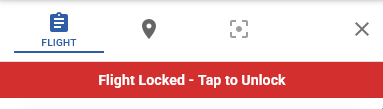
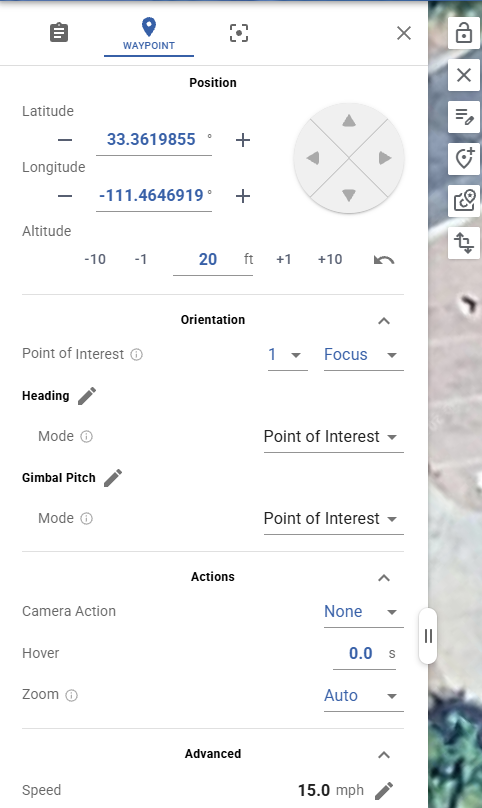
No, sir. Not locked. See image below. Those three lines are all that is available, and I can set them to none/Auto, but I can’t delete (or add) or reorder them. I’m just going through and adding another waypoint to stop recording after the waypoint that hovers for 10 seconds. That addresses my immediate need, but I’d still like to understand what might be happening here.
What drone is this configured to use? I will try the same.
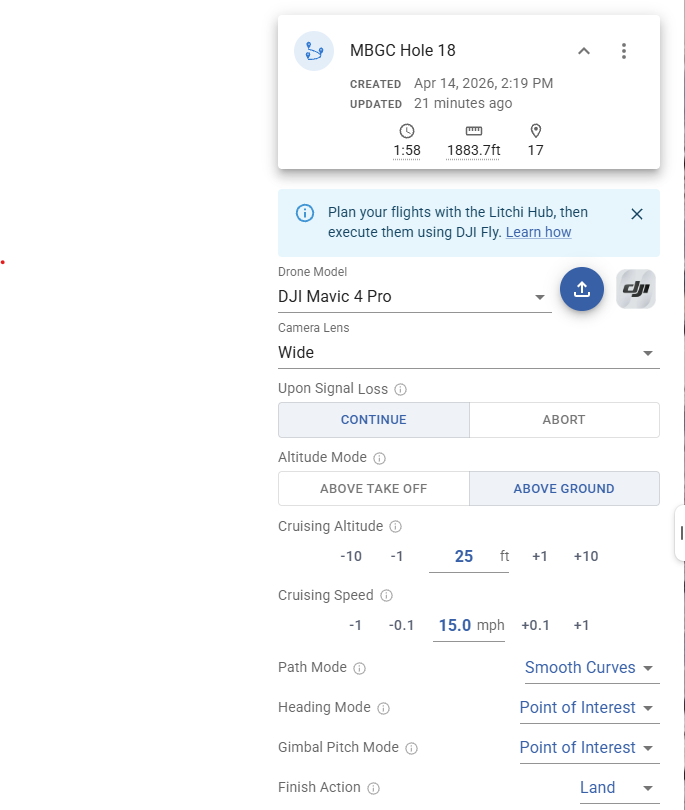
I think I know what is going on. For DJI Fly drones that are not supported by an MSDK (Mavic 4 Pro), they must be flown using DJI Fly. Litchi supports unlimited actions at a waypoint. The WPML language that DJI uses supports unlimited actions at a waypoint. However, DJI’s implementation in DJI Fly does not. As a result, when one of these drones is selected, Litchi is limiting you to what can be executed when flying one of these drones. When configuring a mission in DJI Fly, notice how you can select to wait at a waypoint or take a photo, but not both.
This is new since last Monday when I last made changes. I don’t think I’ve done any since then, but up until today I’ve been able to add/delete and reorder camera actions and they’ve worked almost flawlessly. I even had some where I would set it to hover, then stop recording, then take a picture. As long as the picture occurred after the stop recording event, it would work. I’ve been doing it this way for about 6 months now. I can change the way I’m doing it to accommodate, but it still feels like something changed recently.
I still have some maps on my controller that aren’t updated yet. When I have a chance later I’ll take a look at them through DJI Fly to confirm.
As always, I appreciate your quick responses and assistance.
It could be that something has changed. The developers are always making changes. Only they can say for sure if they made some modifications to action settings recently.
DJI Fly only allows one camera action, one hover and one zoom transition per waypoint.
Litchi Hub’s UI now reflects that.
DJI Fly has no order for actions, they are all executed at the same time when the drone arrives at the waypoint which also means you can’t have a Hover for X seconds THEN a camera action. The camera action will execute at the same time as the hover timer starts.
Note that if the drone is recording video and you have a take photo action, it will stop the recording then take the photo, which is why you may think 2 actions worked but really the take photo alone was enough.
Despite the order change, hover still works as before - I have a DJI Mini 4 Pro