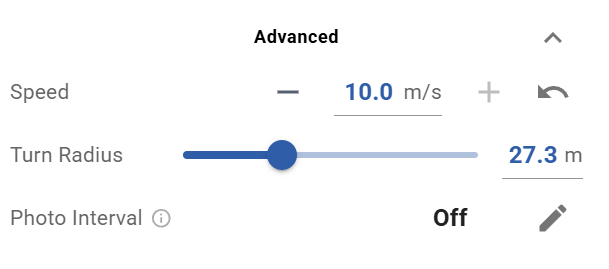
Belatedly in the game, I’ve started to wean myself off the legacy version of Litchi Mission Hub by dabbling in some waypoint mission planning with the new Litchi Mission Hub.
One of the features in the old Litchi Mission Hub that came in useful all the time was the ability of that platform to adjust the radius of turns with a menu slider, which enabled me to craft smooth camera pans as the drone changed direction.
I looked everywhere in the new Mission Hub menus, but haven’t yet found the turn radius adjustment slider that I am so accustomed to using. Without that ability to adjust the turn radius, I found that the drone makes abrupt and jarring camera pans as the drone changes direction along its flight path.
I am guessing the turn radius adjustment feature is right under my nose in one of the new Mission Hub menus, so I’d be grateful if anyone could point it out for me, as I am certain such a key feature could not possibly have been omitted in the upgrade to the old Mission Hub.
Thanks in advance for any clarification that can be offered on this hidden feature I am struggling to find.