Please don’t get rid of the original mission hub. This new one hurts my brain. I’ve been trying to figure out how to make some waypoints curves and some straight. I’m sure there is a way to do it but it shouldn’t be this hard. it’s like trying to solve a puzzle. I hate puzzles. Intuitive it is not! Maybe I’m just to old to deal with this so new interface.
Yes, it can be complicated depending on the drone setting. Here is how you can have some waypoints with curved turns and some with straight lines:
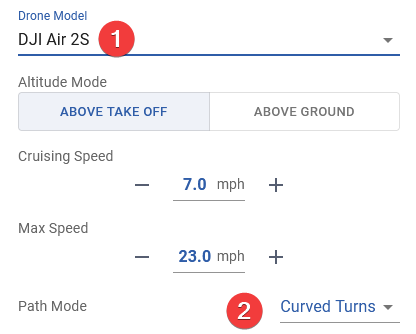
- Create a new mission and set the drone type to one under “Litchi for DJI Drones”, for example, an Air 2S.
- Set the global “Path Mode” to “Curved Turns”.
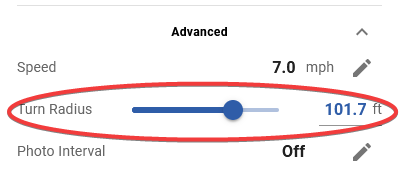
- At each waypoint adjust the “Curve Radius” (in the Advanced settings) to either zero (for straight lines) or a non-zero value (if you want a curve) at that waypoint.
3 Likes