Up until the point at which the video feedback from my iPad during flights with my Air 3 inexplicably degraded from a buttery smooth real-time view of the flight into a jarring slide-show that persists despite my setting the iPad to Airplane Mode, clearing all data caches, and disabling the “cache while recording” option, my Air 3 reigned as my all -time favorite drone.
Hoping to restore the smooth video feedback that I briefly enjoyed when I first flew the Air 3 with my older 32GB iPad, I even purchased a second iPad with storage capacity upgraded from 32GB to 128GB, only for the slide-show video feedback to resume with a vengeance after the first few Air 3 flights.
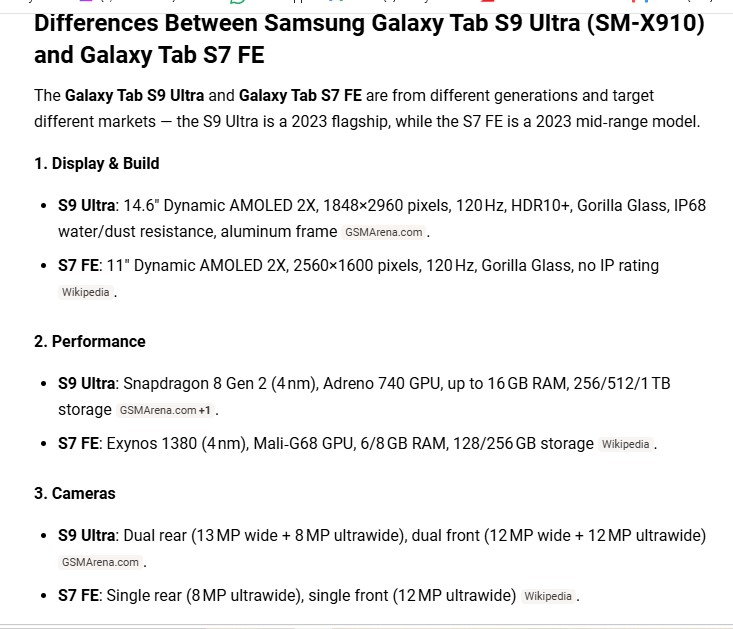
Perplexed as to why the Air 3’s video feedback started out just fine, but then reverted to that unusable slide-show on both of my iPads, I concluded that the Litchi Mission Hub and Mission Hub Bridge are optimized for Android devices. Before devoting all my efforts to flying the Air 3 with iPads, I had purchased a Galaxy Tab S7 FE specifically for the new Litchi Pilot app, which worked fine. The Galaxy Tab S7 FE came up short with DJI Fly, however, when it came to using the Litchi Mission Hub Bridge to import saved Litchi Hub waypoint missions into DJI Fly.
I posted a thread in this forum a couple of weeks ago, describing the error message that appeared each time I attempted to use the Hub Bridge to import waypoint missions into DJI Fly on this Galaxy Tab S7 FE, and the consensus at the time was that some Android devices are not compatible with the Litchi Mission Hub Bridge for reasons still under investigation.
Having given up on using either of my iPads to fly my Air 3 drone, while still clinging to the hope that the Air 3 will send a smooth video feed to a different Android device, I decided to ask in this forum if anyone would be kind enough to share the make and model of Android tablet that they use for flying DJI Fly drones, and which is compatible with the Litchi Mission Hub Bridge, such that Litchi waypoint missions can be imported into the Android device without the sort of error messages that have prevented me from using my Samsung Galaxy Tab S7 FE for flying the Air 3 on imported Litchi waypoint missions.
For 5 years before I bought my Air 3, my old 32GB iPad worked beautifully with the legacy Litchi app, with which my older Mavic drones covered well over 3 thousand miles, during which flawless video feedback never faltered once.
When I bought the Air 3, however, and found myself forced to use the clunky and CPU-hogging DJI Fly for the first time, a nightmare of error messages ensued, with the result that my Air 3, which otherwise checks all the boxes, now sits on a shelf gathering dust.
In summary, the question I have is whether any other DJI Fly drone owners could be kind enough to name the make and model of Android device that they have found to be compatible with the Litchi Mission Hub Bridge, such that the import of Litchi waypoint missions works without any snags. I’m an old geezer on a fixed income, yet my determination to use this Air3 drone is such that I am willing to buy a THIRD tablet in my quest to see a smooth video feed when I fly my Air 3 using DJI Fly, an app that I have grown to utterly loathe.
Any advice that can be offered regarding which Android device make and model I ought to buy would be appreciated. I grew to love the Air 3’s sporty performance and superb cameras during the brief time when the video feed was comparable to Litchi’s rock solid video feed, but if I fail to find the ideal Android device that allows Litchi waypoint missions to be imported using the Hub Brige, I will be left with no option but to sell the Air 3 and go back to using my Mavic 1 Pro and Mavic 2 Pro drones with Litchi.