Hi Folks. Firstly excuse my slow uptake. I’m 80. Don’t think as well as I used to. After reading many posts on here in relation to altitude and watching countless UTube vids on using Litchi I am confused. Here is what I want to do. My Take Off point is at 79 metres above sea level. My first way point is at 42 metres. All similar way points are around 40 metres. I want to video all the waypoints around the 40 metres above sea level by flying about 30 metres above them. I then want to set a safe altitude from the last 40 metres above sea level way point to fly home to my final waypoint which will be more or less where I took off. What I’m doing is taking off on a bit of a hill (79 metres above sea level. Next to a layby by a road. I then want to fly out to a farm paddock which is nice flat ground. (42m). Then fly out across further paddocks to get to a river. Then fly around using waypoints on a section of that river. I want to fly at 30 or maybe 20 metres above that section. Videoing it. I’m a gold prospector. I’ve driven there twice. Set up. Opened Litchi calibrated Drone. Phantom 3 STD. And then just felt something wasn’t right with the missions I had programmed on the Hub. All doing and relative to my take off point. So here I am. Mr Dumb Arse lol. Above Ground option does confuse me along with “The use elevation option in tools. I’ve had Litchi for a few years. But haven’t used it before. Had a practice down the beach with it using missions. That went ok but I was on flat ground. I mainly use my drones for fishing. Have 2 3 STDs. And a 4 Advanced. So I’m not a newbie to flying them. Just using Litchi is new. Sorry for the long post. Thanks in advance for any replies. Cheers Trev. Westport New Zealand.
Hi Trevor,
Use the above-ground altitude option.
Set your first waypoint near your takeoff point and assign it an altitude.
Then, plot your subsequent waypoints along your path with the desired altitude.
The following waypoints should follow the terrain elevation while still maintaining the target altitude above ground.
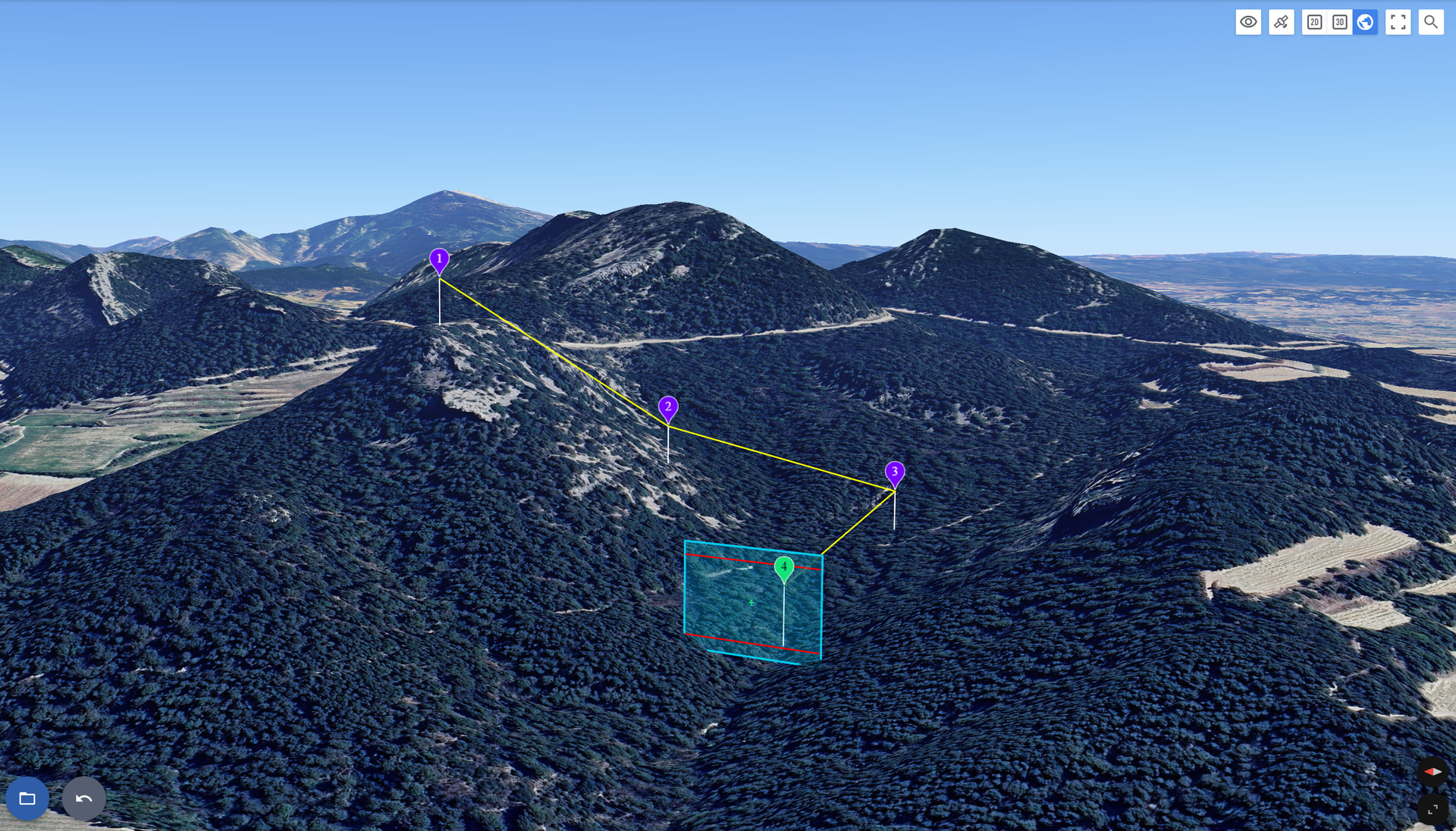
Here’s an example of a flight taking off from a mountain:
If you need further assistance, feel free to share your flight on the forum or by email at support@flylitchi.com
Welcome to the forum Trevor.
I have read through your description but it’s a little hard for me to follow. When flying a drone, don’t think in terms of “Above Sea Level”, as that does not apply. Instead, think of “Above Take-Off Location”. That is what the drone measures. By default, all heights specified in waypoint missions are “Above Take-Off”. The exception to this is when you select the “Above Ground” option.
I explain more details about this option here:
Thanks for the reply’s. Yep was post was a bit meandering. But the reply’s are just what I wanted. I’ll be like a carpenter, measure three times. Cut once. However this will be read many times and fly once. What I was worried about was after takeoff and the drone headed off to waypoint one. That it wouldn’t descend to ground level. But now I’ve got that sorted with many thanks to you both. Cheers Trev.