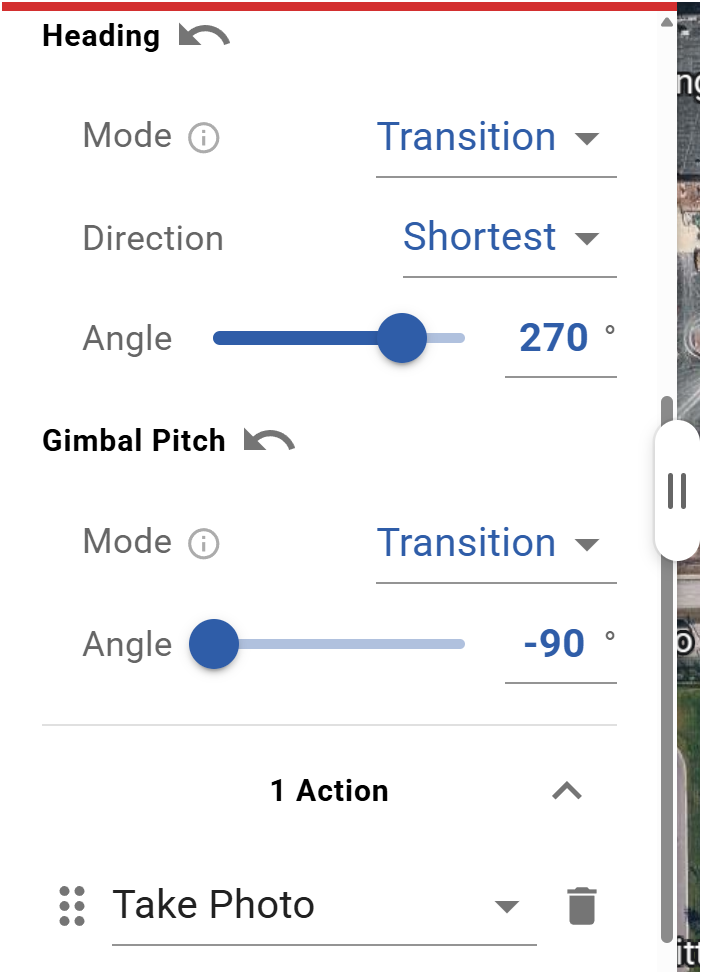
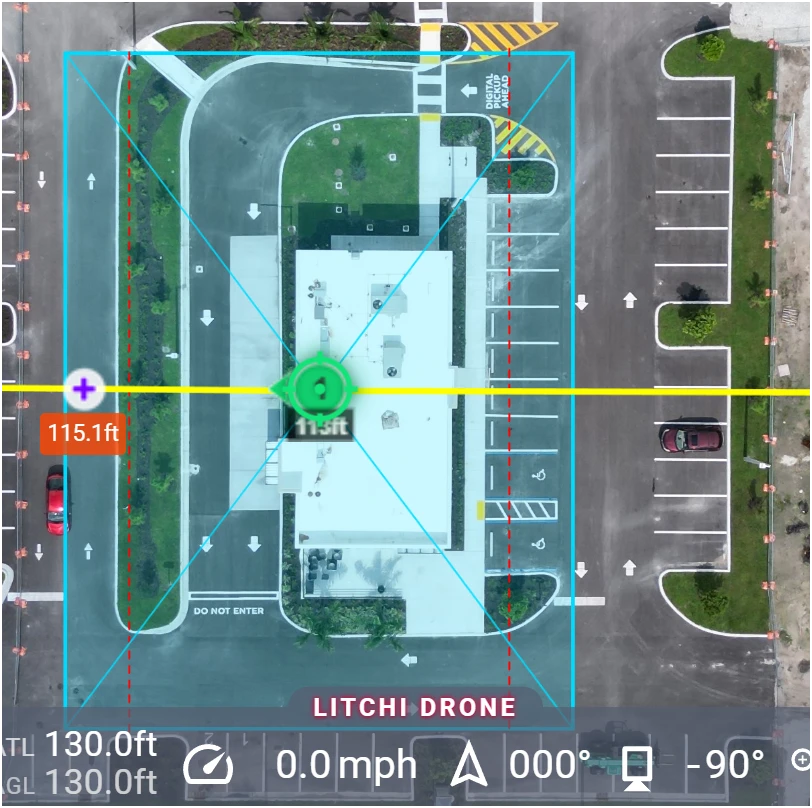
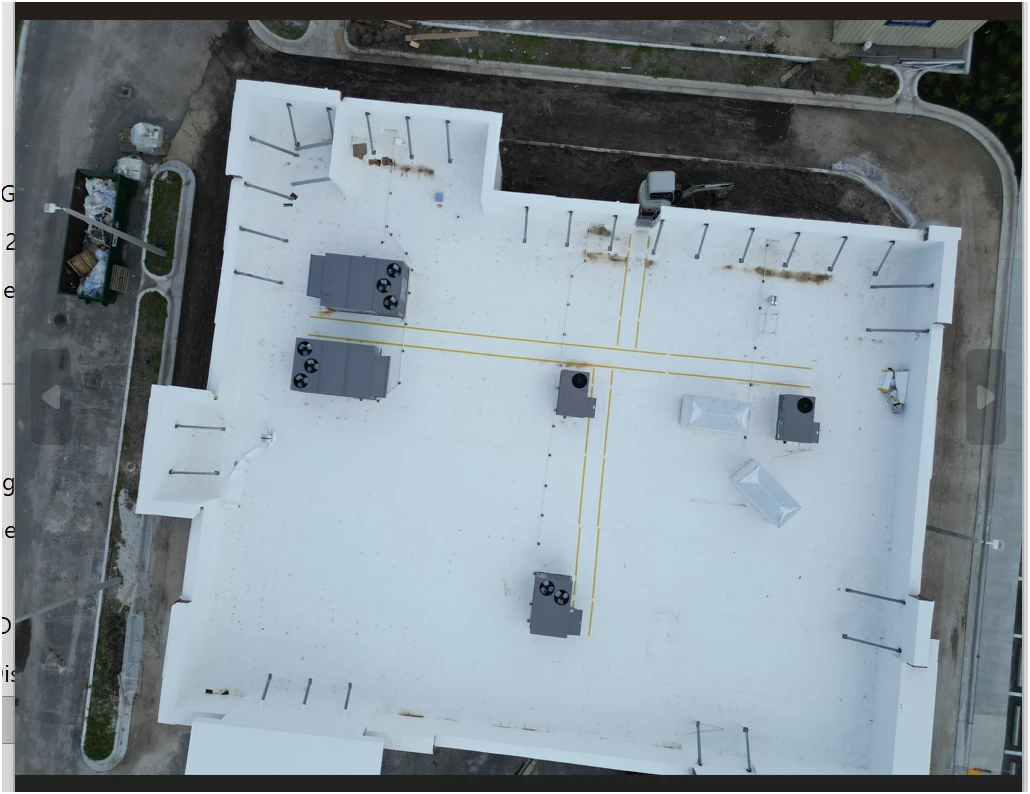
So I have several Waypoints taking Nadir photos of buildings with N-S and E-W alignments. My Waypoints are specified with N-S (0 or 180) and E-W (90 or 270) Heading alignments as well. However, when the Photos are taken at the Waypoints, the heading alignment is usually off by 20, 30 or more degrees. Is there any way to specify or force the Drone Heading to the specified direction at the Waypoint before taking the photo? (add a Hover or Wait action before taking the photo might be a temporary work around??) As it stands, this is definitely not WYSIWYG in the Litch Hub planner.
That certainly is not the expected behavior. Do you always experience a heading that is around 15 degrees off? If you share your mission we can see if any configuration errors can be ruled out.
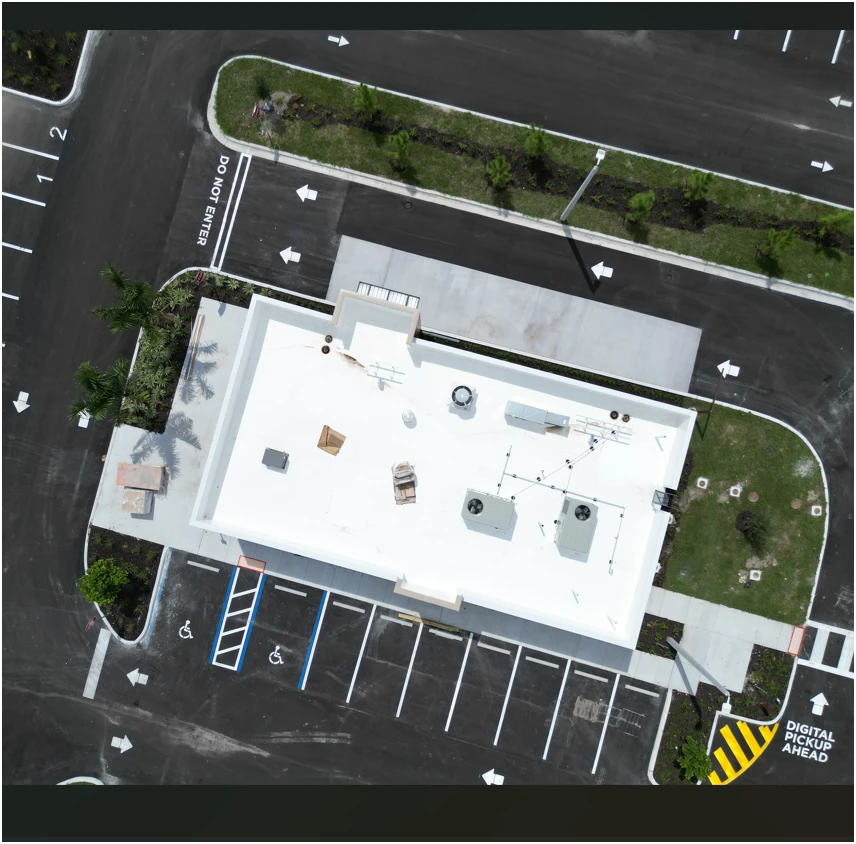
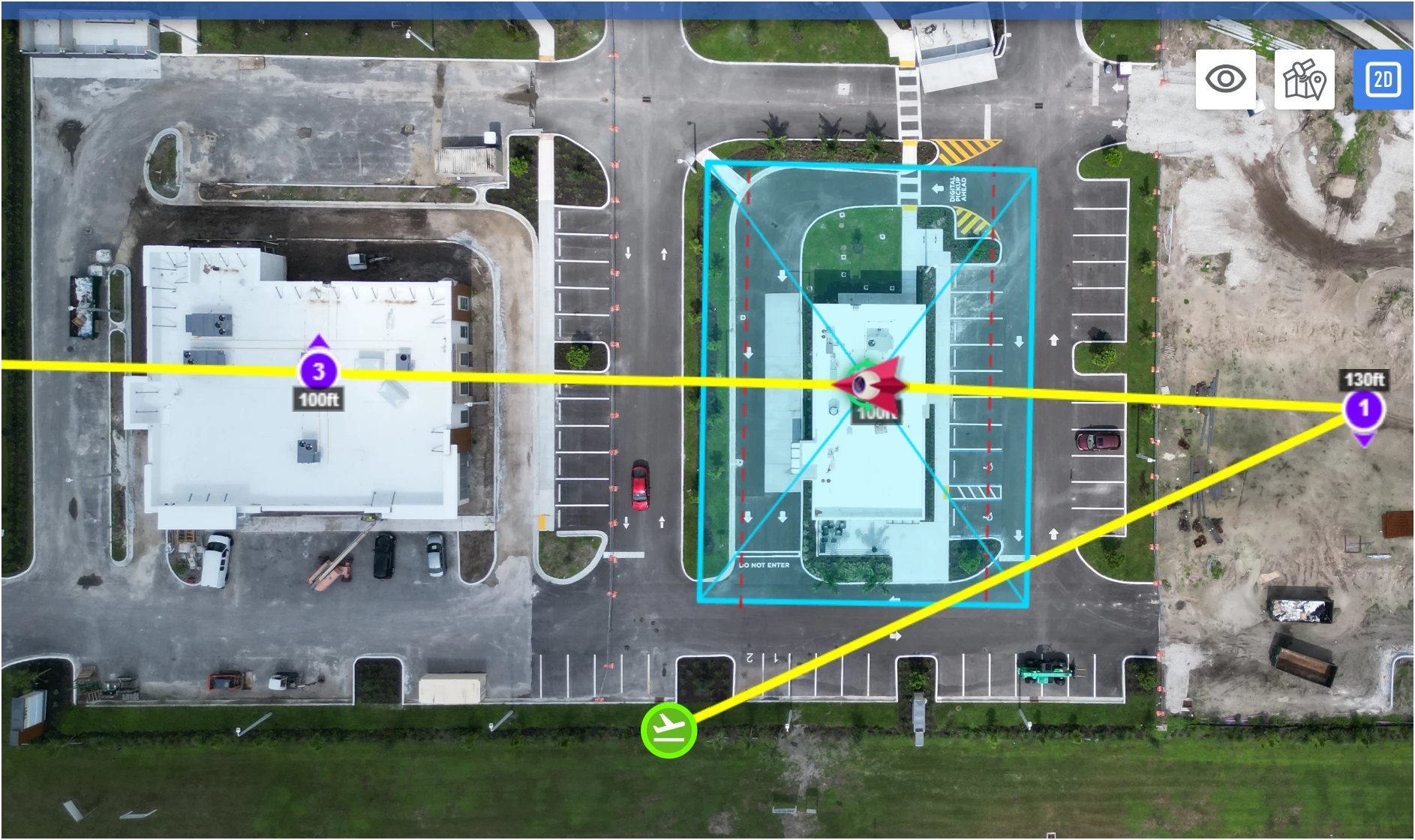
He is flying due west at a heading of 270°. This is perpendicular to the long side of the building below. The photo is rotated with respect to the flight plan. Based on this, I would guess the heading shown in the photo is around 260°.
In addition to the Screenshots provided showing n-s and e-w alignment at the waypoints, Try looking at the simulation. Notice the when the drone exactly reaches a waypoint the orientation of the camera is also exactly n-s or e-w. However, this is not the outcome the flight produces, The misalignment of the photos are substantial. Some kind of latency perhaps.
Would adding a “pause” before the photo task on the WP give time to complete the heading alignment? Planning something and getting something else is quite concerning. Can you find root cause? Or can the photo command be triggered only after attaining the WP settings (prescribed Heading and Gimbal angles)? Would seem reeasonable.
the Mini 3 itself does not support rotating the gimbal yaw angle independently, nor does it support the gimbal mode being free, the gimbal will follow the aircraft’s movement when it moves. It is normal for there to be a certain angle deviation. After the aircraft stabilizes, the gimbal will usually follow and stabilize to the direction of the aircraft.
Hover action should definitely help as it will give more time for the gimbal to align with the drone.
Technically the WP settings were attained, if you were to look at the flight log probably the drone heading was at the specified heading. Gimbal yaw is another story, it can lag behind especially for consumer drones which are more designed for shooting cinematic videos.
In this case, the drone/gimbal is over-rotating as it reaches that waypoint. While adding a wait will probably work, adding a “rotate aircraft” prior to the “take photo” might also help depending on the drone being used.
No. Heading changes are usually smooth since the Heading Mode is “Transition”. In this case the Heading on WP 2 was 270 degrees, but the photo shows an under rotation by around 20 degrees or so. For WP 3, same situation. The WP is set to 0 degrees, but the photo is under rotated by 20 degrees or so at WP 3. This can be seen in the next photo; Seems like the Rotation is not getting a chance to complete before the “Take Photo” task executes. Perhaps building a Heading comparison check into the code before taking a photo might be the permanent fix. The Yaw lagging problem (heading lagging problem) may also be the cause of the Orbit lagging issues too.